
Best AI Logo Generators in 2026: Create Professional Logos in 5 Minutes
Struggling with Logo Design Costs? You're Not Alone
When I first started my business, the quote from a professional designer shocked me—at least $400 for a basic logo, with prices easily exceeding $1,000 if I wanted revisions and multiple versions. For a bootstrapped startup, this expense was simply too high.
How Much Does Hiring a Designer Really Cost?
According to 2025 market research, traditional logo design prices vary widely:
- Freelance Designers: $100-$800, typically requiring 1-2 weeks for delivery
- Design Studios: $800-$3,000, including brand consultation and multiple revision rounds
- Renowned Design Agencies: Starting at $3,000, with top-tier firms charging tens of thousands
This doesn't include subsequent revision costs. Many designers only offer 2-3 free revisions, with each additional adjustment requiring extra payment. For budget-conscious entrepreneurs, these price barriers are truly daunting.
Why Every Small Budget Deserves a Professional Logo
A logo isn't just an icon—it represents your brand's first impression. Research shows that 73% of consumers judge a company's professionalism based on its brand image. Even small businesses and individual creators benefit from a professional logo:
- Enhances customer trust and makes your business look legitimate
- Maintains brand consistency across social media and marketing materials
- Creates visual differentiation from competitors
- Establishes a foundation for future brand development
My Journey: From Spending Thousands to Taking Just Minutes
Last year, while helping a friend design branding for their coffee shop, I stumbled upon AI logo generators. Taking a chance, I entered keywords like "cozy, handmade, coffee," and within 5 minutes received over 20 design options.
Surprisingly, the quality of these AI-generated logos far exceeded expectations. After simple color and font adjustments, we found a design that perfectly matched the brand's tone. The entire process cost less than $50, whereas traditional design would have required at least $800 and two weeks. This experience made me realize that AI logo generators have truly changed the design industry's rules.
AI Logo Generators: A Game-Changer for Entrepreneurs
AI technology is reshaping every industry, and logo design is no exception. The emergence of AI logo generators has made professional-grade design accessible to everyone, not just large corporations.
5 Minutes vs 5 Days: The Time Difference Will Shock You
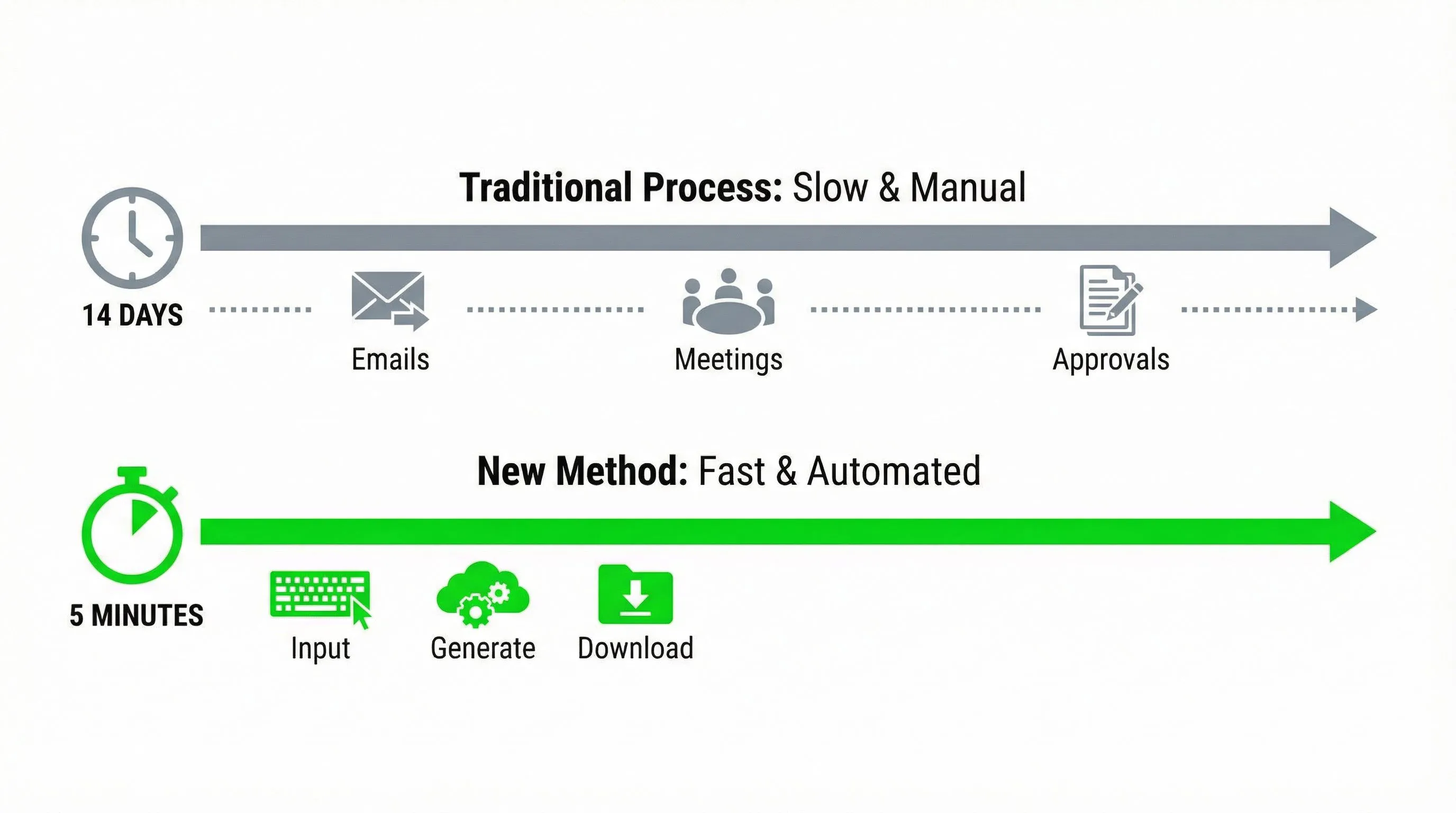 The traditional logo design process typically looks like this:
- Requirement Discussion (1-2 days): Repeatedly communicating brand concepts with the designer
- Initial Draft Creation (3-5 days): Waiting for the designer to complete the first draft
- Revisions and Refinement (2-7 days): Multiple adjustment rounds based on feedback
- Final Delivery (1-2 days): Receiving files in various formats
The entire process takes at least a week, often half a month or longer.
Using an AI logo generator compresses this to just minutes:
- Input Information (30 seconds): Fill in brand name and industry
- Choose Style (1 minute): Select from preset style options
- AI Generation (10 seconds): System automatically generates multiple options
- Personalized Adjustments (2-3 minutes): Modify colors, fonts, and other details
- Download and Use (10 seconds): Obtain high-resolution files
For entrepreneurs who need to launch projects quickly, this efficiency boost is revolutionary. You can complete logo design in minutes before a meeting, rather than waiting weeks.
From $500 to $0: The Free Design Revolution
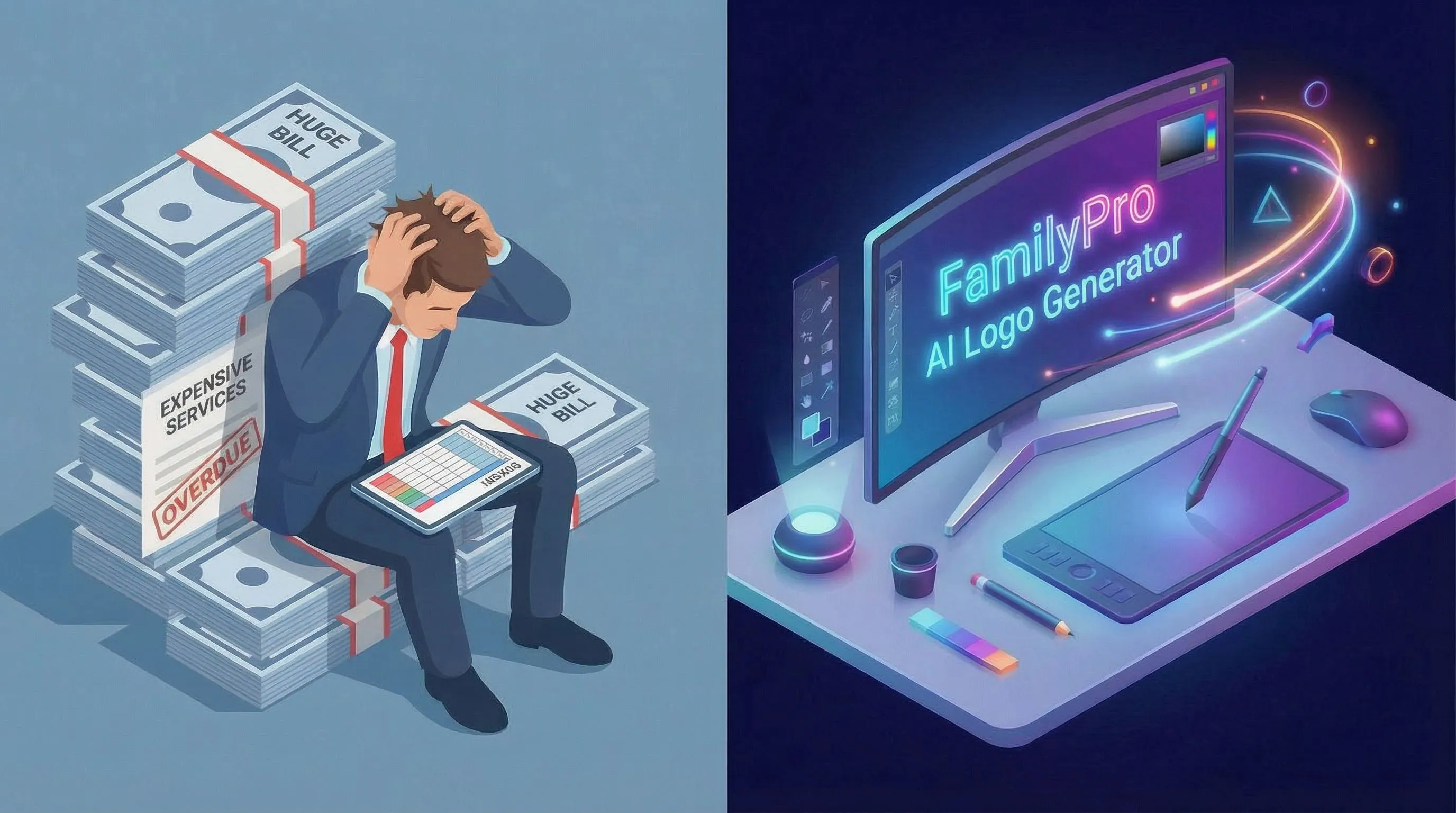 The price comparison is even more striking. For logos of comparable quality:
Traditional Design Costs:
- Designer fees: $500-2,000
- Revision costs: $50-200 per revision
- Copyright purchase: $100-500
- Total: $650-2,700
AI Logo Generator Costs:
- Basic usage: $0 (completely free, no login required)
- Daily credits: Free rewards for continuous use
- Unlimited revisions: Included
- Commercial license: Included
- Total: $0
Yes, you read that correctly—many excellent AI logo generators now offer completely free services. Even better, you don't even need to register an account or log in; just open the webpage and start designing.
Many platforms also implement a daily credit reward system, allowing you to generate and download logos for free every day. This means even entrepreneurs with zero budget can continuously optimize and adjust their brand identity without worrying about any costs.
The price difference isn't just 10 or 50 times—it's gone from hundreds of dollars straight down to zero! More importantly, this "free" isn't a "trial" or "demo version," but fully functional tools you can genuinely use for commercial projects.
No Design Skills? No Problem! If You Can Type, You Can Create
This is perhaps the biggest advantage of AI logo generators—absolutely no design experience required.
Traditional design requires mastering:
- Color theory and pairing principles
- Layout design and visual balance
- Professional design software (like Adobe Illustrator)
- Brand identity system knowledge
AI logo generators only require you to:
- Enter your brand name
- Describe your desired style (like "modern," "vintage," "minimalist")
- Choose preferred colors
- Click your mouse a few times
The entire operation is as simple as using social media. Even someone with zero design knowledge can create professional-quality logos in minutes.
Who Really Needs AI Logo Generators?
Based on my observations and experience, the following groups benefit most from AI logo generators:
Startups and Small Business Owners: Limited budgets but need professional image—AI logo generators offer the best value proposition.
Freelancers and Personal Brands: Need to quickly establish personal brand identity without investing heavily in logos.
Marketing Professionals: Frequently need to create temporary logos for different projects or campaigns—AI tools dramatically improve work efficiency.
Designers: Use for quickly generating creative sketches or providing clients with more directional options.
Students and Non-profits: Extremely limited budgets—free or low-cost AI logo generators are the best choice.
What Exactly is an AI Logo Generator? Explained Simply
If you're still unfamiliar with AI logo generators, let me explain in the simplest way possible.
The Simplest Explanation: Like Having an AI Designer on Call 24/7
Imagine hiring a designer who:
- Never goes off-duty, always responds to your needs
- Can provide 20 different design options in 10 seconds
- Never gets annoyed by your countless revisions
- Charges only a fraction of traditional designer fees
- Can automatically optimize based on latest design trends
That's the essence of an AI logo generator—an automated design system powered by artificial intelligence that has learned design principles from thousands of excellent logos and can quickly generate professional-grade work based on your requirements.
You Only Need to Do Three Things
Using an AI logo generator is incredibly simple:
Step One: Tell the AI What You Want
You only need to provide some basic information:
- Brand or company name
- Industry (such as "food & beverage," "technology," "education")
- Design style preference (such as "minimalist," "playful," "professional")
- Preferred colors (optional)
Most AI logo generators have intuitive form interfaces—filling out this information typically takes less than a minute.
Step Two: Pick Your Favorite from Multiple Options
The AI will generate 10-30 different logo designs in seconds based on the information you provided. These designs cover different styles, color schemes, and layout approaches.
You can:
- Browse all options to find the one that best fits your brand tone
- Save several favorites as backup choices
- Adjust input conditions and regenerate if unsatisfied
This process is as easy as ordering from a restaurant menu.
Step Three: Download and Use—That's It!
After selecting your logo, you can make some personalized adjustments:
- Modify color combinations
- Change font styles
- Adjust icon and text proportions
- Try different layout approaches
When satisfied, click the download button to receive:
- High-resolution PNG files (suitable for web and social media)
- Vector SVG or PDF files (suitable for printing and scaling)
- Different background versions (transparent, white, black)
- Complete commercial use license
The entire process from start to finish typically takes just 5-10 minutes.
Why is it Better Than Traditional Design?
Beyond speed and price advantages, AI logo generators have several features traditional design can't match:
Not Satisfied? Instant Revisions at No Extra Cost
Traditional designers typically offer only 2-3 free revision opportunities, with each subsequent adjustment requiring additional payment. AI logo generators allow unlimited revisions until you're completely satisfied.
You can:
- Try 100 different color combinations
- Test various font effects
- Adjust all design elements
- Completely regenerate
This freedom is difficult for traditional design processes to provide.
Want 10 Versions? Go Ahead and Experiment
Sometimes you might need different logo versions for different scenarios—like horizontal versions for websites, vertical versions for business cards, simplified versions for social media avatars.
Traditional designers charge for each version, while AI logo generators can generate all versions you need at once and provide a complete brand kit, including:
- Primary logo
- Secondary logo
- Icon version
- Text-only version
- Various size adaptations
Late-Night Inspiration? Create It Right Away
Creativity doesn't follow a schedule. Sometimes the best ideas come at midnight or on weekends.
With AI logo generators, you don't need to wait for business hours to contact designers or worry about rush fees. Whenever and wherever you have an idea, just open your browser and start creating immediately.
My Top Pick: The AI Logo Generator I Actually Use
After months of testing and comparison, I found FamilyPro AI Logo Generator to be the most recommendable tool on the market. As a completely free yet powerful platform, it completely changed my perception of AI logo generators.
FamilyPro AI Logo Generator: Why I Rank It #1

Why Choose This One?
I recommend FamilyPro as my top pick for three main reasons:
Completely Free with Commercial License: This isn't a gimmick—FamilyPro truly provides completely free logo design services, and generated logos can be used directly for commercial projects without any licensing fees. Even better, you don't even need to register an account or log in; just open the webpage and start designing immediately.
Powered by Advanced Nano Banana Pro Model: FamilyPro's underlying technology uses the currently popular and powerful Nano Banana Pro model for image generation. This model is renowned for its excellent design comprehension and high-quality output, capable of generating logo work that rivals professional designer standards.
Daily Free Credits for Continuous Use: The platform implements a daily credit reward system, allowing you to continuously optimize and adjust logo designs. Unlike other tools' time-limited "free trials," FamilyPro lets you genuinely use it long-term for free until you find the perfect design.
What Can It Do for You?
FamilyPro AI Logo Generator provides comprehensive design features:
- Smart AI Generation: Powered by the Nano Banana Pro model, quickly generates multiple high-quality logo options after entering brand descriptions
- Zero Barrier to Entry: No registration or login required—open the webpage and start designing
- Complete Commercial Authorization: All generated logos can be directly used for commercial projects without copyright concerns
- Diverse Styles: Supports modern minimalist, retro classic, futuristic tech, and many other design styles
- Rapid Iteration: Not satisfied? Regenerate instantly with no usage limits
- High-Resolution Downloads: Provides high-resolution files suitable for various purposes
Is It Right for You?
FamilyPro is particularly suitable for:
- Zero-Budget Entrepreneurs: Completely free, making it the best choice for launching your brand
- Teams Needing Quick Testing: Can rapidly generate multiple options for A/B testing
- Users Pursuing High Quality: Nano Banana Pro model ensures design quality matches paid tools
- Privacy-Conscious Individuals: No registration required, no personal information concerns
- Projects with Frequent Design Adjustments: Daily credits allow continuous optimization
How Much Does It Cost?
FamilyPro's pricing strategy is straightforward:
- Completely Free: $0
- No registration or login required
- High-quality generation powered by Nano Banana Pro model
- Daily free credit rewards
- Full commercial use license
- High-resolution file downloads
- No watermark output
No hidden fees, no "upgrade to professional version" upselling—just pure free access. This is extremely rare in today's AI tool market.
Real Experience Sharing: What I Created with It
Last month, I helped a friend who runs a specialty coffee business overhaul their brand identity. Despite previously spending $800 on a professional designer, the resulting logo lacked the refined, premium feel they were looking for.
I turned to FamilyPro and entered a simple prompt: "specialty coffee, minimalist, warm tones, artisan". In under 10 seconds, the tool generated several high-quality concepts. We were immediately drawn to a design that seamlessly integrated the silhouette of a coffee bean with clean, modern typography. 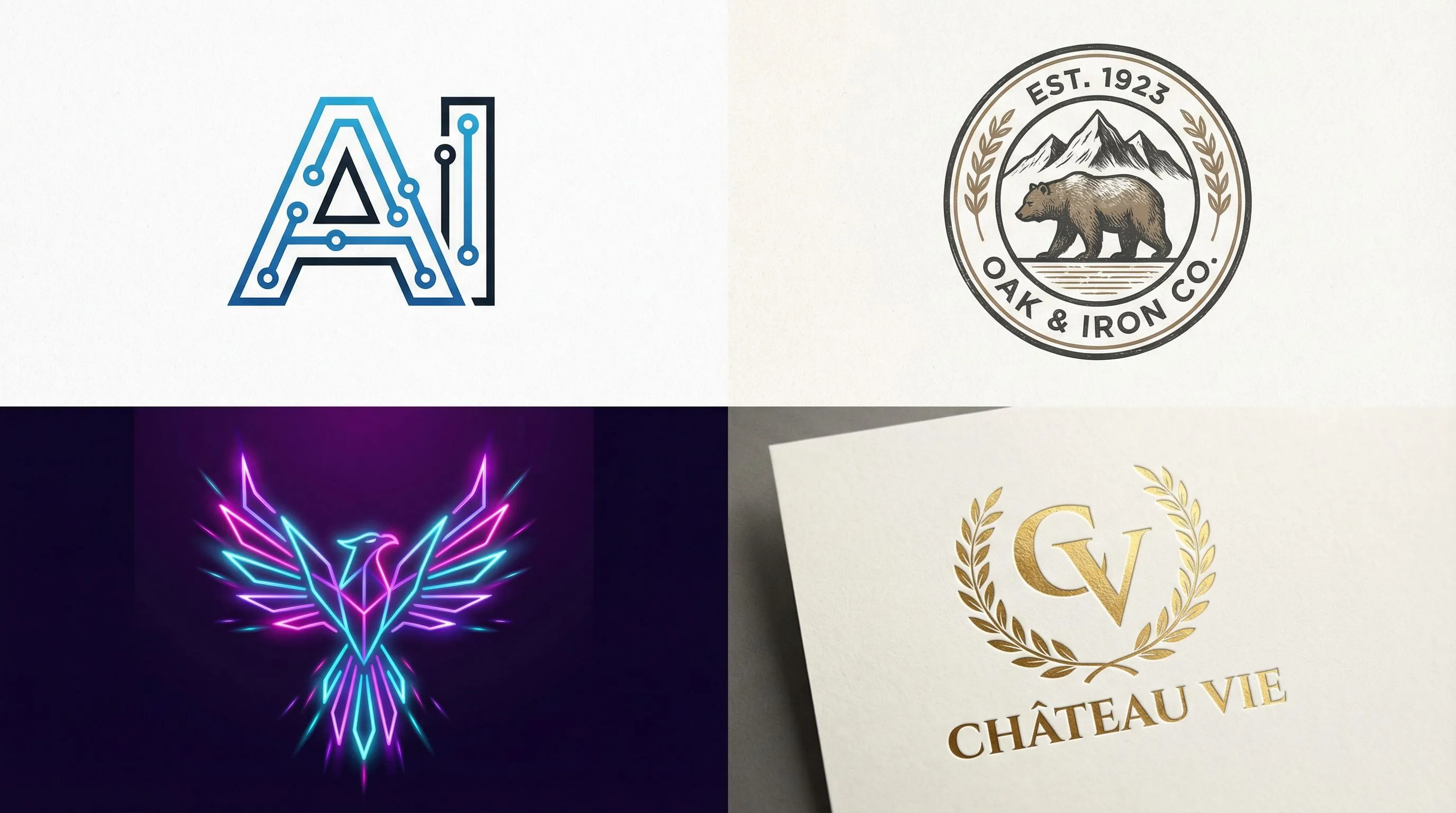
🎨 Ready to Create Your Professional Logo?
Completely Free · No Login Required · Powered by Nano Banana Pro
Generate stunning logo designs with AI in less than 5 minutes
✨ Start Designing for Free Now →💡 Daily Free Credits | 🎯 Commercial License Included | 🚀 10-Second Generation
Other AI Logo Tools Worth Trying
While FamilyPro is my top choice, different tools have their own unique features and advantages. Depending on your specific needs, these AI logo generators are also worth considering.
Canva: All-in-One Design Platform's Logo Tool
Key Highlights
Canva, as a comprehensive design platform with 150 million users, also excels in logo design functionality. While it requires registration, it offers extremely rich templates and editing features.
Main Features:
- Massive Template Library: Over 250,000 logo templates to choose from
- Drag-and-Drop Editor: Intuitive interface where all elements can be freely adjusted
- Complete Brand Suite: Not just logos—can create business cards, social media covers, and other supporting designs
- Team Collaboration Features: Supports multi-person editing and commenting
Ideal Users
- Entrepreneurs needing complete brand design tools
- Designers pursuing high customization
- Marketing teams requiring team collaboration
- Users wanting one-stop solutions for all design needs
Price Range
- Free Version: $0
- 250,000+ templates
- Basic editing features
- Standard resolution downloads
- Pro Version: $12.99/month
- 1 million+ premium templates
- Brand toolkit
- High-resolution transparent backgrounds
- Team collaboration
Design.com: For Those Pursuing Ultimate Speed
Key Highlights
Design.com is renowned for its 3-second logo generation experience—the fastest platform among all tools.
Main Features:
- Lightning-Fast Speed: See design results within 3 seconds of entering information
- Streamlined Process: Just answer 3-4 simple questions to begin
- Instant Preview: Real-time viewing of logo applications in different scenarios
- One-Time Payment: No subscription needed, buy once for permanent use
Ideal Users
- Time-pressed projects needing quick delivery
- Users preferring simple, straightforward experiences
- Beginners trying AI logo generators for the first time
- Entrepreneurs needing rapid prototype validation
Price Range
- Basic Version: Free preview
- Low resolution
- With watermark
- Standard Version: $19.99
- High-resolution, no watermark
- Basic file formats
- Complete Version: $39.99
- All file formats
- Brand guidelines
- Social media kit
Looka: Focused on Premium Design Quality
Key Highlights
Looka (formerly Logojoy) is renowned for design quality among AI logo generators, especially suitable for enterprises pursuing professionalism and brand power.
Main Features:
- Professional Design Quality: AI-generated logos have obvious premium feel
- Complete Brand System: Automatically generates complete VI system including brand colors and font specifications
- Rich Industry Templates: Design styles optimized for different industries
- 30+ Brand Suite: Includes business cards, envelopes, social media, and complete design set
Ideal Users
- B2B or high-end service industries
- Growing enterprises focused on brand image
- Startups needing complete VI systems
- Professionals with reasonable budgets pursuing quality
Price Range
- Basic Logo Package: $20
- All format logo files
- Full commercial license
- Brand Kit: $65
- Logo + 30+ brand designs
- Social media templates
- Brand style guide
Brandmark: Best Partner for Tech Companies
Key Highlights
Brandmark is specifically designed for modern tech brands, with generated logos often featuring minimalist, innovative, futuristic characteristics.
Main Features:
- Tech-Forward Design: Especially suitable for SaaS, apps, AI, and other tech fields
- Intelligent Color System: Recommends optimal color schemes based on industry psychology
- Dynamic Logo Support: Can generate animated logo versions
- Deep Customization: Provides more detail adjustment options than other tools
Ideal Users
- Tech startups and software development teams
- APP and SaaS products
- Brands pursuing modern and innovative aesthetics
- Digital products needing dynamic logos
Price Range
- Basic Package: $25
- PNG and JPG formats
- Basic commercial license
- Designer Package: $65
- Vector files (SVG, PDF, EPS)
- Social media sizes
- Enterprise Package: $175
- All file formats
- Animated logo
- Brand style guide
Comparison Review: Which One is Right for You?
To help you make a clearer choice, I conducted detailed comparative testing of these four mainstream AI logo generators. Testing was based on real-world scenarios, with ratings using a 5-star system.
Easy-to-Read Comparison Table
| Comparison Dimension | FamilyPro | Canva | Design.com | Looka | Brandmark |
|---|---|---|---|---|---|
| Ease of Use | ⭐⭐⭐⭐⭐ | ⭐⭐⭐⭐⭐ | ⭐⭐⭐⭐⭐ | ⭐⭐⭐⭐ | ⭐⭐⭐ |
| Design Quality | ⭐⭐⭐⭐⭐ | ⭐⭐⭐⭐ | ⭐⭐⭐ | ⭐⭐⭐⭐⭐ | ⭐⭐⭐⭐ |
| Customization Level | ⭐⭐⭐⭐ | ⭐⭐⭐⭐⭐ | ⭐⭐⭐ | ⭐⭐⭐⭐ | ⭐⭐⭐⭐ |
| Generation Speed | ⭐⭐⭐⭐⭐ | ⭐⭐⭐⭐ | ⭐⭐⭐⭐⭐ | ⭐⭐⭐⭐ | ⭐⭐⭐ |
| AI Model | Nano Banana Pro | Multi-model | Proprietary | Proprietary | Proprietary |
| Registration | Not Required | Required | Required | Required | Required |
| Free Version | ⭐⭐⭐⭐⭐ | ⭐⭐⭐⭐⭐ | ⭐⭐ | ⭐ | ⭐⭐ |
| Paid Pricing | Completely Free | $12.99/month | From $19.99 | From $20 | From $25 |
| Daily Credits | ✅ Yes | ❌ No | ❌ No | ❌ No | ❌ No |
| Commercial License | ✅ Included | ✅ Included | ✅ Included | ✅ Included | ✅ Included |
| Learning Time | 3 minutes | 10 minutes | 3 minutes | 15 minutes | 20 minutes |
| Best For | Zero Budget | Complete Brand | Quick Needs | Premium Brands | Tech Companies |
Detailed Comparison Analysis
Ease of Use Comparison
Ease of use is one of the most important factors when choosing an AI logo generator.
Canva and Hatchful perform best in this regard, with intuitive interface design that beginners can quickly master. Canva's drag-and-drop editor makes adjustments effortless, while Hatchful's streamlined process lets you complete design in 3 minutes.
Design.com enhances ease of use by simplifying options—the entire process requires answering just a few simple questions.
Looka and Brandmark offer more professional features, resulting in a slightly steeper learning curve. However, once familiar, these tools provide more refined control.
Design Quality Comparison
Design quality directly impacts logo professionalism and brand image.
Looka leads in this area, with AI-generated logos possessing obvious design sense and brand power, nearly matching professional designer work.
Canva and Brandmark follow closely, providing high-quality design options. Canva's advantage lies in template diversity, while Brandmark excels in modern and tech aesthetics.
Design.com and Hatchful offer relatively basic design quality, but are completely adequate for budget-limited or less demanding projects.
Customization Level Comparison
Customization degree determines whether you can create truly unique logos.
Canva is unmatched in customization—you can adjust almost every element: colors, fonts, icons, layout, spacing, shadows, etc.
Looka and Brandmark provide rich customization options, particularly in color matching and font selection.
Design.com has relatively limited customization options, but this also makes operation simpler.
Hatchful has minimal customization features, mainly relying on template selection.
Price Comparison
Price is a top concern for many entrepreneurs.
Hatchful is completely free with no hidden fees—the best choice for zero budgets.
Canva offers a powerful free version sufficient for most small businesses. Even upgrading to Pro version at $12.99/month is very reasonable.
Design.com, Looka, and Brandmark all use one-time payment models, ranging from $20 to $175. While initial investment is higher, no subscription is needed, potentially more economical long-term.
Output Formats and Copyright Comparison
Different use cases require different file formats.
All tested tools provide basic PNG format, which is sufficient for web use. But if you need printing or unlimited scaling without quality loss, vector formats (SVG, PDF, EPS) become important.
- Canva, Looka, and Brandmark all provide complete vector file support.
- Design.com includes vector formats in paid versions.
- Hatchful only provides PNG format, a limitation of its free model.
Good news is that all these AI logo generators include commercial use licenses—you can confidently use logos for any commercial purpose.
Use Case Comparison
Different tools suit different scenarios:
- Need Complete Brand Tools: Choose Canva or Looka
- Time-Pressed: Choose Design.com or Hatchful
- Pursuing Premium Quality: Choose Looka
- Tech Company Branding: Choose Brandmark
- Zero Budget Launch: Choose Hatchful or Canva free version
Choose Based on Your Needs
To make selection simpler, I provide specific recommendations based on different user scenarios:
If You're a Startup Newbie
Recommendation: FamilyPro or Canva
Reason: FamilyPro is completely free and requires no registration, making it the best choice for beginners. You can learn to use it in just 3 minutes, and it uses the advanced Nano Banana Pro model to ensure quality. If you need more customization options and supporting brand design tools, Canva is a great complementary choice.
If You're on a Tight Budget
Recommendation: FamilyPro (Top Choice)
Reason: FamilyPro is completely free with daily credit rewards for continuous use. No registration needed, no credit card required—just open the webpage and start. The generated logo quality matches paid tools completely, and includes full commercial license. For zero-budget entrepreneurs, this is the definitive choice.
If You Value Design Aesthetics
Recommendation: FamilyPro or Looka
Reason: FamilyPro's Nano Banana Pro model performs excellently in design quality, capable of generating professional-standard logos. If your brand image is critical to business success and you have some budget, Looka's complete brand kit ($20-65) is also worth considering. But for most small businesses, FamilyPro's free service is already sufficiently professional.
If You Need Quick Turnaround
Recommendation: FamilyPro or Design.com
Reason: FamilyPro's generation speed is extremely fast, usually delivering multiple options within 10 seconds, and requires no registration process—just open the webpage to begin. Design.com is also renowned for 3-second generation speed. Both can complete the entire process from concept to download within 5 minutes.
If You're a Design Beginner
Recommendation: FamilyPro (Highly Recommended)
Reason: FamilyPro is the easiest tool to get started with among all options. No account registration needed, no complex editor to learn—just describe your desired logo style and the AI generates automatically. After 3 minutes of learning time, anyone can independently complete professional-grade logo design. And it's completely free, so you can try without worry.
If You Run a Tech Company
Recommendation: Brandmark or FamilyPro
Reason: Brandmark is specifically optimized for modern tech brands, generating logos with minimalist, innovative, futuristic characteristics—ideal for SaaS, apps, AI, and other tech sectors (from $25). If budget is limited, FamilyPro can equally generate modern tech-style logos, and it's completely free.
If You Need a Complete Brand System
Recommendation: Canva or Looka
Reason: While FamilyPro excels at logo generation, if you need supporting materials like business cards, social media covers, brand guidelines, etc., Canva (free or $12.99/month) and Looka ($65 brand kit) provide more complete solutions. You can quickly generate logos with FamilyPro first, then complete supporting designs on other platforms.
Final Thoughts for You
After this detailed comparison and analysis, you should now have a comprehensive understanding of AI logo generators. As someone who's been through this, I want to share some insights about choosing and using these tools.
Key Things to Watch Out For When Choosing an AI Logo Generator
In actual use, I found these often-overlooked but important points:
1. Read Commercial License Terms Carefully
Most AI logo generators provide commercial licenses, but specific terms may differ. Before downloading a logo, be sure to confirm:
- Is commercial use allowed
- Is attribution required
- Can it be registered as a trademark
- Are there usage scope limitations
All tools recommended in this article provide complete commercial use licenses, but always read terms carefully when using other tools.
2. Choose the Right File Formats
Different purposes require different file formats:
- Websites and Social Media: PNG format (with transparent background)
- Print Materials: PDF or EPS vector formats
- Need Editing: SVG format
- Presentations: PNG or JPG
Ensure your downloaded logo includes all formats you might need to avoid later unavailability.
3. Understand Color Modes
Digital screens use RGB color mode, while printing uses CMYK mode. If your logo will be used for printing, ensure the AI logo generator provides CMYK versions or know how to convert. Colors may differ between modes.
4. Don't Skip Readability Testing
After generating a logo, definitely test its readability in different scenarios:
- Is it clear when reduced to icon size
- Can it be seen clearly on both dark and light backgrounds
- How does it look in black and white printing
- Performance on mobile device small screens
A good logo should remain clear and recognizable at all sizes and in all scenarios.
5. Consider Long-Term Usability
Avoid chasing overly trendy design styles. Choose relatively classic, minimalist design styles to ensure your logo remains current 5-10 years from now. Remember, changing a logo is expensive, including redesigning all marketing materials and rebuilding brand recognition.
My Ultimate Recommendation: Which One to Try First?
If you want to start designing your logo right now, I suggest following these steps:
Step One: Start with FamilyPro
Visit https://familypro.io/en/ai-logo-generator directly to begin designing. No registration needed, no credit card preparation required—just open the webpage and use immediately. Spend 5-10 minutes quickly generating a few versions to familiarize yourself with the entire process.
FamilyPro's advantages:
- Completely free with zero cost for trial and error
- Uses advanced Nano Banana Pro model with quality assurance
- Daily credits allow continuous optimization
- No registration required, protecting privacy
Even if you ultimately choose other tools, this process helps clarify what logo style you want.
Step Two: Collect Feedback
Send several logos generated with FamilyPro to friends, colleagues, or potential customers to collect their opinions. See which styles, colors, and design elements are most popular. Real feedback is far more valuable than working in isolation.
Step Three: Decide Whether to Try Other Tools Based on Feedback
In my experience, 80% of small businesses and personal brands achieve satisfactory results using FamilyPro. But if you find you need:
- More Customization Options: Try Canva's free version
- Complete Brand Kit: Consider Looka ($20-65)
- Stronger Tech Aesthetics: Try Brandmark (from $25)
But in most cases, FamilyPro's free service already fully meets professional logo needs.
My Personal Recommendation Path:
- 80% of Users: FamilyPro → Use directly if satisfied (completely free)
- Need More Customization: FamilyPro (test ideas) → Canva (fine-tune)
- Pursuing Ultimate Quality + Have Budget: FamilyPro (determine direction) → Looka (final version)
- Tech Company + Have Budget: FamilyPro (try first) → Consider Brandmark only if need more tech feel
Start Now! Your Brand Logo Might Only Take 5 Minutes
By reading this far, you've mastered all the knowledge for choosing and using AI logo generators. Don't let perfectionism block your action—your first logo doesn't need to be perfect, it just needs to let you start building your brand.
Remember this fact: Many successful companies have undergone multiple logo upgrades. World-class brands like Nike, Apple, and Starbucks have all revised their logos multiple times to become what they are today. Your first logo is a starting point, not an endpoint. brand also needs:
- Consistent color schemes
- Unified font usage
- Clear brand voice and tone
- Continuous brand experience
Fortunately, several AI tools introduced in this article (especially Canva and Looka) provide complete brand toolkits to help you establish consistent brand image.
Finally, thank you for reading this far. I hope this guide helps you find the most suitable AI logo generator and quickly create professional, beautiful logos with brand power. If this article helped you, please share it with other friends on their entrepreneurial journey.
Wishing you a smooth brand journey and happy logo designing!