
Grok Rate Limit Reached? Reset Times & What to Do
If Grok says “rate limit reached,” check the exact message before retrying. A free-tier restriction, an exhausted paid allowance and an API rate limit need different responses. Use the reset time shown in your account; there is no single countdown that reliably applies to every Grok user.
Start with the table below. If you already pay but see a free-tier warning, go straight to step 2. If your displayed reset time has passed, use step 4.
On this page: identify the limit · compare access types · check the reset · seven next steps · FAQ
What Is a Grok Rate Limit—and Which Limit Have You Hit?
“Limit reached” tells you that a request was restricted. The wording around it matters more than the headline alone.
| What you see | First check | Useful next action |
|---|---|---|
| “Free tier limit reached” | Signed-in account, selected feature and any displayed timer | Follow that feature's notice; paid users should verify their subscription first |
| Weekly usage exhausted | Usage meter and reset date | Plan around the displayed reset or review official extra-usage options |
| Extra usage stopped despite a credit balance | Monthly spending cap | Check the cap as well as the balance |
| HTTP 429 in code | API response, model and Console limits | Reduce request pressure and investigate the relevant API allowance |
| Input too long, unavailable model, or suspended account | Full error text | Follow that specific issue; it is not interchangeable with a usage reset |
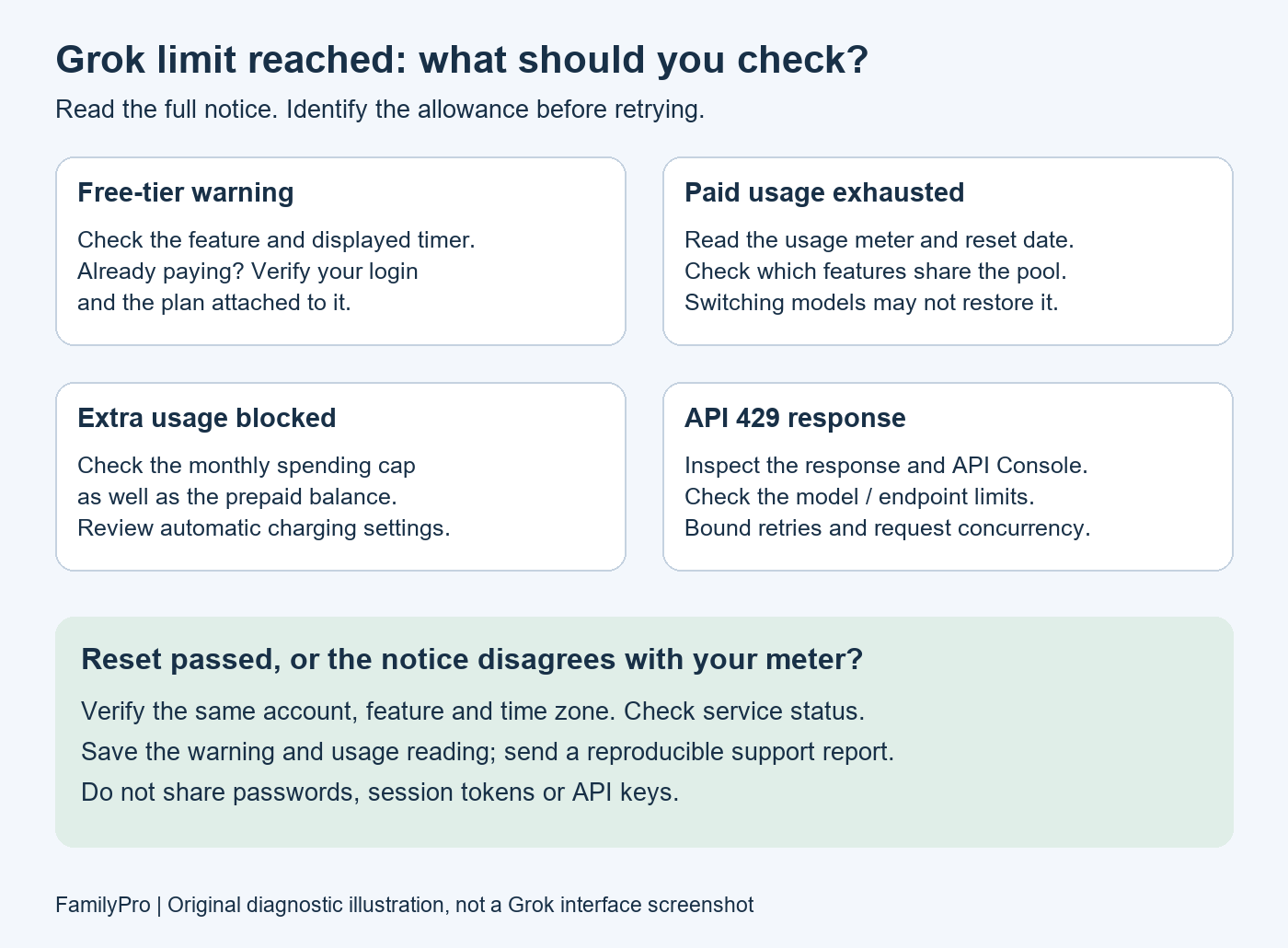
This is a diagnostic illustration, not a screenshot of the Grok interface.
Grok Rate Limits by Access Type: Free, Paid and API
Avoid treating a quoted “messages per two hours” figure as a guarantee for your account. The official documentation reviewed for this guide does not establish one universal free-message allowance or reset interval.
| Access type | What to look at | What not to assume |
|---|---|---|
| Free Grok | The restriction shown for the selected feature | Every free user gets the same timer |
| Paid Grok | Settings → Usage, including the reset date | A subscription means unlimited requests |
| The X Subscription, if shown in your account | Its plan-specific usage dashboard | Every older plan has identical entitlements |
| Developer API | API Console and endpoint-specific documentation | Consumer subscription limits describe API capacity |
The official Grok FAQ describes paid usage as a compute-weighted weekly pool. Exhausting it pauses paid features; free Chat and Voice have separate allowances. Check the account's Usage screen for the actual reset and available extra-usage options.
If your account uses The X Subscription, consult its usage-limit documentation. Eligible first-party usage can share a weekly pool across supported products. Switching between products in that pool does not create a new allowance.
Why You Hit “Rate Limit Reached”
Several situations can look similar from the chat window:
- You used the applicable allowance. A small number of demanding tasks can be misleading if you count prompts rather than checking the meter.
- Other activity used the same allowance. Review the account's usage rather than only the conversation currently open.
- Your subscription is attached to another login. A free-tier message on a paid account deserves an entitlement check before another purchase.
- You reached a spending control. For The X Subscription, the monthly spending cap can stop extra usage even when prepaid funds remain.
- The message is not a usage warning. A long-input rejection, model-access error or account suspension needs its own diagnosis.
These are checks to make, not a claim that every unexpected restriction has the same cause.
How to Check Your Grok Reset Time
- Save the complete warning, including any countdown or date.
- Record where it appeared: Grok web, mobile app, X, another integration or API code.
- For paid Grok, open Settings → Usage and compare its meter with the warning. For a different subscription interface, use that plan's dashboard.
- Note the displayed time zone if provided. If it is unclear, include your local time zone when reporting the issue.
If no timer is visible, an unofficial fixed waiting period is not a reliable substitute. Do not promise yourself that every restriction disappears at midnight, after two hours or after a week: first identify which allowance is involved.
7 Ways to Respond to a Grok Limit
1. Stop repeated retries and preserve your work
Copy your unsent prompt somewhere safe. Check the notice once, then follow its timing rather than repeatedly submitting the same request. Repeating a blocked action is not evidence that the allowance has renewed.
2. If you pay, verify the account and entitlement
Compare the signed-in account with the account associated with your purchase. Check the exact plan name and the feature it includes. The Grok billing and login FAQ explains account-linked subscriptions and linked X access.
If the purchase and login do not match, resolve that with the relevant support or purchase channel. Do not buy a second subscription merely because the current screen says “free tier.”
3. Choose a reset or extra-usage option that fits the actual limit
Waiting is appropriate when the relevant allowance is genuinely exhausted. A different available feature may let you continue a simpler task, but do not assume it has an independent pool.
If considering paid extra usage, read the displayed terms first. For The X Subscription, prepaid balance and automatic top-ups are separate billing controls. Review automatic charging and the monthly spending cap together; adding money alone may not remove a cap.
4. If the reset passed, collect evidence before changing settings
Refresh the usage view once and verify the same account, feature and time reference. Check the official service-status page for a relevant incident; absence of an incident does not rule out an individual problem.
If the timer moves again without new activity, or the meter and warning disagree, capture both. That discrepancy is useful to support, but it does not prove the cause is a browser bug. Clearing cookies does not replenish a server-side allowance.
5. Use remaining capacity more deliberately
Prepare a complete prompt before submitting it. For image or video work, settle the brief before generating repeated variants. These are workflow suggestions to reduce avoidable attempts, not guaranteed quota savings.
For generation budgeting, our SuperGrok weekly quota guide separates planning estimates from official limits. Treat its output estimates as context, not a promise for your account.
6. For API 429 errors, inspect developer limits
The current xAI API rate-limit documentation describes team/model limits using requests per second and tokens per minute; voice endpoints also have endpoint-specific concurrency rules. Check the API Console rather than applying a consumer reset schedule.
As an implementation approach, bound concurrency, queue work and use capped backoff for retryable responses. Inspect the response before retrying indefinitely: retry delays do not fix a persistent billing or permission problem. Never paste an API key into a public troubleshooting thread.
7. Escalate with a reproducible report
Use the support route in your account or the official help documentation. A useful report includes:
Access surface: web / mobile / X / integration / API
Plan shown in my account:
Affected model or feature:
Exact error message:
Time and time zone:
Displayed reset time and usage reading:
What happened after that time:
App/browser version or API request ID, if available:
Remove passwords, session tokens, payment details and API keys from screenshots. Send account-identifying information only through the official support channel when requested.
Does Sharing a Grok Account Change the Limit?
Distinguish several people using one login from several products drawing on a shared allowance. Those are different situations. An official team seat is another arrangement; do not infer its limits from a shared-login product.
If multiple people use one account, your own prompt count is not a complete activity record. Do not assume every person gets a separate allowance. Check the provider's access terms and usage arrangement before purchasing.
FamilyPro offers a Grok subscription top-up service and a Grok shared-account product. Review the current product terms to understand which arrangement you are buying.
FamilyPro's subscription top-up is not the same product as xAI's official Extra Usage Credits. Neither a subscription purchase nor a shared-account purchase should be treated as a guaranteed way to remove every limit. Diagnose the warning first.
Grok Rate Limit FAQ
Why is Grok saying “rate limit reached”?
Read the surrounding notice to identify the restriction. Check the selected feature, signed-in account and applicable usage view before deciding whether to wait or contact support.
How long does a Grok rate limit last?
Use the reset displayed for the affected allowance. A fixed waiting time from another user's experience may describe a different access type or feature.
Does Grok have a daily limit?
Do not assume every limit is daily. Identify the allowance shown in your account rather than expecting all access to return at midnight.
Does SuperGrok have rate limits?
Yes. Paid access is not a promise of unlimited use. Review the current plan and usage display before upgrading for more capacity.
Is a Grok rate limit based on messages or time?
Both the allowance and its reset window matter. Counting visible messages alone may not explain the restriction; compare the error with the relevant meter or developer limit.
Can you bypass a Grok rate limit for free?
Do not rely on cookie clearing, VPN changes or a new conversation to reset account usage. An available alternative feature can help with a task, but is not proof the exhausted allowance was restored. Uploading a long prompt as a file addresses a different problem from replenishing usage.
Does the Grok API have different limits?
Yes. Use the API Console and the documentation for the specific endpoint. Consumer-plan comparisons are not a substitute for checking an API 429 response.
Do shared Grok accounts give each person a separate limit?
Do not assume so. Check whether the offer provides a shared login, a personal subscription or an official team seat, and read the applicable terms.
Your Next Step
Save the warning, identify the access type and check its actual usage display. If the restriction matches your allowance, use the reset or documented extra-usage options. If it does not, send support the discrepancy instead of repeatedly retrying or purchasing the wrong product.