
GamsGo Alternatives: How to Choose the Right Subscription Option
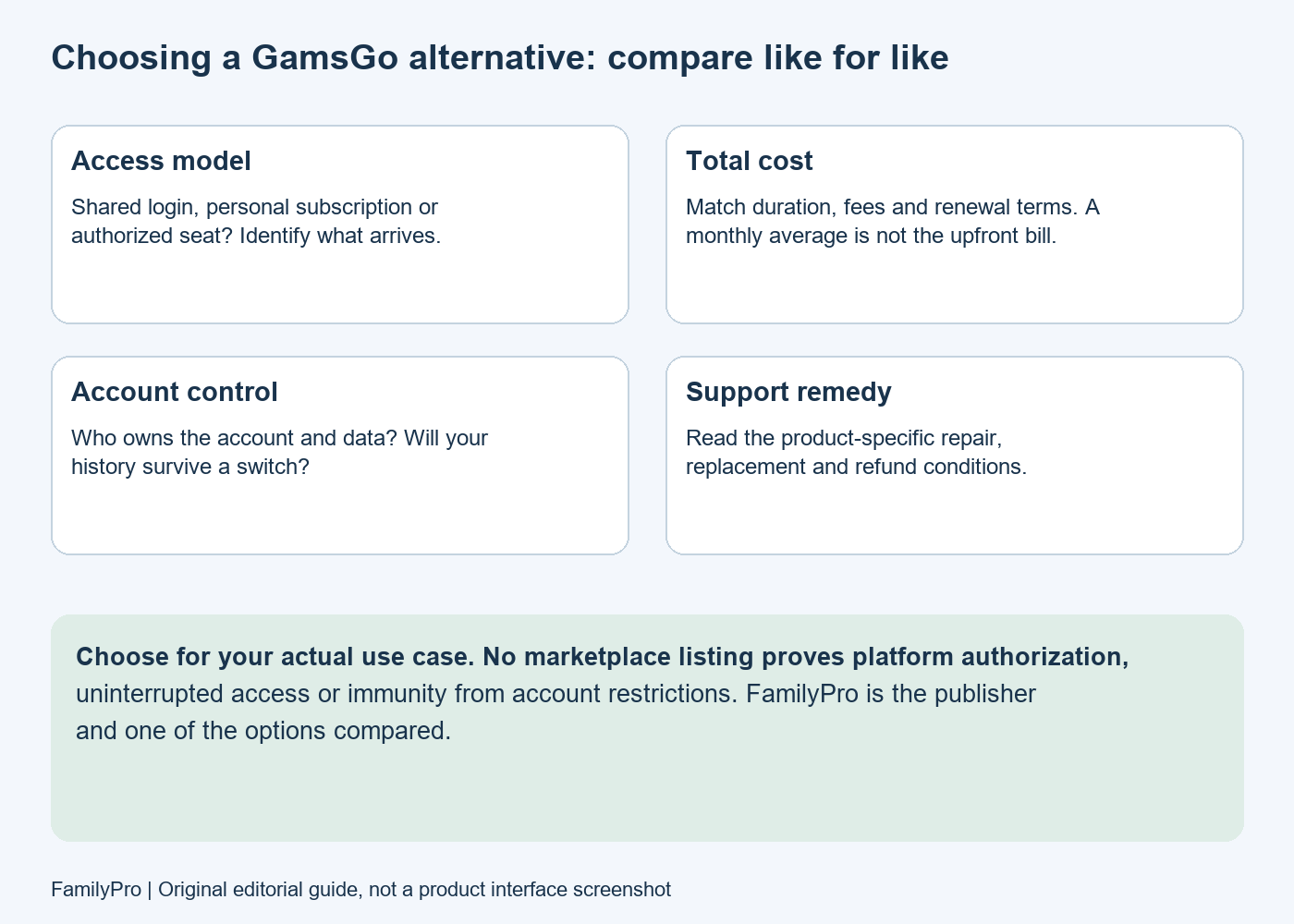
The right GamsGo alternative depends on what you are replacing: a shared login, a subscription on your own account, or a place in a permitted multi-user plan. Compare the same access model, duration and region before comparing prices. FamilyPro is one option; a direct subscription may fit better when account control matters most.
This comparison is published by FamilyPro, one of the services discussed. It is based on public product descriptions checked on October 28, 2026, not an independent purchase, refund or uptime test.
| Option | Why compare it? | What to verify before paying |
|---|---|---|
| FamilyPro | Subscription-access listings, order help and AI tools | Exact access model, provider, ownership and product-specific terms |
| Spliiit | Co-subscription offers | Eligible service, available place, region and fees |
| Sharesub | Subscription cost-sharing listings | Account-owner arrangement, fees and dispute procedure |
| GoSplit | A platform for sharing subscription costs | Live listing, activation method and seller obligations |
| Direct service subscription | A baseline for account control and official eligibility | Plan features, renewal price and supported region |
On this page: GamsGo today · what to check · FamilyPro · comparison · cost worksheet · switching steps · FAQ.
1. What Is GamsGo?
GamsGo lists digital subscriptions and other digital products. Its current public catalog covers more categories than the small selection described in older comparisons. A product may have shared, private, recharge or other delivery options, so the brand name alone does not define what you receive.
Do not assume that every listing is equivalent to buying directly from the underlying service. Read the exact product and provider terms. That applies equally to GamsGo, FamilyPro and every alternative here.
2. What to Check Before Leaving GamsGo
Product availability
Check the current catalog rather than a screenshot from 2025. If a specific product is unavailable, identify the missing plan, device support or region. Buying a different service under a similar name may not solve the problem.
Access interruptions
Save the error and contact the provider responsible for your order. Determine whether the problem is a password, household restriction, expired subscription, usage cap or service outage. A replacement seller cannot guarantee that the underlying platform will never restrict access.
Before buying again, establish whether your current order is eligible for a repair, replacement or refund and whether you would otherwise pay twice for overlapping periods.
Support and refunds
Ask what happens when access stops: response channel, evidence required, remedy, exclusions and whether a refund is cash or account credit. A “24/7” support label describes availability, not a guaranteed resolution time.
We have not run a controlled support-response comparison. This guide therefore does not repeat historical claims that GamsGo always takes 24–72 hours or that another service always resolves issues faster.
3. What Is FamilyPro?
FamilyPro's current description presents a platform connecting users sharing subscription access with users seeking more affordable access, alongside online AI tools. It describes payment processing, support and dispute handling, with transaction-specific details on resource pages.
For a buyer, the useful question is not “is the platform good at everything?” It is “does this listing provide the exact access I need, under terms I understand?” Start with the current FamilyPro catalog and examine a specific offer.
4. When FamilyPro May Be a Better Fit
Access that matches your use case
Compare device support, account ownership, region and access duration. If you need your own long-term AI history or business data, do not treat a shared login as equivalent to a personal account. If you need streaming outside a household, check the service's own permitted sharing rules.
A provider's replacement policy may help address an interruption, but it is not a guarantee against platform enforcement. The same test should be applied to every candidate.
A support process you can evaluate
FamilyPro provides order-support and dispute-resolution information. Before buying, ask one concrete question about your intended product: “If this stops working halfway through the term, what remedy does this specific order receive?” Keep the answer with your order record.
Do not substitute a homepage promise for the applicable product conditions. A useful comparison states the actual remedy and its limitations rather than awarding an unsupported “best support” score.
Clear delivery instructions
Determine whether you receive credentials, an invitation, an activation procedure or a subscription change on an existing account. Ask who handles verification and whether switching devices changes the process. Automated delivery is convenient only if the delivered product matches your purchase.
Do not send passwords or one-time codes through an unverified chat merely because someone claims to be support.
5. Compare Coverage and the Real Price
Compare the product you need
Spliiit and Sharesub present co-subscription catalogs; GoSplit presents subscription cost sharing. Their live availability and checkout terms matter more than a general list of supported brands. A broad catalog is not evidence that a specific invitation, seat or plan is available in your region today.
Use an equal-duration cost worksheet
| Field | Existing offer | Alternative |
|---|---|---|
| Product and plan | ___ | ___ |
| Access model and account owner | ___ | ___ |
| Months covered | ___ | ___ |
| Total upfront charge including fees | ___ | ___ |
| Renewal charge and date | ___ | ___ |
| Refund or replacement terms | ___ | ___ |
| Region and device restrictions | ___ | ___ |
Effective monthly cost = total non-refundable cost for the term ÷ months included. For example, a hypothetical $24 six-month offer averages $4 per month, but requires $24 upfront. A $5 one-month offer costs less if you only need one month. These are illustrative numbers, not current seller quotes.
To find the cheaper offer, match the plan, region, fees and purchase duration at checkout. Comparing an annual monthly-equivalent price with a cancellable one-month purchase can produce the wrong answer.
6. How to Compare and Switch
- Write down the reason for switching and the exact feature required.
- Check whether your current issue has an available support remedy.
- Compare two equivalent offers using the worksheet above.
- Review the underlying service's eligibility and sharing rules as well as the seller's terms.
- Save essential data where export is available; do not assume histories transfer with a new order.
- Confirm new access before relying on it for important work, and separately manage unwanted renewals through the original billing channel.
If a FamilyPro listing matches those checks, review the available offers. If no third-party offer gives you the ownership or continuity you need, compare a direct subscription instead.
FAQ
Can a GamsGo alternative guarantee that Netflix will never block access?
No such guarantee should be assumed. Check household rules and the specific remedy offered if access fails. A refund promise does not change the platform's rules.
How should I compare customer support?
Compare the contact channel, operating hours, stated response terms and actual product remedy. This guide has not independently timed support responses.
Where can I check FamilyPro's current products?
Use the live catalog and individual listings. Availability and access models can change, so an older comparison table is not a reliable stock list.
Is FamilyPro always cheaper than GamsGo?
This guide does not establish that. Compare equivalent plans, total duration, fees and renewal terms rather than isolated “from” prices.
Is switching as simple as moving my existing account?
Not necessarily. A new product can use a different account or access method. Confirm data continuity and who controls the account before switching.