FamilyPro Adobe Creative Cloud Pro
Please review the Service Rules and User Guide before purchase.
Own Account Upgrade 20+ Apps & Firefly AI 200GB Official Cloud 100% Genuine Verified
Upgrade your own account to Adobe Creative Cloud via FamilyPro. Access 20+ apps, including Photoshop and Firefly AI, plus 200GB cloud storage. Experience 100% genuine features and seamless syncing at a fraction of the price. Start today!
Why Choose to Purchase on FamilyPro?
Backed by rave reviews. The undisputed choice.
UNBEATABLE VALUE
Enjoy the exact same official membership benefits at a fraction of the cost. We optimize family plan sharing to bring you the best price in the market.
24H RESPONSE GUARANTEE
Our support team is available through multiple channels. Once we receive your request, we will respond promptly and help resolve your issue within 24 hours.
WORRY-FREE GUARANTEE
We promise a full refund if any issues arise that cannot be resolved. Our secure payment processing ensures your data stays safe and private.
LIGHTNING FAST DELIVERY
Start enjoying your service immediately after payment. Our automated system delivers account credentials instantly to your dashboard.
100K+
Satisfied Members
99.8%
Uptime Record
Expert
Support Availability
2 Years
Trusted Service
Service Rules
Official Activation & Access
Log in via the official Adobe website or desktop app to start using all Adobe Creative Cloud applications and services.
Private Account Security
Use your personal account for a private experience that protects your data privacy and security.
Firefly AI & Region Settings
Access 20+ apps and Firefly AI features (200GB Cloud included). For full AI support, we recommend setting your account region to the US.
Subscription Refresh (Troubleshooting)
If you see "No Team Available" or "No Access," simply log out and log back in to restore your subscription immediately.
Protect Your Access Rights
Do not share or leak your account details. Any suspicious activity could result in a security suspension by FamilyPro.
User Guide
How to Access Your Adobe Creative Cloud via FamilyPro
Select Your Plan
Choose your preferred duration and complete the purchase on FamilyPro.
Provide Account Email
Submit the email address associated with your own Adobe account for the upgrade.
Wait for Activation
Wait for FamilyPro to process your order and activate the Adobe Creative Cloud subscription on your account.
How to Log In & Use Adobe Creative Cloud
Log in to Adobe
Open the Adobe Creative Cloud desktop app or official website and sign in with your own personal account.
Select Organization
Upon login, a prompt will appear. Select "Join Organization" or choose the designated enterprise profile to link your account.
Success & Verification
Once the organization profile is loaded, your account status will be updated to "Subscribed."
Restart & Create
Restart your Adobe apps. You can now enjoy 20+ Pro apps, 200GB Cloud, and Adobe Firefly AI features.
Adobe Creative Cloud Pro: The Ultimate Productivity Tool
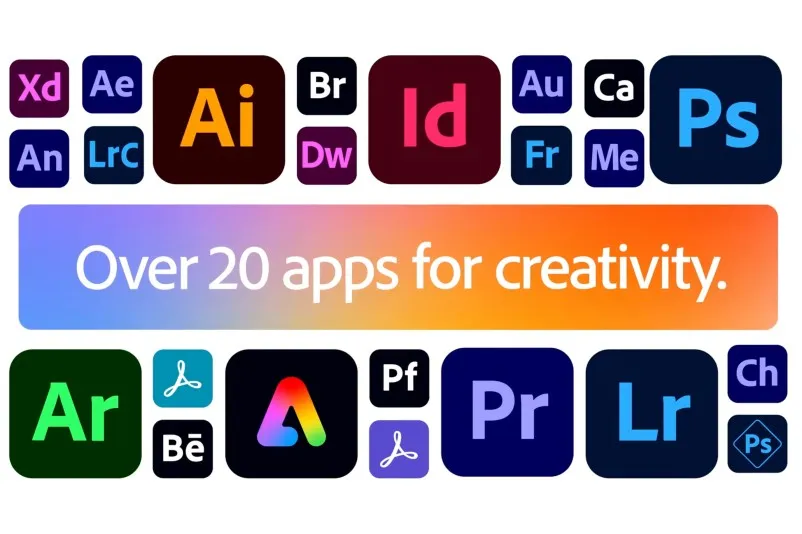
A collection of 20+ applications across photography, video, design, web, user experience, and social media.
What Creative Cloud Pro Can Do for You
20+ Creative Tools
Creative Cloud Pro typically includes over 20 creative tools (desktop and select mobile versions):
• Photoshop (image design and editing)
• Illustrator (vector graphics and logos)
• InDesign (layout and publishing)
• Premiere Pro (video editing)
• After Effects (motion graphics and visual effects)
• Lightroom / Lightroom Classic (photo editing and management)
• Acrobat Pro (PDF creation and editing)
• Audition (audio processing)
• Animate (2D animation and interactive content)
• Dreamweaver (Web Design and Development)
• XD (UI/UX Design, may be replaced by other tools in some regions)
• Supporting Tools: Media Encoder, Bridge, Fresco, Capture, Scan, Fill & Sign, etc.
• Adobe Express, Photoshop Express (Quick Design and Social Content)
• Adobe Firefly (Standalone Interface and Generative AI Features Within Apps)
• Photoshop (image design and editing)
• Illustrator (vector graphics and logos)
• InDesign (layout and publishing)
• Premiere Pro (video editing)
• After Effects (motion graphics and visual effects)
• Lightroom / Lightroom Classic (photo editing and management)
• Acrobat Pro (PDF creation and editing)
• Audition (audio processing)
• Animate (2D animation and interactive content)
• Dreamweaver (Web Design and Development)
• XD (UI/UX Design, may be replaced by other tools in some regions)
• Supporting Tools: Media Encoder, Bridge, Fresco, Capture, Scan, Fill & Sign, etc.
• Adobe Express, Photoshop Express (Quick Design and Social Content)
• Adobe Firefly (Standalone Interface and Generative AI Features Within Apps)
Firefly Creative AI
• Includes Firefly creative AI for image generation, image expansion, image filling, text-to-image creation, and more.
• Each user receives a fixed monthly allocation of generation credits (e.g., 4,000 credits per tier; actual figures subject to Adobe's official website) for AI features across Photoshop, Illustrator, Express, Firefly, and other products.
• Each user receives a fixed monthly allocation of generation credits (e.g., 4,000 credits per tier; actual figures subject to Adobe's official website) for AI features across Photoshop, Illustrator, Express, Firefly, and other products.

Cloud storage
• At least 100GB of cloud storage for syncing projects and files.
• Access to tens of thousands of Adobe Fonts (e.g., 30,000+ fonts) for direct use across apps.
• Creative Cloud Libraries for sharing color swatches, icons, styles, and more across applications and teams.
• Access to tens of thousands of Adobe Fonts (e.g., 30,000+ fonts) for direct use across apps.
• Creative Cloud Libraries for sharing color swatches, icons, styles, and more across applications and teams.
Creative Cloud Pro Specific Use Cases

Social Media and Brand Visual Creation
1.Use Photoshop to create main visuals like product images and beauty shots. Leverage generative fill and generative extend to quickly fill backgrounds and remove clutter.
2.Design logos, icons, and infographics in Illustrator, keeping all assets vector-based for flexible resizing.
3.Import assets into Adobe Express to rapidly create social media posters, Reels covers, and carousel templates in various sizes, then apply them across multiple platforms with one click.
4.Leverage Creative Cloud's font library and cloud assets to ensure consistent branding across teams by sharing unified color palettes, fonts, and templates.
2.Design logos, icons, and infographics in Illustrator, keeping all assets vector-based for flexible resizing.
3.Import assets into Adobe Express to rapidly create social media posters, Reels covers, and carousel templates in various sizes, then apply them across multiple platforms with one click.
4.Leverage Creative Cloud's font library and cloud assets to ensure consistent branding across teams by sharing unified color palettes, fonts, and templates.
Short Video Editing
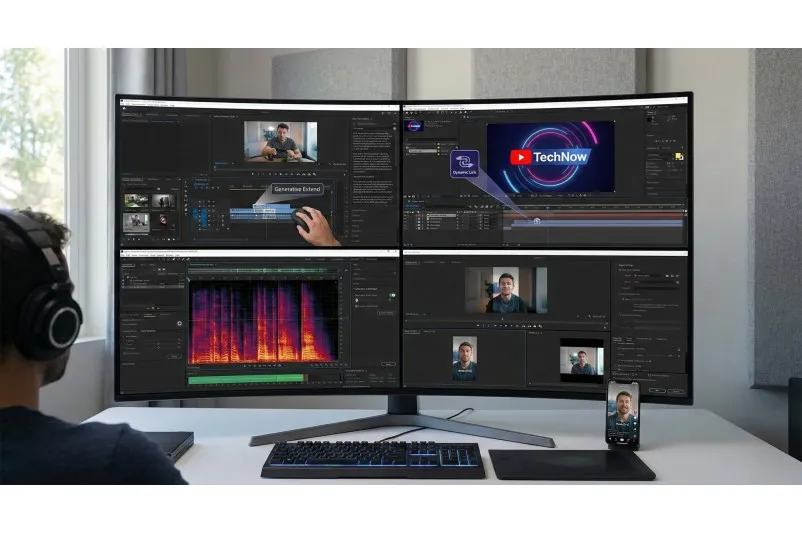
1.Trim, splice, and add subtitles in Premiere Pro, while accelerating editing with features like generative extensions and automatic transcription.
2.For complex scenes (e.g., dynamic titles or logo animations), send clips to After Effects for motion graphics, then return to Premiere for integration.
3.Use Audition for noise reduction and mixing, or leverage generative audio tools to repair problematic audio tracks.
4.Export full-length videos to YouTube, then use different sequences and presets in Premiere to export vertical and square formats for Reels, TikTok, and short-form video platforms.
2.For complex scenes (e.g., dynamic titles or logo animations), send clips to After Effects for motion graphics, then return to Premiere for integration.
3.Use Audition for noise reduction and mixing, or leverage generative audio tools to repair problematic audio tracks.
4.Export full-length videos to YouTube, then use different sequences and presets in Premiere to export vertical and square formats for Reels, TikTok, and short-form video platforms.
Professional Graphic Design and Publications
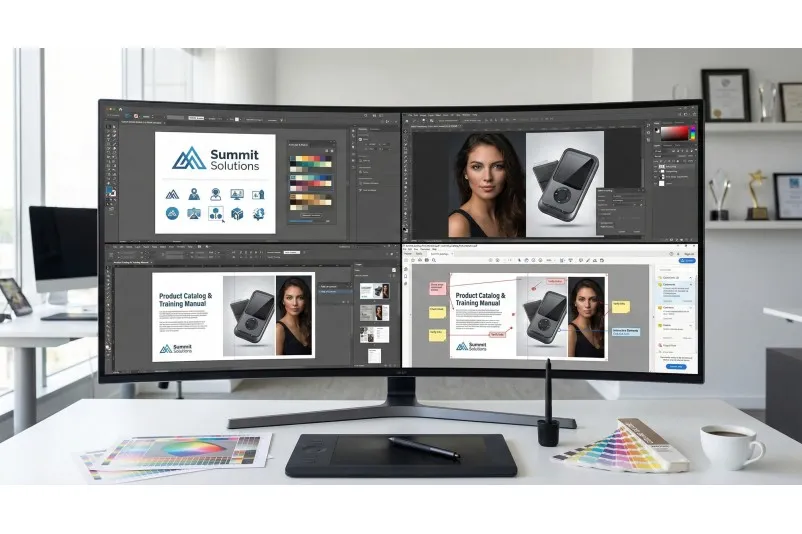
1.Design logos, brand key visuals, icons, and illustrations in Illustrator, using AI redrawing and recoloring to quickly explore different design directions.
2.Use Photoshop for photo retouching and compositing, processing product and portrait assets to print-ready quality.
3.Import the above images and vector graphics into InDesign for multi-page layout design, such as training manuals, product catalogs, periodicals, and magazines.
4.Output print-ready PDFs and interactive digital editions (with tables of contents and links) from InDesign, then leverage Acrobat Pro for proofreading, annotation, and final review.
2.Use Photoshop for photo retouching and compositing, processing product and portrait assets to print-ready quality.
3.Import the above images and vector graphics into InDesign for multi-page layout design, such as training manuals, product catalogs, periodicals, and magazines.
4.Output print-ready PDFs and interactive digital editions (with tables of contents and links) from InDesign, then leverage Acrobat Pro for proofreading, annotation, and final review.
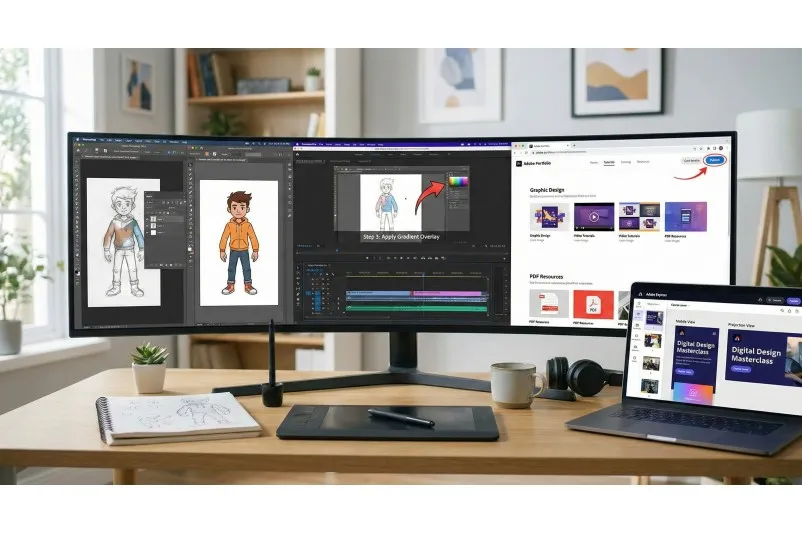
Teaching / Training Content and Portfolio Development
1.Use Photoshop and Illustrator to complete classroom case studies and practice materials, demonstrating the full workflow from sketch to final product for students.
2.Record and edit course videos in Premiere Pro, adding explanatory animations such as subtitles, directional arrows, and key step zooms.
3.Use Adobe Express to create course covers, promotional posters, and course materials, quickly generating versions optimized for projection and mobile viewing.
4.Leverage Adobe Portfolio to build a personal online portfolio, centrally showcasing graphic designs, video projects, and PDF portfolios for resume submissions or external recruitment.
2.Record and edit course videos in Premiere Pro, adding explanatory animations such as subtitles, directional arrows, and key step zooms.
3.Use Adobe Express to create course covers, promotional posters, and course materials, quickly generating versions optimized for projection and mobile viewing.
4.Leverage Adobe Portfolio to build a personal online portfolio, centrally showcasing graphic designs, video projects, and PDF portfolios for resume submissions or external recruitment.
How do users say about Adobe Creative Cloud
I frequently use Photoshop to create product images, magazine covers, and other visual effects, as well as Premiere Pro for trimming and splicing. I purchased Adobe Creative Cloud Pro through FamilyPro—it's a great deal and very affordable.

Jessica Cole
DesignerI frequently use Adobe Express to create course covers and promotional posters, so I found FamilyPro. Here, I can subscribe to my account at a very low price. Their customer service is highly efficient, and I don't have to worry about privacy leaks.

Yuki
EducatorI frequently use Photoshop to create product images, magazine covers, and other visual effects, as well as Premiere Pro for trimming and splicing. I purchased Adobe Creative Cloud Pro through FamilyPro—it's a great deal and very affordable.
Jessica Cole
DesignerI frequently use Adobe Express to create course covers and promotional posters, so I found FamilyPro. Here, I can subscribe to my account at a very low price. Their customer service is highly efficient, and I don't have to worry about privacy leaks.
Yuki
EducatorMy daily work involves editing all kinds of videos using Premiere Pro. Previously, I paid a separate monthly fee of $22.99, but now with FamilyPro, it's only $4.99—saving me a lot of money.

Alejandro
Video CreatorMy daily work involves editing all kinds of videos using Premiere Pro. Previously, I paid a separate monthly fee of $22.99, but now with FamilyPro, it's only $4.99—saving me a lot of money.
Alejandro
Video CreatorFAQ
How soon can I use it after payment?
We will activate your access within 24 hours. You can check the progress anytime on the order page.