Buy Cursor Pro with FamilyPro
Please review the Service Rules and User Guide before purchase.
Unlimited AI Tab completions model supports Claude, ChatGPT, and Gemini AI Agents
Buy Cursor Pro with FamilyPro and unlock unlimited AI Tab completions, multi-model support (Claude, ChatGPT, Gemini), and AI Agents. Elevate your coding workflow with smarter assistance.
Why Choose to Purchase on FamilyPro?
Backed by rave reviews. The undisputed choice.
UNBEATABLE VALUE
Enjoy the exact same official membership benefits at a fraction of the cost. We optimize family plan sharing to bring you the best price in the market.
24H RESPONSE GUARANTEE
Our support team is available through multiple channels. Once we receive your request, we will respond promptly and help resolve your issue within 24 hours.
WORRY-FREE GUARANTEE
We promise a full refund if any issues arise that cannot be resolved. Our secure payment processing ensures your data stays safe and private.
LIGHTNING FAST DELIVERY
Start enjoying your service immediately after payment. Our automated system delivers account credentials instantly to your dashboard.
100K+
Satisfied Members
99.8%
Uptime Record
Expert
Support Availability
2 Years
Trusted Service
User Guide
How to Activate Your Cursor Pro After You Buy?
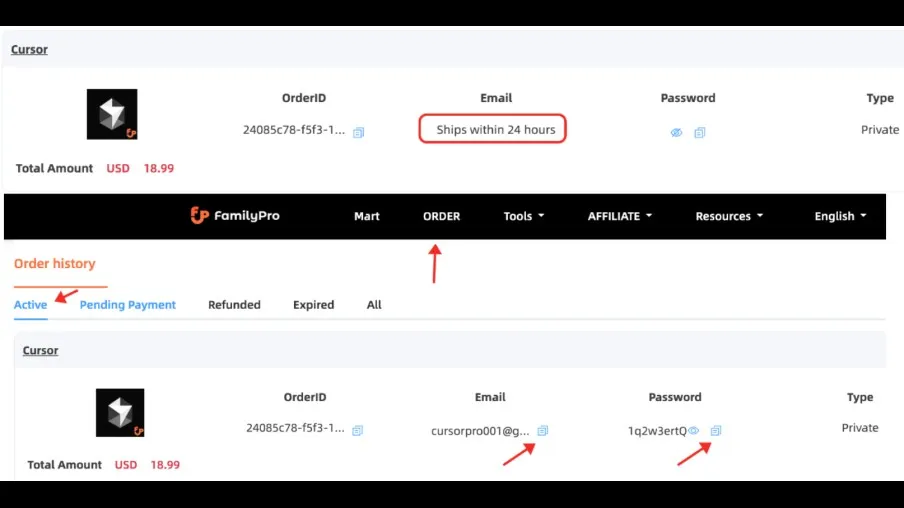
Step 1
After you buy Cursor Pro through FamilyPro, visit the Order Page to retrieve your credentials. If “Ships within 24hours” appears, wait patiently—we guarantee activation within 24 hours.
Step 2
Click the Copy button to copy your credentials. Then, go to Cursor login and sign in. If asked for a verification code, click the chat window at the bottom-right corner to reach FamilyPro customer support.
Step 3
Download the Cursor Editor, then go to Settings and click Login. You will be automatically directed to the web login page. Since you've already logged in during Step 2, just confirm the linked login status. After logging in successfully, go back to the Settings page and set up the AI model as needed for optimal use.
Usage Notes
Do not modify FamilyPro Cursor account information
If you do this, your Cursor account may be suspended, and normal usage may be affected.
If you are using a VPN with your FamilyPro Cursor account, avoid frequently switching IP addresses.
We recommend logging in using a fixed device and IP address, and avoid frequently changing devices or networks to minimize risk control issues.
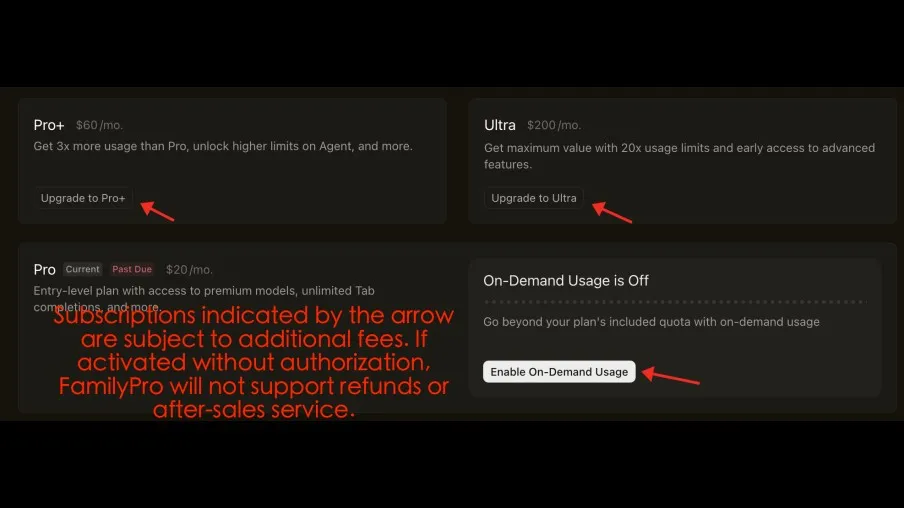
Additional fees for paid premium models do not include after-sales support
If you've activated Cursor paid premium models, FamilyPro doesn't cover advanced model costs; you bear them. No account replacements or refunds if found.
Please back up your personal and project data in time
FamilyPro Cursor account doesn't support renewals, so you won't access the product after expiration.
Cursor Pro uses AI to revolutionize coding
Compare manual coding with coding using Cursor Pro
What You Get When You Buy Cursor Pro
Improve development efficiency
When you buy Cursor Pro, you get smart coding acceleration that cuts hand-coding time. Its autocompletion turns boilerplate and repetitive code into simple 'press Tab to accept suggestions.' Developers save 40-60% on repetitive tasks, speeding project delivery.

Lower the learning curve and ease of use
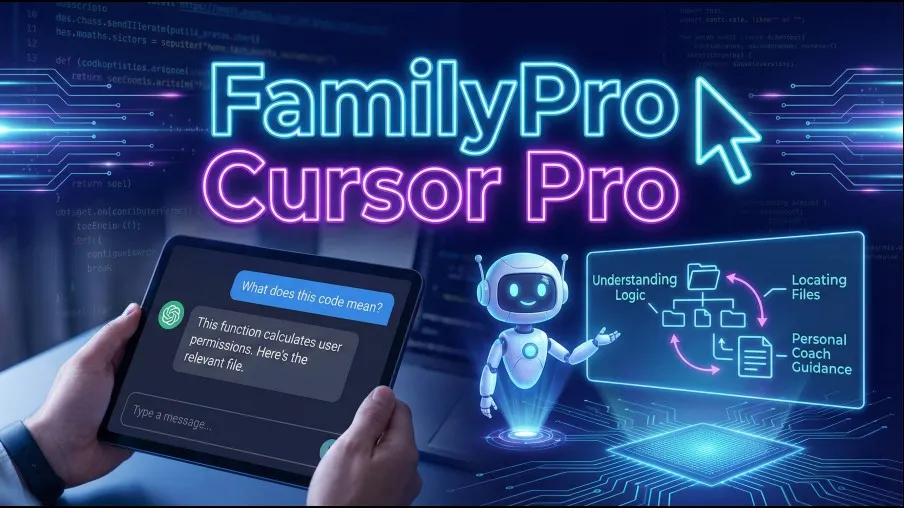
Cursor Pro helps you quickly understand unfamiliar projects by asking questions naturally—it locates relevant files and explains the logic. Beginners can ask “What does this code mean?” or “Is this approach problematic?”—it's like having a personal coach. Buy Cursor Pro to start learning faster.
Improve code quality and maintainability
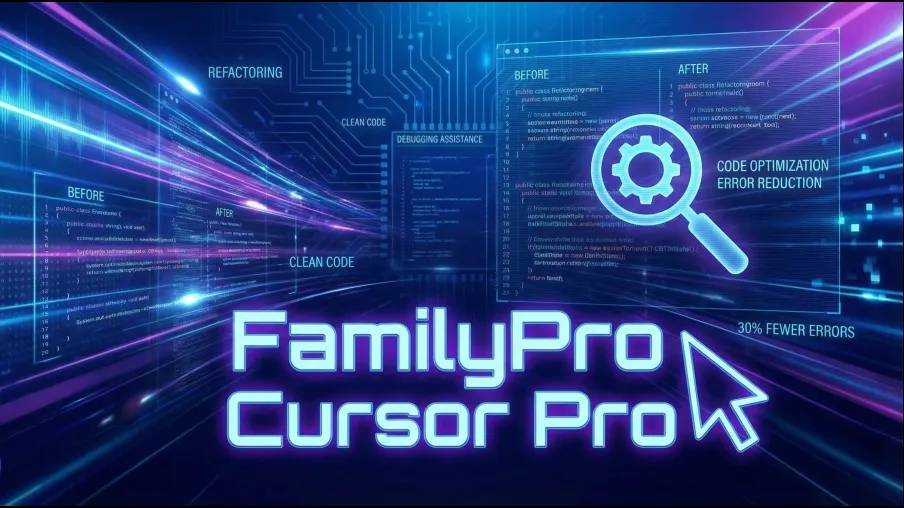
Cursor Pro automates project refactoring and optimization, identifying duplicate code, long functions, and code smells based on best practices. It improves structure and readability, aids debugging by analyzing error messages and stack traces, and cuts code error rates by about 30%. Buy Cursor Pro to level up your code quality.
Easy access to AI assistants
Buy Cursor Pro for access to customizable models—including the Cursor system with optional integrations like OpenAI. Users can select and switch models in settings and chat. Version 2.0 adds multi-model collaboration and parallel processing. Best-N selection and multi-agent processing filter top results for higher success rates and quality.
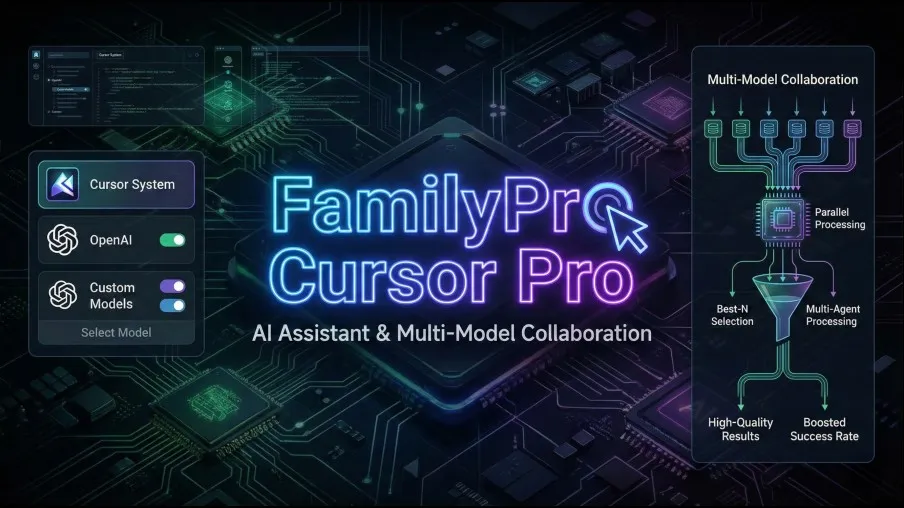
Common Use Cases for Cursor Pro

Writing Code and Setting Up Projects from Scratch
In this era of AI large models, buy Cursor Pro to rapidly build a launch-ready product from a single idea.
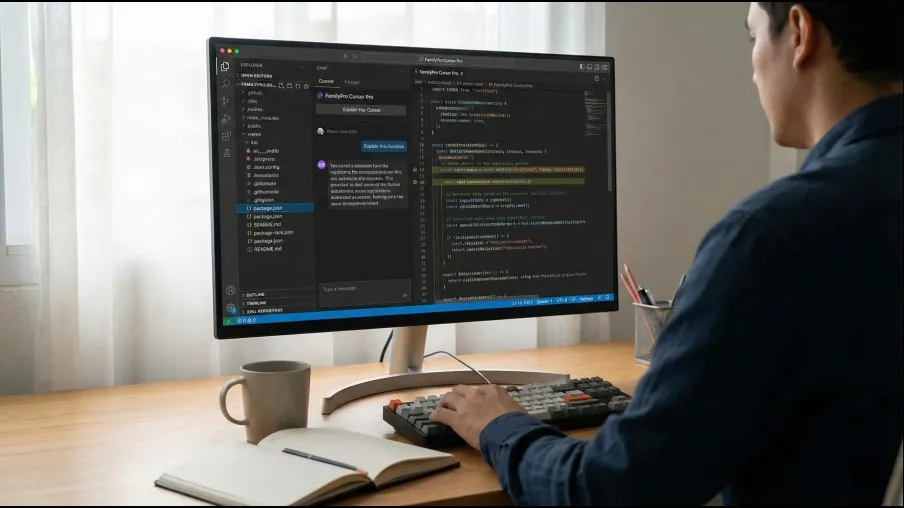
Quickly Understand a Project from GitHub
To learn from others' projects, pull code from GitHub and use Cursor Pro to understand and modify them. Buy Cursor Pro to accelerate your learning.
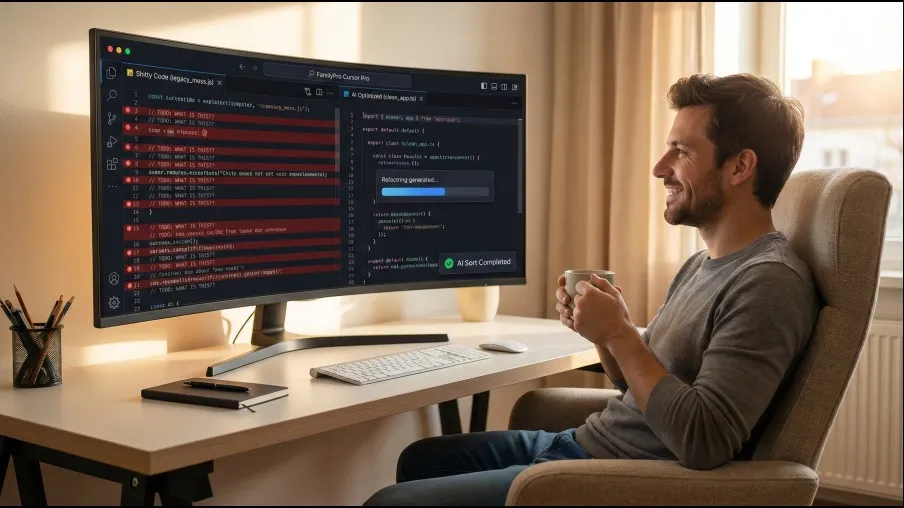
Rewrite and optimize the shitty code
Still feeling overwhelmed by messy code? Buy Cursor Pro and let AI sort out those complex code mountains while you enjoy your coffee!

Automatically generate tests and documentation
Writing documentation and tests can be a pain for developers. Buy Cursor Pro and have it automatically generate docs and test code for you in the background.
What Developers Say About Cursor Pro
I've encouraged all developers at our company to embrace AI for coding. We bought Cursor Pro through FamilyPro—the process was smooth and support was excellent. It has made a significant difference in our productivity.

Elroy MacMillan
Project ManagerAI has truly transformed coding. As a front-end developer, I felt overwhelmed at first, but I explored AI tools and found FamilyPro. I decided to buy Cursor Pro and give it a try—FamilyPro made the process seamless. After using it, I couldn't believe how much it improved my workflow. I can't imagine going back to coding manually. A real eye-opener!

Grace Jeremy
Front-end DevelopmentI've encouraged all developers at our company to embrace AI for coding. We bought Cursor Pro through FamilyPro—the process was smooth and support was excellent. It has made a significant difference in our productivity.
Elroy MacMillan
Project ManagerAI has truly transformed coding. As a front-end developer, I felt overwhelmed at first, but I explored AI tools and found FamilyPro. I decided to buy Cursor Pro and give it a try—FamilyPro made the process seamless. After using it, I couldn't believe how much it improved my workflow. I can't imagine going back to coding manually. A real eye-opener!
Grace Jeremy
Front-end DevelopmentCursor is known as a top-tier choice in the coding community, but I wasn't sure how to get started. I found FamilyPro on social media and bought Cursor Pro through them. The process was smooth and convenient, and their customer support was always helpful. Made the whole experience much more enjoyable!

Chen Jia Jun
Computer science studentsI've been encouraging my team to use Cursor, but setup can be a hassle. I found FamilyPro and they made it easy for our team to buy Cursor Pro. Their service is fantastic—responsive support, and they stand behind it with refunds and replacements if anything goes wrong.

渡邊
LeaderCursor is known as a top-tier choice in the coding community, but I wasn't sure how to get started. I found FamilyPro on social media and bought Cursor Pro through them. The process was smooth and convenient, and their customer support was always helpful. Made the whole experience much more enjoyable!
Chen Jia Jun
Computer science studentsI've been encouraging my team to use Cursor, but setup can be a hassle. I found FamilyPro and they made it easy for our team to buy Cursor Pro. Their service is fantastic—responsive support, and they stand behind it with refunds and replacements if anything goes wrong.
渡邊
LeaderFrequently Asked Questions About Buying Cursor Pro
Is the Cursor Pro membership from FamilyPro genuine?
Yes! FamilyPro helps you buy Cursor Pro through official channels, so all benefits are officially authorized. After you buy, you'll get full access to: unlimited task completions, 500 AI requests per month, and advanced models like Claude and GPT.
Will I be automatically charged after my Cursor Pro order expires?
When you buy Cursor Pro through FamilyPro, orders are one-time and won't auto-renew.
Which AI models does Cursor Pro support when I buy through FamilyPro?
Cursor Pro supports popular models like GPT, Claude, Gemini, Grok, and others, with options for custom API integrations.
How long does it take to activate after I buy Cursor Pro?
We promise activation within 24 hours—sometimes within minutes, other times within hours.
What if I encounter a login error or can't receive the verification code?
Please click the chat window in the bottom right corner to contact our customer service. I will provide you with complimentary after-sales support.
Does FamilyPro provide refund support if I encounter issues?
Support. If issues arise on your first day, request a full refund. If you've used the service but are within the validity period, we offer a pro-rated refund based on unused parts.