
Claude Code vs Codex in 2026: Which Fits Your Workflow?
The practical Claude Code vs Codex decision comes down to supervision. Both agents can inspect a repository, change several files, run commands, execute tests, and prepare a patch for review. The better fit is the one whose working style matches the way your team already builds and approves software.
Claude Code tends to feel at home in a close terminal loop. You describe the change, follow its progress, approve sensitive actions, and steer the implementation as it develops. Codex gives you that local loop too, then adds a more direct path to desktop, IDE, and isolated cloud tasks. That wider set of surfaces is useful when a backlog contains several pieces of work that can move independently.
For a cross-file refactor that needs frequent architectural decisions, Claude Code may feel easier to direct. For a queue of well-scoped tasks that can run in separate environments, Codex may fit the workflow better. Your repository, security policy, task shape, and review capacity will decide more than a generic leaderboard.
OpenAI uses Codex as the current product name. ChatGPT Codex still appears in search queries, so this guide addresses that phrase where it helps with product identification. The GPT Codex explainer covers the naming history in more detail.
Last verified: September 18, 2026. Product availability, models, prices, and usage limits can change. Check the linked official pages before buying a plan or setting an internal policy.
Claude Code vs Codex: Quick Comparison
This table focuses on the effect each design has on day-to-day work.
| Dimension | Claude Code | Codex | What it means for you |
|---|---|---|---|
| Primary working style | Interactive agent in the terminal and supported IDEs | Local CLI, desktop app, IDE extension, and web or cloud tasks | Claude Code encourages one continuous local session; Codex makes it easier to move between local work and delegated tasks |
| Project instructions | CLAUDE.md and imported instruction files | Layered AGENTS.md files and configuration | Both can store repository conventions; short, testable, version-controlled instructions are easier to maintain |
| Parallel work | Subagents and multiple sessions | Subagents, multiple local tasks, cloud environments, and worktrees | Codex offers an explicit route to isolated concurrent tasks; every result still needs integration review |
| Tool connections | MCP, hooks, skills, and shell tools | MCP, skills, plugins, shell tools, and app tools | Your existing, approved integrations often matter more than the raw count of tools |
| Permission model | Tool allow and deny rules, permission modes, approval prompts | Permission profiles, sandbox modes, approval policies, and network controls | Give either agent only the access required for the current task |
| Cloud isolation | Depends on deployment and configuration | Codex cloud runs tasks in isolated OpenAI-managed containers | Isolation separates tasks, while repository and secret policies continue to set the real boundary |
| Subscription entry point | Claude Pro includes Claude Code; Max adds capacity | ChatGPT Plus includes Codex; Pro adds substantially higher limits | The relevant individual paid tiers started at $20 per month on the verification date |
| Best starting point | Deep repository work with active developer steering | A mixed local and cloud workflow with separable tasks | Choose from a week of real work instead of a feature checklist |
Anthropic describes Claude Code as a coding tool for the terminal and supported IDEs under Pro or Max subscriptions. OpenAI documents Codex across the CLI, IDE extension, desktop app, and cloud. These product surfaces tell you where the work can happen. They cannot predict code quality in your repository.
How Their Coding Workflows Actually Differ
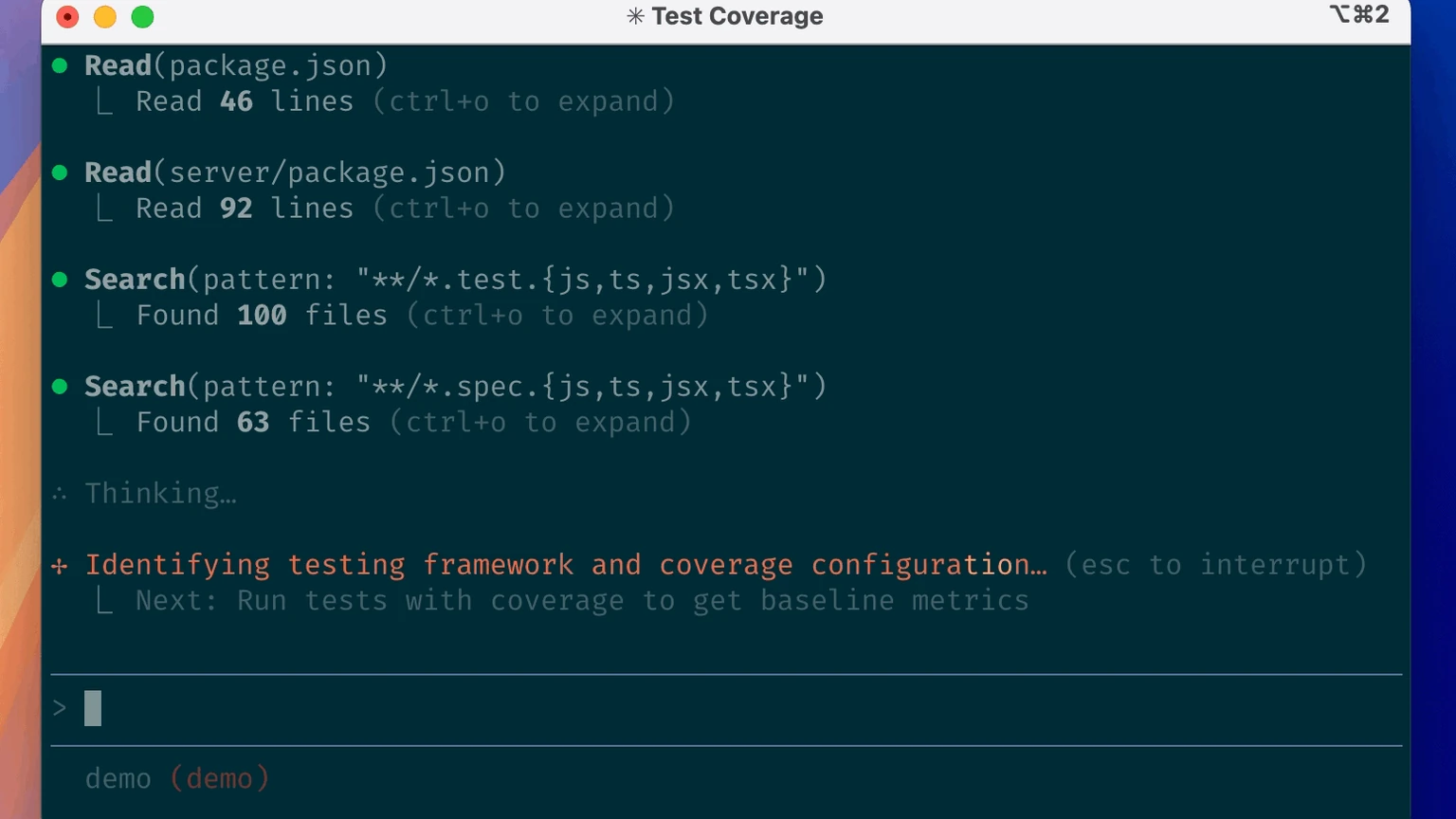
Claude Code working through a repository test-coverage task in its terminal interface.
Follow one task from request to merge and the difference becomes easier to see.
A typical Claude Code session starts in the terminal. The agent explores the repository, proposes commands or a plan, makes the change, runs tests, and stays in the same conversation while you adjust the direction. CLAUDE.md can hold project knowledge. Settings, hooks, MCP connections, skills, and subagents can define tool policy and reusable behavior. Developers who want to stay close to the implementation usually find this rhythm comfortable.
Codex can follow a similar local process in the CLI or desktop app. It inspects files, edits the workspace, runs commands, and requests approval when an action crosses the configured boundary. Codex also provides a direct route to cloud tasks. You can send a contained job to an isolated environment, keep working elsewhere, and review the result when it returns. Worktrees and separate tasks help several changes progress without sharing one checkout.
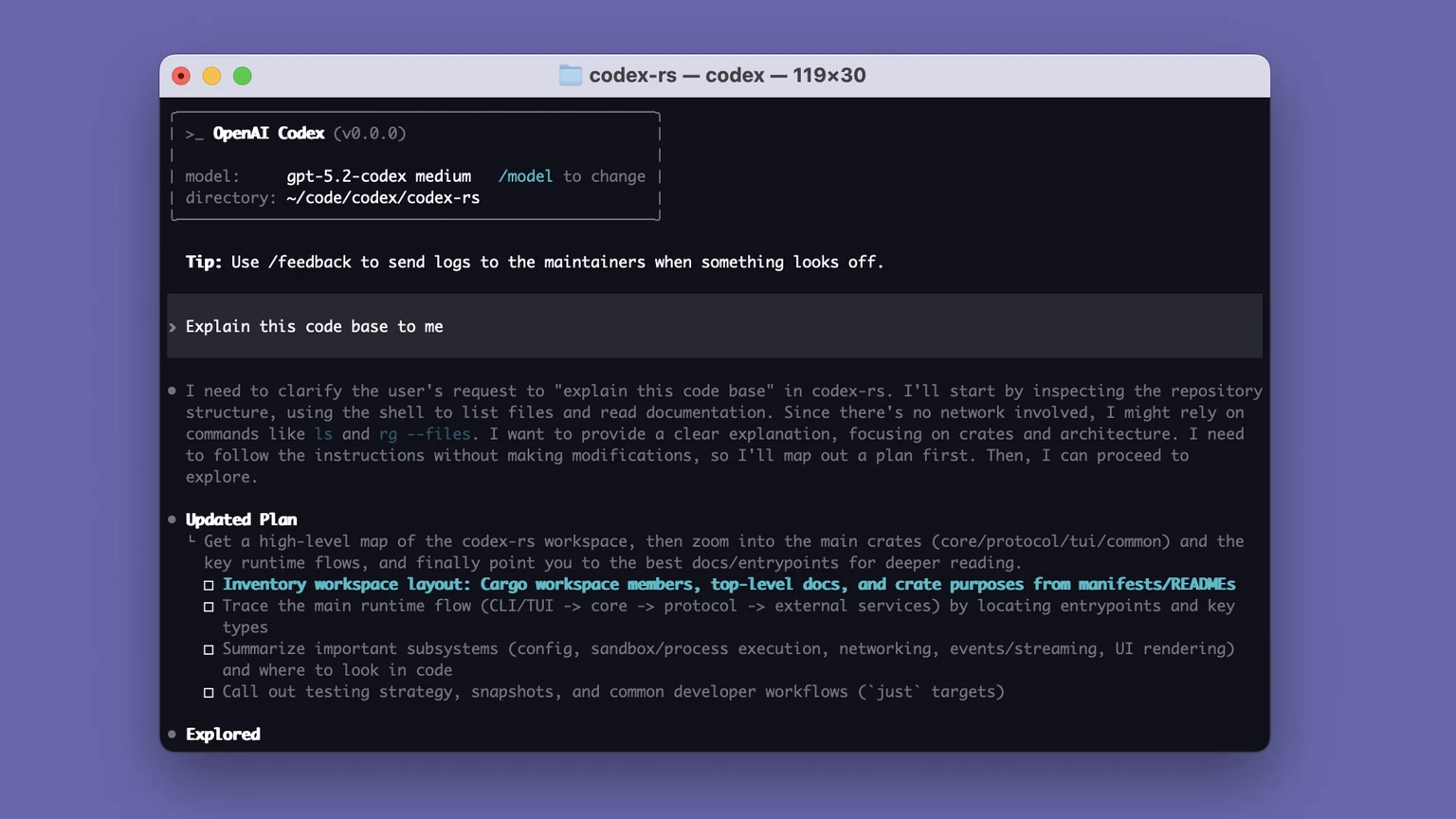
Codex CLI exploring a repository and turning the request into a reviewable plan.
In practice, Claude Code often centers one closely supervised session. Codex can support a portfolio of local and delegated sessions. The boundary remains flexible: Claude Code supports subagents and automation, and Codex works well as an interactive local partner.
The instruction files have different names, though the maintenance problem is the same. Claude Code reads CLAUDE.md. Codex builds an instruction chain from AGENTS.md files, with more specific files overriding broader guidance. Keep these files focused on commands that must pass, architecture boundaries, protected directories, and the definition of done. A long company handbook consumes context and makes compliance harder to verify.
Developers choosing between an IDE-first product and an agent-first product may also want the separate Cursor vs Claude Code comparison. The rest of this guide stays with the two coding agents.
Claude Code vs Codex by Task: What to Compare
Public benchmarks cannot reproduce your dependency graph, test suite, conventions, or review standards. A useful task matrix tells you what to measure before it suggests a winner.
| Task | Claude Code may fit when… | Codex may fit when… | Evidence to collect |
|---|---|---|---|
| Small bug fix | You want to investigate and refine the fix in one terminal session | The issue is well specified and can be delegated as a contained task | First-pass test result, unrelated edits, and minutes of human correction |
| Cross-file refactor | The work needs frequent architectural steering | The change can be isolated in a worktree or cloud environment for later review | Files touched, regressions, review comments, and rollback difficulty |
| Test generation | You want the agent to react to failures and adjust repeatedly | You want independent modules covered in parallel | Useful assertions, false positives, and mutation or coverage improvement |
| Pull-request review | You want a conversational review tied to the current branch | You want a remote review delegated or automated | Confirmed defects, false alarms, and time saved after verification |
| Parallel backlog | The tasks share dependencies and need a continuing conversation | The tasks can run independently in separate environments | Merge conflicts, duplicated effort, and integration time |
| Private repository | Your team already has a controlled local Claude Code setup | Your policy permits a Codex local sandbox or configured cloud environment | Data boundary, network access, secret exposure, and auditability |
Claims about understanding an entire large repository deserve caution. An agent retrieves and retains only part of the codebase at a given moment. Navigation, repository instructions, test feedback, and task decomposition usually affect the result more than one context-window number.
Speed needs the same treatment. A fast first patch can still create hours of cleanup. Measure the time from prompt to accepted change, including test repair, code review, documentation work, security checks, and rollback effort.
Autonomy, Permissions, Privacy, and Safety
Coding agents execute commands and change real files. Their safety settings are part of the product experience.
Claude Code exposes permission modes and tool allow or deny rules. Its documentation recommends reviewing changes, setting project-specific permissions for sensitive repositories, considering development containers for added isolation, and auditing access with /permissions. Hooks can enforce checks and also create another execution surface, so review hook scripts as carefully as build tooling.
Codex separates approval policy from sandbox and network policy. OpenAI documents Codex cloud tasks as running in isolated OpenAI-managed containers. The setup phase can use the network to install configured dependencies. The agent phase starts offline unless internet access is enabled. Local CLI and IDE sessions use operating-system controls for sandboxing; a common workspace-write configuration limits writes to the active workspace and keeps command-line network access disabled by default.
A sensible baseline works with either product:
- Begin with read-only exploration when the task is ambiguous.
- Create a clean branch or worktree and commit a human-approved baseline.
- Keep production credentials, signing keys, customer exports, and unrelated secrets outside the task boundary.
- Allow the specific domains, commands, and directories the work requires.
- Read the diff and test output before merging.
- Review third-party MCP servers, plugins, hooks, and scripts as software supply-chain dependencies.
- Keep full-permission bypass modes out of routine work.
Teams handling regulated or highly sensitive code should evaluate the exact deployment and governance configuration. Local execution can still expose a broad filesystem. A cloud sandbox can still fall outside an organization's approved data boundary. Check retention, training defaults, regional controls, identity management, audit logs, and contract terms alongside the interface.
Pricing, Usage Limits, and the Cost of Rework
As of September 18, 2026, the comparable individual entry tiers both started at $20 per month. Their capacity systems depend on workload and cannot be reduced to one fixed message count.
| Individual option | Listed price | Coding-agent access | Capacity notes |
|---|---|---|---|
| Claude Pro | $20/month or $200/year | Claude Code in the terminal and supported IDEs | Usage is shared across Claude and Claude Code; rolling session and weekly limits can apply |
| Claude Max 5x | $100/month | The same core access with more capacity | Five times Pro capacity per session, subject to additional limits |
| Claude Max 20x | $200/month | The highest-capacity individual tier | Twenty times Pro capacity per session, subject to additional limits |
| ChatGPT Plus | $20/month | Codex on supported local, IDE, web or cloud, and mobile surfaces | Local messages and cloud tasks share the plan allowance; task complexity changes consumption |
| ChatGPT Pro | From $100/month | Everything in Plus with 5x or 20x Codex usage options | The allowance varies by selected tier, model, task size, and current policy |
Official sources: Claude plan comparison, Claude Code with Pro or Max, and OpenAI Codex pricing.
These plans do not map cleanly to a promised number of completed tasks. Anthropic says usage depends on conversation length, model, features, and task complexity, with capacity shared across Claude surfaces. OpenAI also ties Codex consumption to the model and the size and complexity of local or cloud work. Both ecosystems offer ways to continue beyond included capacity through credits or usage-based billing.
A more useful cost metric is:
Total monthly cost ÷ accepted changes, including engineering time spent on review and correction.
A $20 plan can become expensive when every patch needs extensive cleanup. Higher capacity can also sit unused when the agent handles only a few small fixes each week. Track accepted work for a month before moving to a larger plan.
The Claude pricing guide covers Anthropic's tiers in more detail. For the broader model and ecosystem decision, see ChatGPT vs Claude.
How to Run a Fair Claude Code vs Codex Test
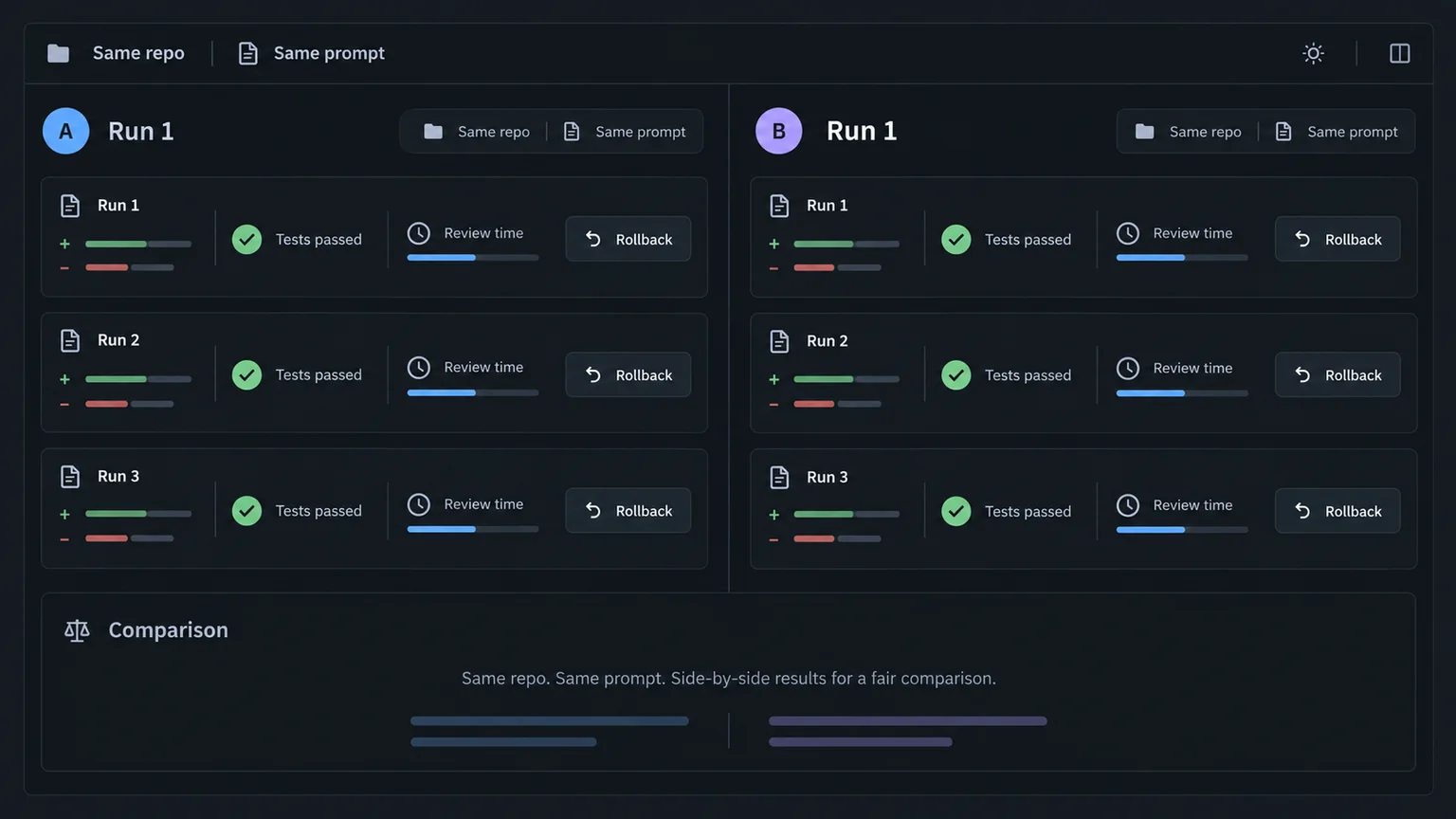
Illustrative test dashboard. It shows the method and contains no measured product results.
A short controlled test on your own codebase will usually tell you more than a general leaderboard.
Pick tasks with enough friction to expose how each agent behaves. A bug with a clear failing test reveals investigation quality. A multi-file change shows whether the agent follows architecture and limits unrelated edits. A test-writing task makes weak assertions and false confidence easier to spot. Together, those tasks produce a more useful signal than a synthetic prompt with one correct answer.
- Choose three representative tasks. Use a contained bug, a test-writing task, and a multi-file change. Each task should resemble work your team handles every week.
- Create equivalent starting points. Make two clean branches or worktrees from the same commit, then confirm the test suite starts in the same state.
- Write one acceptance-oriented prompt. Include the goal, constraints, commands to run, protected files, and evidence you expect back. Give both tools the same task content.
- Align access. Match repository scope, network access, tool connections, model class, and permission boundaries where possible. Record every difference you cannot remove.
- Run each task three times. Agent output varies, and one unusually good run can distort the result.
- Keep human help even. Record each clarification and provide equivalent information to the other tool.
- Use blind review when practical. A teammate can review patches without seeing which agent produced them.
- Score the accepted result. Keep failed runs and raw notes alongside the best attempt.
Use a scorecard like this:
| Metric | How to record it |
|---|---|
| Completion | Accepted, partially accepted, or rejected against the original definition of done |
| Tests | Existing tests passed; new tests useful; flaky or misleading tests introduced |
| Unrelated changes | Count files or hunks the task did not require |
| Human correction | Minutes spent prompting, editing, and explaining architecture |
| Review time | Minutes from the first diff to approval |
| Permission interruptions | Separate necessary approvals from avoidable prompts |
| Recovery | Record how quickly the reviewer understood and rolled back the change |
| Usage | Record plan capacity or credits from the product's own usage view |
Set the test length from the task. A repository-level refactor may need hours of review, while a small bug may take minutes. Equal conditions and repeatable notes matter more than an arbitrary time limit.
Who Should Choose Claude Code, Codex, or Both?
Start with Claude Code when most of your work happens in long, interactive repository sessions. It also makes sense when developers steer architecture throughout the patch, the team already maintains CLAUDE.md or Claude-focused MCP tooling, or the approved deployment path centers on Anthropic, Bedrock, Vertex AI, or another supported provider.
Start with Codex when you want one product across desktop, CLI, IDE, and cloud. It is a natural candidate for teams that split backlogs into independent tasks, use isolated environments or worktrees during review, or already manage coding access through ChatGPT plans.
Use both when the handoff is written down. One agent might investigate and prepare a plan while the other implements in a separate branch. Another workable split gives an isolated migration to one agent and local test review to the other. Give each agent its own branch, completion criteria, and human integration owner.
Two subscriptions introduce two instruction systems, two usage pools, two security configurations, and a larger review queue. Start with one product and keep notes for two weeks. Add the second after a recurring workflow gap appears in those notes.
FAQ and Final Verdict
Is Claude Code better than Codex in 2026?
The answer changes with the task. Claude Code often suits a tightly supervised terminal session. Codex often suits mixed local and cloud delegation, especially when tasks can run in parallel. A test in your own repository is the best basis for a team-wide choice.
Which is cheaper: Claude Code or Codex?
The relevant individual entry plans were both listed at $20 per month on the verification date: Claude Pro and ChatGPT Plus. Heavy users can move to higher-capacity tiers or extra credits. Compare the cost per accepted change, including review and correction time.
Which agent is better for large codebases?
Choose the agent that navigates your architecture, follows project instructions, and passes your tests consistently. Run a cross-file task and record regressions, review time, and unnecessary edits. Repository size by itself does not settle the comparison.
Can Claude Code and Codex work on the same repository?
Yes. Put them on separate branches or worktrees and assign a human owner to integration. Shared architecture rules can live in version-controlled documentation, with concise CLAUDE.md and AGENTS.md files for product-specific instructions.
Does ChatGPT Plus include Codex?
OpenAI's pricing documentation listed Codex with ChatGPT Plus on the verification date, including supported web or cloud, CLI, IDE, and other surfaces. Availability and limits vary by plan, region, workspace policy, model, and task complexity. Check the official pricing page when you subscribe.
Is ChatGPT Codex the same as OpenAI Codex?
ChatGPT Codex is a common search phrase. OpenAI currently calls the coding product Codex and includes it in eligible ChatGPT plans. Individual API models with Codex in their names are separate technical components.
Which is safer for private or proprietary code?
Safety depends on the deployment. Compare the local or cloud configuration, network policy, secret handling, retention, training defaults, organizational controls, and contract. Use least privilege and review every change before merge.
Final verdict
Choose Claude Code for a close terminal session with frequent developer steering. Choose Codex for work that moves between local and delegated environments, particularly when several tasks can progress independently. A team that uses both needs a clear handoff and separate working trees.
If regional payment access is blocking a subscription, FamilyPro offers a Claude Pro top-up for your own account and a ChatGPT Plus top-up for your own account. These are subscription-payment options. Check each provider's current plan entitlements before purchase.