
FamilyPro ChatGPT FAQ: Login, Verification, Privacy and Renewal
For a FamilyPro ChatGPT order, use the latest credentials in your order page, follow the verification method shown at sign-in, and check your purchased package before using it. This FAQ covers FamilyPro delivery and support; it does not replace OpenAI’s account rules or turn shared access into a private subscription.
Contents
- What did I purchase?
- How do I sign in and get a code?
- What should I do when login or usage fails?
- Can other people see my conversations?
- How do renewal and support work?
- More frequently asked questions
What did I purchase?
Check the current GPT product rules and your order’s package, duration and expiry. Do not assume every offer has four users or includes a private account simply because an older article said so.
| Offer description | What to verify |
|---|---|
| Shared access | Other users may see account history and consume the same allowance. |
| Private or exclusive access | Confirm exclusivity, account recovery control and whether previous data exists. |
| Subscription renewal | Confirm the target account, added duration and start date before paying. |
Current FamilyPro rules say shared accounts do not support Codex. Codex quota and secondary-verification issues are excluded from the stated warranty/refund coverage. Do not buy a shared ChatGPT account for Codex or assume it includes an API key.
How do I sign in and get a code?
- Open your FamilyPro order page and confirm the order is active.
- Copy the latest delivered email and password. Older saved credentials may no longer work.
- Use the official ChatGPT sign-in page and read the verification prompt carefully.
- If it requests an authenticator-app code and your order provides that method, retrieve the current login code from the order. An emailed code and an authenticator code are not interchangeable.
- After signing in, confirm that the account and available subscription match the order. Report a mismatch before uploading files.
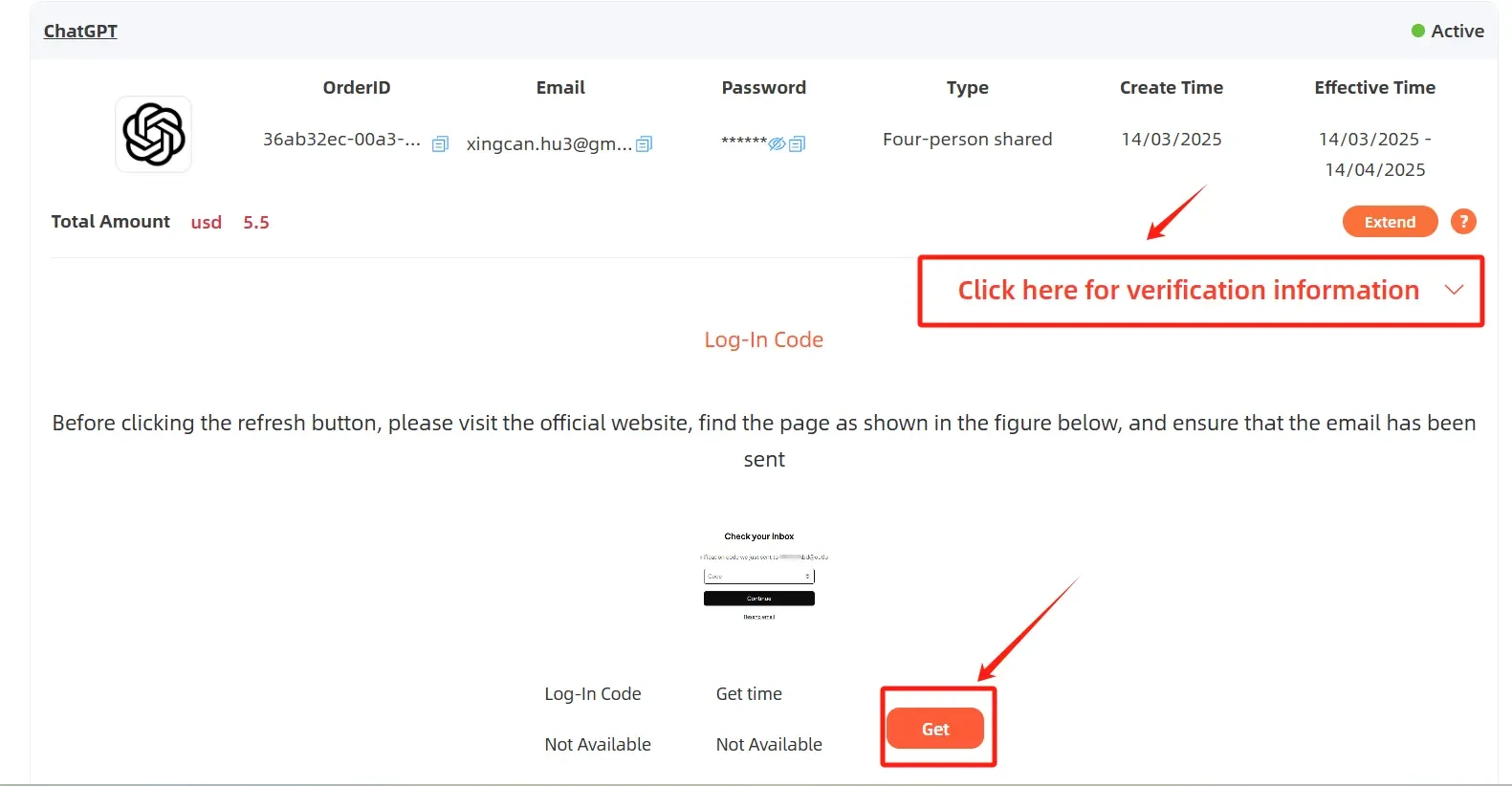
This historical screenshot shows where verification information appeared. Its price, dates, account type and email-code interface are not current purchase terms; follow your live order and actual sign-in prompt.
What should I do when login or usage fails?
For an incorrect password, refresh the order and use its latest credentials. For a rejected code, confirm the required code type and fetch a fresh one; do not keep submitting an old value. See the verification-code guide for more checks.
Do not change the delivered account’s password, MFA, passkeys or sign-in methods. Current FamilyPro rules also request one-device use and prohibit redistribution of credentials. If a challenge cannot be completed, contact support rather than resetting the account for everyone.
A usage limit is not a bad password. OpenAI’s current usage guidance describes limits that depend on model and task; the old “50 or 80 messages every three hours” figures are not a universal entitlement. Check the displayed reset time. A shared account does not give each buyer a separate allowance. For location messages, consult the unsupported-country guide; purchasing or renewing is not a regional-access fix.
Can other people see my conversations?
Treat a shared login as a shared account environment. Do not submit confidential work, identity documents or personal records. Browser incognito mode is not account isolation, and Temporary Chat does not make a shared login private.
Chat history and saved information can be separate: review OpenAI’s memory guidance for your own account. Do not erase other users’ chats or change global settings on a shared account. If an account sold as private contains unfamiliar history, stop uploading and ask support to investigate instead of assuming deletion proves exclusivity.
How do renewal and support work?
FamilyPro’s current product FAQ describes manual, non-recurring renewal. Check your actual order for a renewal option and the new expiry date. Confirm continued use of the same account before paying if continuity matters; keep your own copies of important outputs. A subscription purchased directly from OpenAI or an app store has its own billing process.
For support, send the order number, package, error text, time and device, plus a redacted screenshot. Do not send passwords or live verification codes in public comments. Replacement and refunds depend on the current service rules and cause of the issue, not an unconditional promise that every limit is refundable.
More frequently asked questions
Can I delete everyone’s history to protect privacy?
No. Do not delete shared chat history. For sensitive work, choose an account and environment you control rather than trying to make a shared account private afterward.
Does a private browser window provide a separate quota?
No. A different browser session does not create another subscription allowance for the same account.
Will renewal recover a deleted conversation?
Do not purchase renewal for that purpose. Extending access does not establish that deleted content can be restored.