GPT Image 2 in 2026: Full Analysis & Early Access Guide
If you follow AI image tools, you know April was a wild month. A quick, unexpected test run on LMArena completely shook up the community.
We were all getting tired of the usual problems with older AI images—like that weird yellow tint, messed-up hands, and text that always comes out garbled. Then, three unnamed models popped up online. The results didn't just meet our expectations; they completely blew past them. The images looked natural, the text was finally readable, and complex scenes were incredibly stable. Seeing such a massive, unexpected jump in quality left everyone asking the exact same question: could this actually be OpenAI's unreleased model? 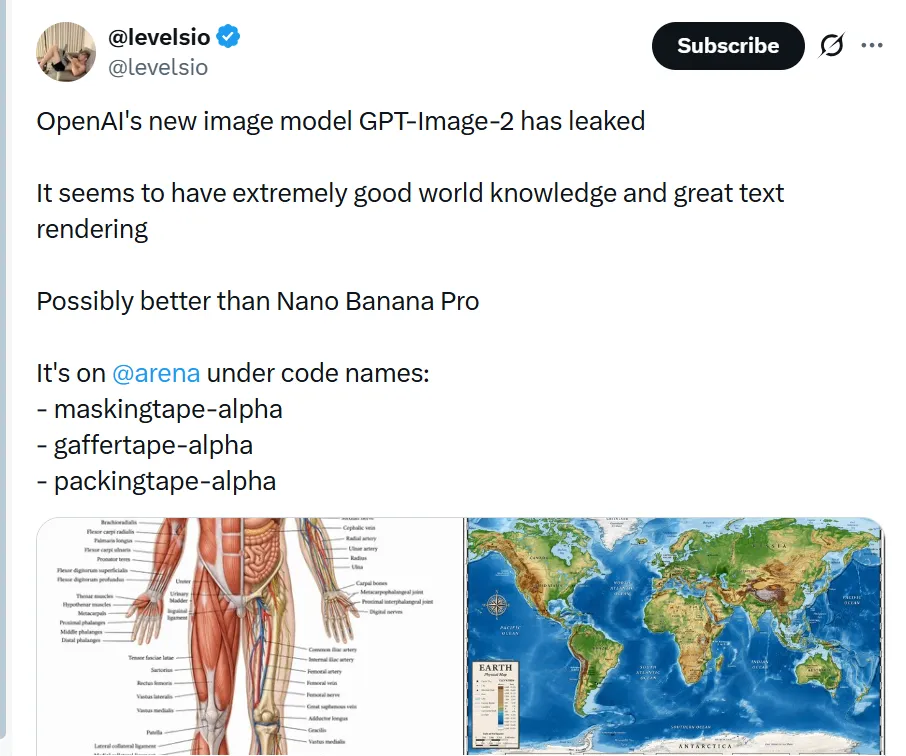
What Actually Happened in April
On April 4, three mystery models codenamed maskingtape-alpha, gaffertape-alpha, and packingtape-alpha quietly appeared on the LMArena testing platform. Tech developers and investors on X noticed almost immediately, and within hours, the test results were blowing up across Reddit.
Testers threw their hardest prompts at the models to find their breaking points. Instead of failing, the models generated pixel-perfect mobile app interfaces, geographically accurate maps, and handwritten notes with flawless spelling. The annoying yellow tint that plagued older models was completely gone, replaced by true photorealism and accurate lighting.
Just as the hype peaked, all three models were abruptly pulled offline. This wasn't a standard marketing campaign. The community consensus is clear: we all just witnessed an accidental public stress test of GPT Image 2 right before its official rollout.
The Background: From Fun Toys to Real Tools
To understand why GPT Image 2 is drawing so much attention in our full analysis, we need to look at its predecessors and the persistent problems they left unsolved. The leap from past models to this new generation is not just about better resolution; it is about how the system actually understands the real world.
- 2021–2024: The DALL-E Era
Before the GPT Image naming convention, we relied on DALL-E 2 and DALL-E 3. These early models were useful for basic brainstorming, but getting a usable commercial result was basically a lottery. You had very little control over specific details. The output usually carried an obvious, artificial filter, and attempting to generate correct spelling or specific layout elements was nearly impossible.
- 2025: GPT-Image-1 and the ChatGPT Integration
Last year, OpenAI moved away from the DALL-E branding and launched GPT-Image-1, integrating it directly into the chat interface. The system became much smarter at understanding complex requests. However, the actual rendering engine lagged behind the language model's comprehension. If you asked for a complex product layout or a multi-layered scene, the image usually fell apart. The system knew what you wanted, but it lacked the spatial logic to draw it accurately.
- April 2026: The GPT Image 2 Leap
This brings us to the recent LMArena test run and the core of this guide. GPT Image 2 represents a massive jump in capability rather than a simple update. It finally bridges the gap between language comprehension and precise drawing. It is not just an incremental bump in color grading. GPT Image 2 understands how objects, shadows, and text are supposed to behave in a physical space. This leap from an unpredictable generation toy to a reliable production asset is exactly why early access to this model is so highly anticipated by professionals.
Behind the "Tape" Leak: The Technical Jumps of GPT Image 2
If you’re already using Nano Banana, your baseline for AI images is pretty high. We’re used to clean lighting, good texture, and solid inpainting. So when the "tape" models popped up on LMArena, my first thought was just: how much better can the resolution actually get?
But after running a few test prompts, I realized I was measuring it the wrong way. The standout feature of GPT Image 2 isn't that it draws a "prettier" picture. It’s that it fixes the structural and logical headaches that even Nano Banana still struggles with.
Here are the three specific jumps that actually matter for a daily workflow:
1. It Understands UI and Layout, Not Just Spelling
Nano Banana handles short text fine—like a logo or a single word on a sign. But GPT Image 2 seems to actually understand typography and layout.
During the test, I prompted it for a dark-mode console interface with code on the left and an error pop-up on the right. It didn't just spell the words correctly; it actually nailed the visual hierarchy. The navigation text was the right size, the buttons were aligned, and the data labels made sense. If you do marketing for software or apps, this means you can generate usable UI mockups directly, instead of taking a blank AI image into Figma just to overlay the text yourself.
2. The Ability to Look "Normal"
Nano Banana is excellent at that polished, studio-lit commercial look. But for social media marketing, looking too perfect is actually a problem—people recognize it as an ad and scroll past.
What surprised me about the GPT Image 2 leak was its restraint. It knows how to generate a mundane, slightly flawed photo. If you ask for a crumpled receipt next to an iced coffee in dim lighting, you get an image that actually looks like a quick phone snap. It includes natural noise and doesn't force a glossy filter over everything. For creating UGC (User-Generated Content) style assets that blend naturally into a social feed, this level of realism is exactly what we need.
3. Objects Actually Stay Separated
With most current models, if you put more than three or four specific objects into a prompt, things start melting together. A headphone wire will clip through a cup, or a hand will blend into a phone screen.
GPT Image 2 seems to have a much firmer grasp of 3D space and boundaries. You can be specific: a microphone out of focus in the foreground, a person typing in the midground, and a shelf with plants in the background. It places the items accurately without them merging into each other. It simply saves you from having to write paragraphs of negative prompts just to keep basic objects separated.
The Takeaway for 2026 Workflows
Nano Banana is still going to be the standard for heavy retouching and final commercial polish. But from what we saw in the leak, GPT Image 2 is going to take over the heavy lifting for complex scene building, UI generation, and creating natural-looking social assets. We are finally moving away from just trying to get a decent picture, to actually directing the scene. 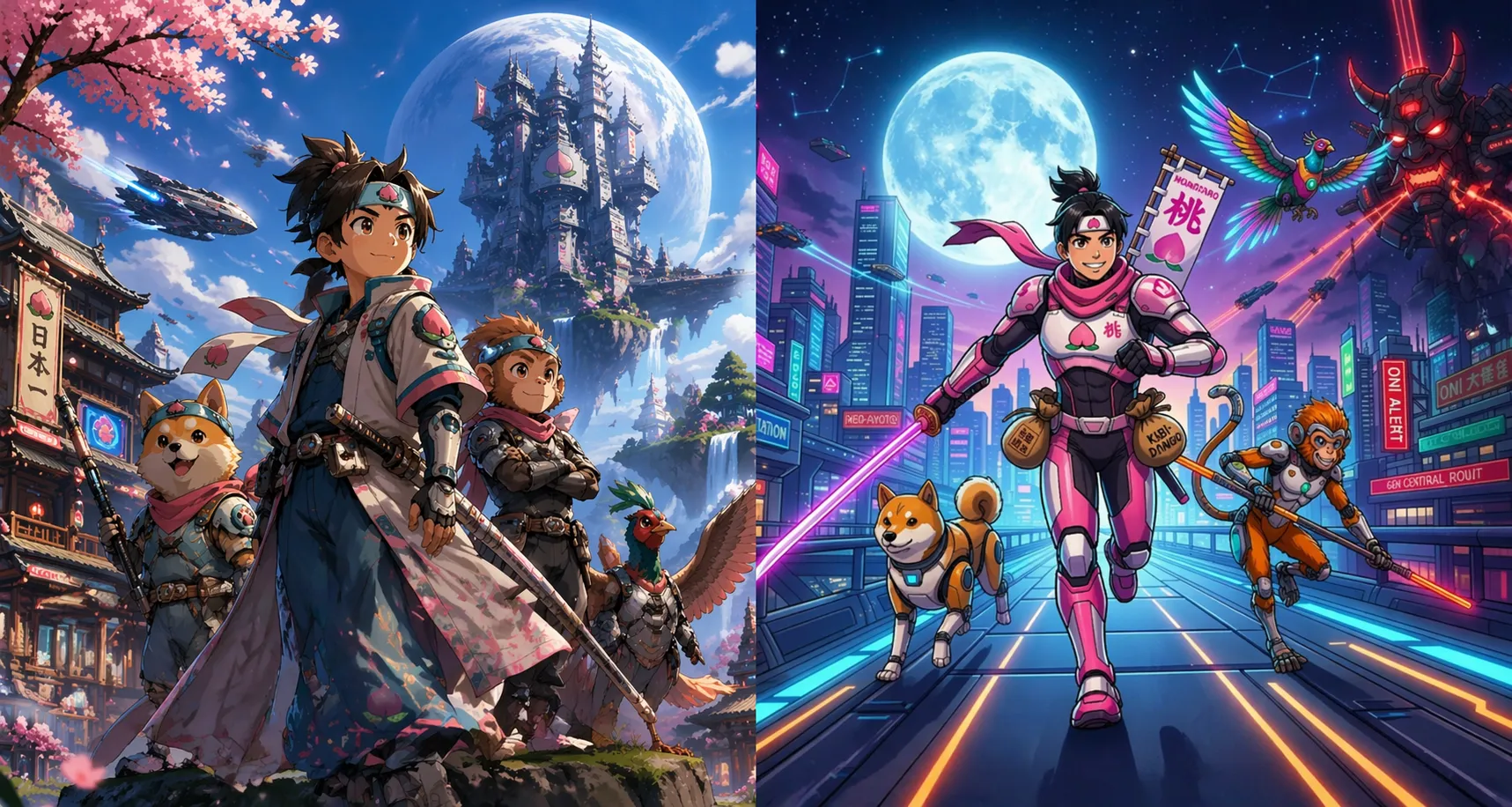
Comparing the Top 3 Models for 2026
No single tool is going to do everything. Here is a realistic look at how the top three options stack up right now:
| Feature | The Leaked GPT Model | Nano Banana 2 (Gemini) | Grok Image (X) |
|---|---|---|---|
| Realism | ★★★★★ (Looks like a real photo) | ★★★★★ (Great lighting and natural feel) | ★★★★☆ (Looks good, but can be a bit dramatic) |
| Reading & Spelling | ★★★★★ (The best for UI and signs) | ★★★★☆ (Very good, but can blur at odd angles) | ★★★☆☆ (Better for art than exact words) |
| Following Directions | ★★★★★ (Great at strict rules) | ★★★★★ (Very smart about real-world details) | ★★★★☆ (Highly creative, sometimes ignores rules) |
| Speed | ★★★★☆ (Normal wait times) | ★★★☆☆ (Takes longer for the best quality) | ★★★★★ (Super fast) |
| Editing Images | ★★★★★ (Expected to have great controls) | ★★★★★ (The best at fixing specific parts of a photo) | ★★★☆☆ (Basic editing only) |
Where to Get Early Access to GPT Image 2
1. Try Third-Party Platforms
If you don’t want to wait for the rollout to hit your official ChatGPT account, several third-party developer platforms have already integrated the GPT Image 2 API. You can test the model directly on these sites right now:
- Fal.ai: Currently hosting the GPT Image 2 editing endpoint (
gpt-image-2/edit), which is perfect for testing its high-fidelity inpainting and modification capabilities. Try it here - Replicate: Offers the full GPT Image 2 generation and editing API. You can run test prompts right in your browser. Try it here
- WaveSpeedAI: Provides a straightforward web interface for the GPT Image 2 Text-to-Image model, making it incredibly easy to test without any coding. Try it here
- Microsoft Azure AI Foundry: For enterprise users, Microsoft has officially rolled out access to the model, including support for its new 4K resolution output. Read the announcement here
Watch for the Global ChatGPT Rollout
Based on recent testing, a full, global rollout is likely happening very soon. Make sure to keep a close eye on your ChatGPT interface. Here is the best part: GPT Image 2 will not be locked exclusively behind a paywall; Free tier users will also get access to it alongside Plus users. We recommend trying image prompts frequently. If you open ChatGPT and a pop-up window appears announcing the new image capabilities, congratulations—it means you have official access and can start using GPT Image 2 normally. 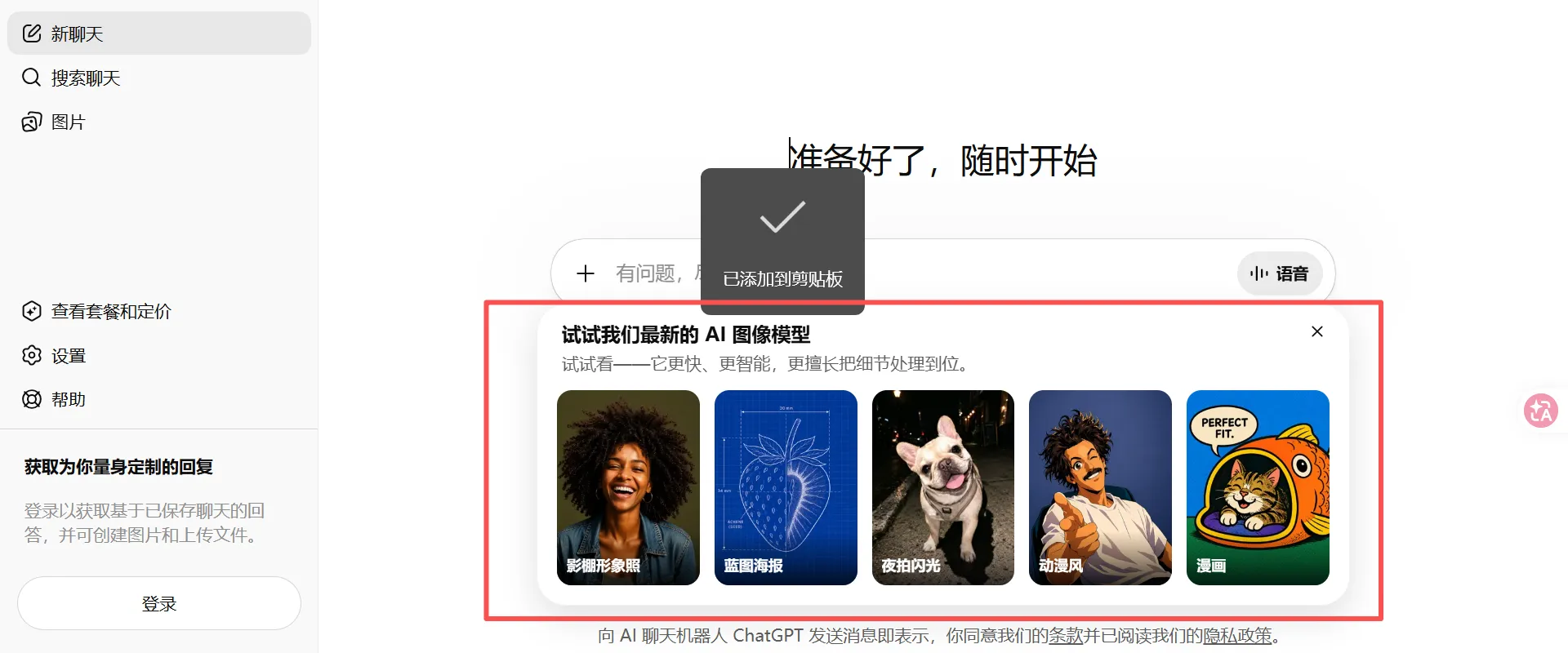
Limited-Time
FamilyPro Extra 10% Off
Get GPT Plus access at a fraction of the official cost.
$4.95/monthOfficial: $20
- ✓ Base price: $5.5
- ✓ Extra 10% off automatically applied via link
Try it for Free on FamilyPro
If you aren't an API developer and don't want to wait around for the official rollout, there's a much faster shortcut. You can test the full capabilities of GPT Image 2 directly on FamilyPro. The platform has already integrated the latest endpoint—just log in to your account, and you get 12 free generations every single day. It’s more than enough for your daily testing and mockup needs.
The Final Word: Adapting to the 2026 Visual Tech Stack
The arrival of GPT Image 2 marks a clear turning point. We are finally moving past the era where generating an image felt like pulling a slot machine lever. By solving the core issues of native typography, physical occlusion, and that overly-perfect "AI plastic" filter, this new engine is no longer just a visual novelty—it’s a reliable piece of infrastructure for front-end design, social media marketing, and content distribution.
But the biggest takeaway from this shift isn't that GPT Image 2 replaces everything else. It’s that the 2026 workflow is fundamentally a multi-model stack. Let Grok handle your rapid ideation and A/B testing. Keep Nano Banana 2 in your toolkit for that flawless, high-end commercial retouching. But when you need complex UI mockups, conversion assets with perfectly spelled text, or images that actually feel grounded in gritty reality, GPT Image 2 is now the ultimate problem-solver.
The tools have finally caught up to our business logic, meaning we no longer have to write paragraph-long negative prompts just to babysit the algorithm. The only thing left to do is check those active endpoints or watch for your official ChatGPT pop-up, run your own tests, and actually put these models to work in your conversion funnel.