
GPT Session Expired? How to Fix It in 2026
Seeing "GPT session expired" pop up in the middle of a conversation is annoying. Here is the short version: it means your current login session is no longer valid, so GPT can't confirm you are still signed in. Most of the time this is not a hack and it is not a ban. You usually just need to refresh the page, sign out and back in, or clear GPT's cookies. 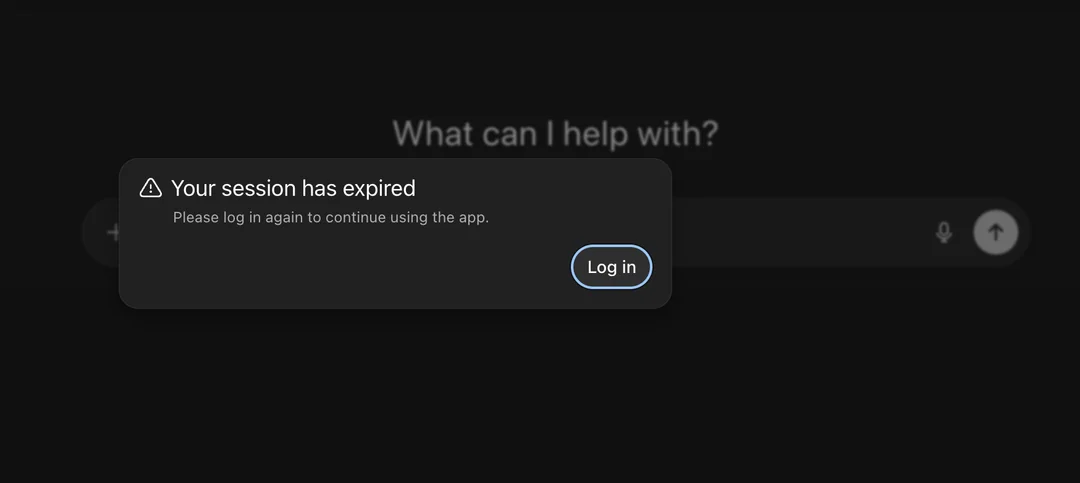 This guide explains what the message means, why it appears, and the exact steps to get back in. It also covers the cases where "session expired" points to something else entirely, like a 401 error or a deactivated account.
What does "GPT session expired" mean?
At its core, "GPT session expired" means the login session GPT was using to verify you is gone. A session is the temporary login state that keeps you signed in. When that state expires or becomes invalid, GPT asks you to authenticate again.
This is normal and happens to almost everyone at some point. It does not mean your account was deleted, flagged, or compromised on its own.
One worry shows up immediately: does this mean your account is banned? No. On its own, a session-expired message is a login timeout, not a ban or a deactivation. If you think something deeper is wrong, look for a specific notice rather than assuming the worst from a timeout.
Here is a quick map of what you might see when GPT session expired appears, and what each line usually means:
| What you see | What it usually means |
|---|---|
| Session expired | Your login session is no longer valid |
| 401 Unauthorized | Authentication failed on the server side |
| Keeps logging you out | Your login state isn't being kept |
| Subscription canceled | A billing or subscription issue |
| Account deactivated | An account-level restriction |
Don't confuse the real message with a fake one
A real "session expired" prompt appears inside GPT itself. A phishing page tries to imitate that moment to steal your login. If a message asks for your password on a page that doesn't look like the official app, close it. Open GPT from your bookmarks instead. If you ever see a warning about unusual activity on your account, that is a different signal worth reading: unusual activity detected on ChatGPT. And if you are worried the message means your account was shut down, this explainer on deactivated accounts clears up the difference.
Why does GPT keep saying "session expired"?
Most causes are simple and fixable. If GPT session expired keeps returning, work down this list in order.
- Your login session timed out. This is the most common reason. Sessions have a lifespan, and after a while the server asks you to sign in again.
- Cookies or cached login data went stale. Your browser stores cookies and other session data that help GPT maintain your signed-in state. If that data expires or gets corrupted, GPT forgets you.
- You signed in from multiple devices. Your account was signed in on multiple devices. Multiple active sessions can sometimes lead to additional authentication checks, although this isn't necessarily the cause.
- A browser extension got in the way. Privacy tools, ad blockers, and some security extensions can strip the cookies GPT needs.
- Your network or VPN changed. A switch in IP address can prompt OpenAI to ask for re-authentication. To be clear, using a VPN is not a guaranteed cause. It just sometimes triggers an extra verification step.
- Temporary server-side authentication issues. Rare, but OpenAI's own systems can hiccup. When that happens, waiting a few minutes helps.
How to fix GPT session expired
Work through these in order. They clear GPT session expired for most people, starting with the quickest fixes.
- Refresh the page. Sometimes the session just needs a nudge.
- Sign out and sign back in. This forces a clean new session.
- Clear GPT cookies. Remove site data for GPT and OpenAI from your browser settings, then sign in again.
- Try incognito mode. A clean window with no extensions is a fast way to test whether your normal setup is the problem.
- Disable browser extensions. Turn them off one at a time, especially privacy and security tools, then reload GPT.
- Switch to another browser. If Firefox works but Chrome doesn't, the issue is local to that browser.
- Check your network and VPN. If you just changed networks, drop the VPN briefly and try again.
- Check OpenAI's status page. Visit status.openai.com to see if there is a wider outage.
If you also run into a "something went wrong" screen during this, that separate error has its own fixes: ChatGPT something went wrong. And if the blocker is a rate or request limit rather than a session, this guide on too many requests walks through it.
GPT session expired on mobile: what to check
The causes are the same, and GPT session expired on mobile follows the same logic as on desktop, with a shorter checklist.
On mobile, check these first:
- The app's session (sign out and back in from the app menu)
- The app cache (clear it in your phone settings)
- Whether the app needs an update
- A flaky mobile connection
On desktop, the usual suspects are browser cookies, extensions, incognito mode, and browser cache. If the desktop browser works but the phone keeps dropping you, focus on the app cache and the connection. If the phone works but the browser doesn't, the problem is almost certainly a browser extension or a stale cookie on that machine.
Can shared GPT accounts cause more login issues?
Shared accounts can be more complicated to troubleshoot because multiple people may use the same account from different devices and locations. That doesn't mean sharing automatically causes session-expired errors, but it can make login problems harder to isolate.
If you aren't sure how shared access actually works, what "up to four people" really means, or what the tradeoffs are, this breakdown helps: how shared ChatGPT accounts work. The honest part is that shared access is cheaper, but the account-level memory fills faster and multiple users can bump each other's state. That is the trade to weigh.
So what should you do? If you want a stable session with your own memory space, a personal plan is the cleaner choice. If budget is the priority and you accept the tradeoffs, shared access is still an option. Two paths:
- Want your own stable session and private memory? ChatGPT Plus top-up gives you a personal account without the shared churn.
- On a tight budget and fine with shared use? Shared ChatGPT access costs less, with the caveats above.
When "GPT session expired" isn't a login problem
The important distinction is whether you can sign back in normally. Sometimes GPT session expired is real but the root cause is not a simple timeout. Use this table to tell them apart.
| Symptom | Likely problem |
|---|---|
| Expired once, then fine | A temporary session timeout |
| Expires again and again | Cookies, browser, or authentication issue |
| 401 Unauthorized | An authentication problem on the server |
| Can't log in at all | A login or account problem |
| Account deactivated | An account-level restriction |
| Plus features disappeared | A subscription or billing problem |
If you land in the "can't log in at all" or "account deactivated" rows, clearing cookies will not help. Those need account or billing attention. A "something went wrong" loop is its own beast and is covered here: ChatGPT something went wrong.
If you can sign back in and stay signed in, you're probably dealing with a session problem. If you can't authenticate at all, look at the specific error message instead.
FAQ: GPT session expired questions answered
Does GPT session expired mean my account is banned?
No. A session-expired message by itself does not mean your account is banned or deactivated. If you suspect a deeper restriction, check for a specific deactivation notice rather than assuming the worst from a timeout.
What does GPT session expired mean?
It means your current login session is no longer valid, so GPT asks you to sign in again. It is a normal timeout, not a ban or a hack on its own.
Why does GPT keep saying session expired?
Usually because the session timed out, the login cookie went stale, or you are signing in across multiple devices. A browser extension or a network change can also trigger it.
Can I fix GPT session expired by logging in again?
Yes, in most cases. Signing out and back in creates a fresh session. If the message returns right away, clear GPT's cookies or try incognito mode.
Why does GPT keep logging me out?
Frequent logouts usually point to stale cookies, a privacy extension stripping login data, or shared use across several devices. Working through the fix steps above resolves it for most people.
Does clearing cookies fix GPT session expired?
Often, yes. The saved login data can expire or corrupt, and clearing cookies for GPT forces a clean re-authentication.
Is GPT session expired related to a 401 error?
They are related but not the same. A 401 means the server rejected authentication, while a session expired message means the session is no longer valid. Both send you back to login, which is why they feel similar.
Does "Code Interpreter session expired" mean my GPT login session expired?
Not exactly. A Code Interpreter session refers to the code execution environment, while a GPT session refers to your login state. They are different systems. This guide covers the login session only.
Conclusion: fix GPT session expired and choose stable access
Most "GPT session expired" moments are a timeout you can clear quickly: refresh, sign out and in, or clear the cookies. The key is knowing when the message points to a different problem, such as a 401 error or account restriction.
If the problem keeps returning after you've ruled out cookies, browsers, extensions, and network issues, the next step is to look at the account itself. For users who share an account across multiple devices, a dedicated account may also make login issues easier to isolate. If you want your own stable session and private memory, ChatGPT Plus top-up is the personal option. For shared use on a budget, Shared ChatGPT access is the cheaper option, with the tradeoffs described above.