
Grok X Subscription: which plan should you choose?
The X Subscription brings Grok, Grok Bot, Cursor and X Premium benefits into five tiers: Free, Plus, Premium, Super and Ultra. New customers should compare the plans against their actual workload. Existing SuperGrok, Cursor and X Premium customers should check what changes before switching. You can keep your existing subscription; a new plan name is not a reason to migrate immediately.
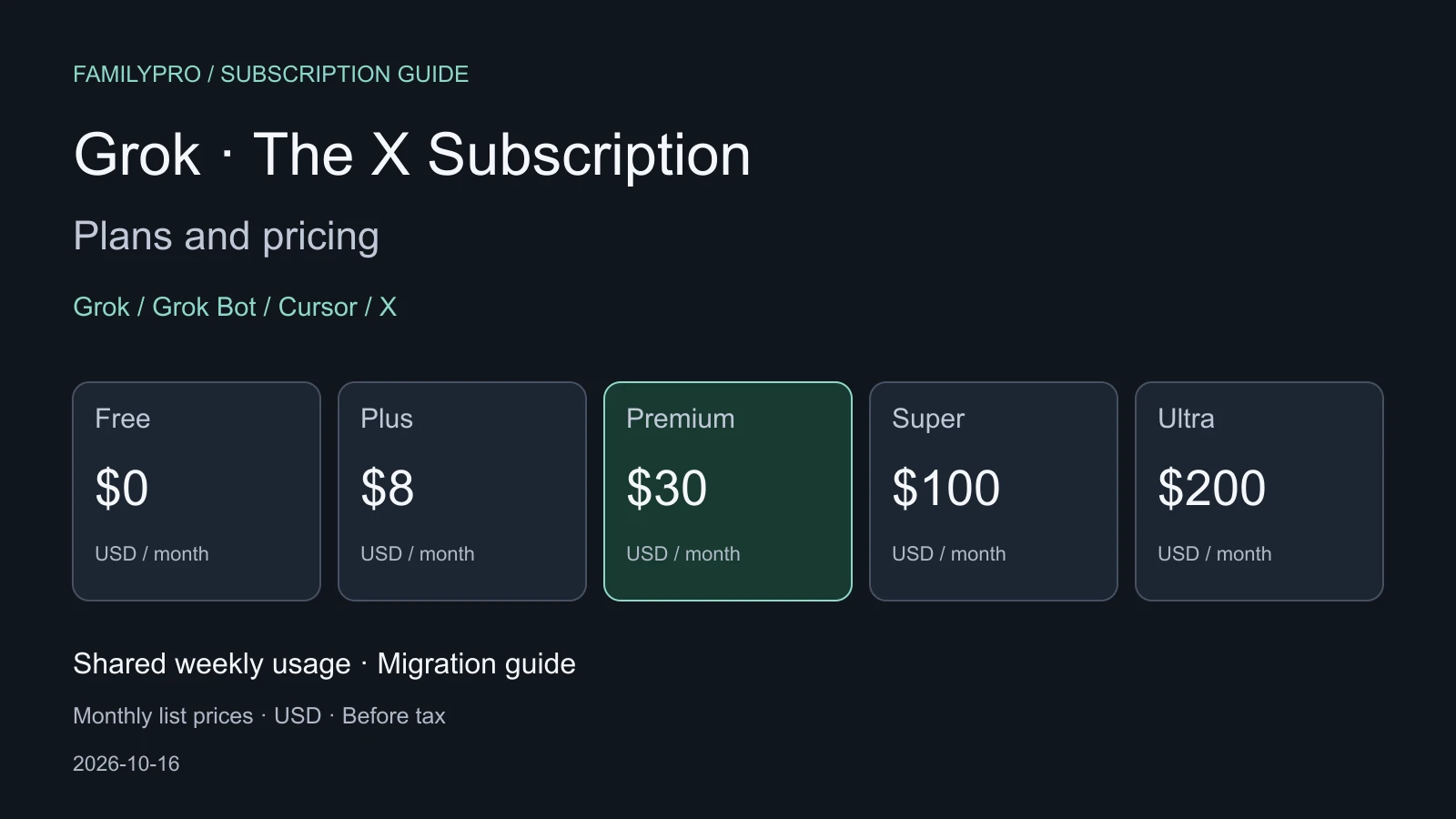
Checked October 16, 2026. Prices are official US dollar list prices before applicable taxes. Regional availability, purchase channels, offers and available plans depend on your checkout page. Legacy SuperGrok prices do not describe the new subscription.
1. What does the unified subscription include?
The October 12 announcement combines these products:
| Product | Main use | What to check |
|---|---|---|
| Grok | Chat, voice, images and video | Paid plans have included usage, not unlimited access |
| Grok Bot | AI agents that carry out tasks | Included from Premium upwards |
| Cursor | AI coding, editing and code review | Included Grok model usage shares the Grok pool |
| X | Social features and creator tools | Connect a personal X account; benefits vary by tier |
One subscription does not mean every tier unlocks every feature or each product gets an independent allowance. The new Premium tier is not the old standalone X Premium, and Super is not simply a new name for SuperGrok. Check the full plan name and benefits on your bill.
2. Monthly and annual prices
The official pricing documentation lists the following. Monthly equivalents divide the annual total by 12; annual plans are paid yearly.
| Plan | Monthly | Annual total | Monthly equivalent | Usage relative to Plus |
|---|---|---|---|---|
| Free | $0 | $0 | $0 | Limited |
| Plus | $8 | $80 | About $6.67 | Base |
| Premium | $30 | $300 | $25 | 4× |
| Super | $100 | $1,000 | About $83.33 | 15× |
| Ultra | $200 | $2,000 | About $166.67 | 50× |
All multipliers compare with Plus, not the preceding tier. They describe the size of included usage, not a fixed number of daily prompts, images or videos.
According to the live pricing page, Plus provides basic paid AI usage. Premium adds the latest Grok models, faster chat, Grok Bot, cloud agents and automations, code hosting and AI code review. Super adds priority model access at peak times and a larger allowance; Ultra increases usage further.
Plus does not include Grok Bot. Bot usage draws from the seat's shared weekly pool, rather than a separate allowance. For X, the migration documentation says Plus includes a checkmark, creator tools and fewer ads after connecting a personal account. Premium and higher include full X Premium+ benefits. Existing X Premium+ customers need Premium or higher to retain those benefits.
3. Shared weekly usage and extra charges
Grok and Cursor draw from the same pool
The usage rules give each paid seat a weekly pool for eligible first-party usage across supported Grok and Cursor surfaces. Activities consume different amounts. Your live usage page shows the next reset.
A large Grok coding task in Cursor can leave less included usage for chatting or making videos in Grok later. This is not the old SuperGrok allowance plus the old Cursor Pro allowance added together. Plan multipliers cannot establish a fixed video output.
Third-party models in Cursor cost extra from the first use
Supported Claude, GPT and other third-party models are not included in the weekly pool. The launch announcement makes them available on Premium and higher, billed separately at API list prices through top-ups. A lower subscription price therefore may not reduce your total coding bill.
Total cost = subscription + third-party model usage + first-party usage beyond the allowance + applicable taxes.
Grok API access does not include API credits
The API billing FAQ says paid plans include API access, but calls are billed separately at standard model rates and do not consume the subscription pool. Premium or Ultra does not make your application's API calls a flat-rate service.
When the weekly pool runs out, wait for the reset or buy extra usage. Before enabling paid extras, check Auto Top-up and spending caps against your budget.
4. Do existing SuperGrok customers have to switch?
No. The switching policy makes migration optional. Existing customers can keep their plan, price and features. Switching is rolling out through account billing settings; check availability there.
Do not map legacy SuperGrok, SuperGrok Plus or Heavy to a new tier by name or price alone:
- Legacy SuperGrok and new Premium may both cost $30/month, but the shared allowance and cross-product usage need checking.
- Super at $100/month does not establish that it matches every SuperGrok Plus benefit.
- Ultra at $200/month and 50× Plus does not prove it retains every Heavy-specific benefit or produces more videos.
If you rely on Heavy models, video features, renewal discounts or additional benefits, confirm them in the migration flow or with support. Public plan information does not establish full Heavy–Ultra equivalence.
5. Account unification and refunds
Account unification is permanent
The unification guide combines eligible Grok and Cursor accounts into one account, workspace, plan and bill. Support cannot undo a completed unification. Canceling the subscription neither separates the accounts nor restores legacy subscriptions.
Start at Cursor's unification page if you already pay for Cursor, or at the Grok entry point or Grok Settings → Billing. Check each signed-in account before confirming. Email addresses can differ; keep work and personal accounts separate unless you intend to combine them.
Old-plan refunds are separate from the new charge
The refund policy cancels and replaces eligible direct-billed subscriptions included in the switch. Unused time is refunded proportionally for monthly and annual plans. Refunds return to the original payment method, not as new-plan credits or a checkout discount. The new plan starts immediately and is charged at full price.
| Previous purchase channel | Action or exception |
|---|---|
| Direct web billing | Eligible included subscriptions are replaced; accounts outside the switch are unchanged |
| Cursor through Apple App Store | Cancel through Apple and request any refund there, or billing may continue |
| Grok, Grok Bot or X Premium through Apple | Canceled automatically; Apple decides on the requested unused-time refund |
| Grok, Grok Bot or X Premium through Google Play | Check Play subscriptions after switching; cancel there if renewal remains enabled |
| Gifted X Premium or Apple Family Sharing | Not canceled or refunded by migration, per the unification guide |
After switching, check old-channel renewals, the new invoice and refund records. Access to the new plan does not prove every old subscription stopped billing.
6. Choosing a plan
These are editorial suggestions based on the published rules, not guarantees of task counts or output.
| Main need | Consider | Reason |
|---|---|---|
| Occasional questions | Free | Test your real needs before upgrading |
| X membership and creator tools, light AI use | Plus | Lower price; no Grok Bot |
| Daily Grok, with Cursor Grok or Bot | Premium | $30/month is a starting point for measuring usage |
| Daily agents or coding; Premium often runs out | Super | First confirm the weekly pool is the actual constraint |
| Sustained heavy use beyond Super | Ultra | Judge the larger allowance against your own workload |
Try one or two normal working weeks before committing annually. Compare top-up costs for occasional overages and upgrade costs if you hit the limit every week.
For existing customers, useful new benefits at the same price matter more than unification alone. If you pay $30/month for SuperGrok and also need Cursor's Grok coding or X Premium+, compare Premium after checking your migration quote. Keeping a legacy plan can make sense if Grok alone meets your needs, you have a renewal discount, you rely on included third-party Cursor usage, or you need separate work and personal accounts.
7. Team pricing
Teams pricing is $30, $100 or $200 per seat per month for Premium, Super or Ultra. There is no Plus team tier. Mixed seat tiers, centralized billing and administration are supported.
On self-serve teams, each paid seat has its own weekly pool; seats do not share it. The shared prepaid balance covers supported extra usage. Enterprise limits and controls follow the contract and admin settings.
Frequently asked questions
Do I need X Premium first?
No. Connect a personal X account to receive the chosen tier's benefits. Organization-managed X accounts cannot be connected, according to the X benefits guide.
Does Ultra mean unlimited video generation?
No. It still has an included allowance, and task costs vary. “50× Plus” is neither unlimited video nor a fixed video count. Check consumption at your usual settings.
Are older SuperGrok prices still useful?
They describe legacy subscriptions. Use current unified-plan terms for new purchases or migration. Our SuperGrok Heavy guide and weekly usage guide have their own verification dates; current official terms and your account take precedence where rules differ.
Sources
- Launch announcement: launch date, combined products and legacy plans.
- Pricing documentation and live prices: monthly and annual prices, features, teams and API billing.
- Usage limits: weekly pools, extra usage and seat rules.
- X Premium migration: personal-account eligibility and benefits.
- Optional switching, unification and cancellation: migration, permanent account changes and exceptions.
- Invoices and refunds: old subscriptions, refund destinations and app-store rules.
Topic reference: 《Grok 新套餐体系详解》, in Chinese. Prices, usage and migration rules in this guide are based on the official sources above.