
GPT File Upload Limit in 2026: Size, Quota & Fixes
You drop a file into GPT and the upload bar freezes. A message appears: "You've reached our limit of file uploads." If that just happened, you are in the right place. I hit the same wall two weeks ago on a free account while helping a colleague send a 90MB PDF, and the fix turned out to be simpler than either of us expected. 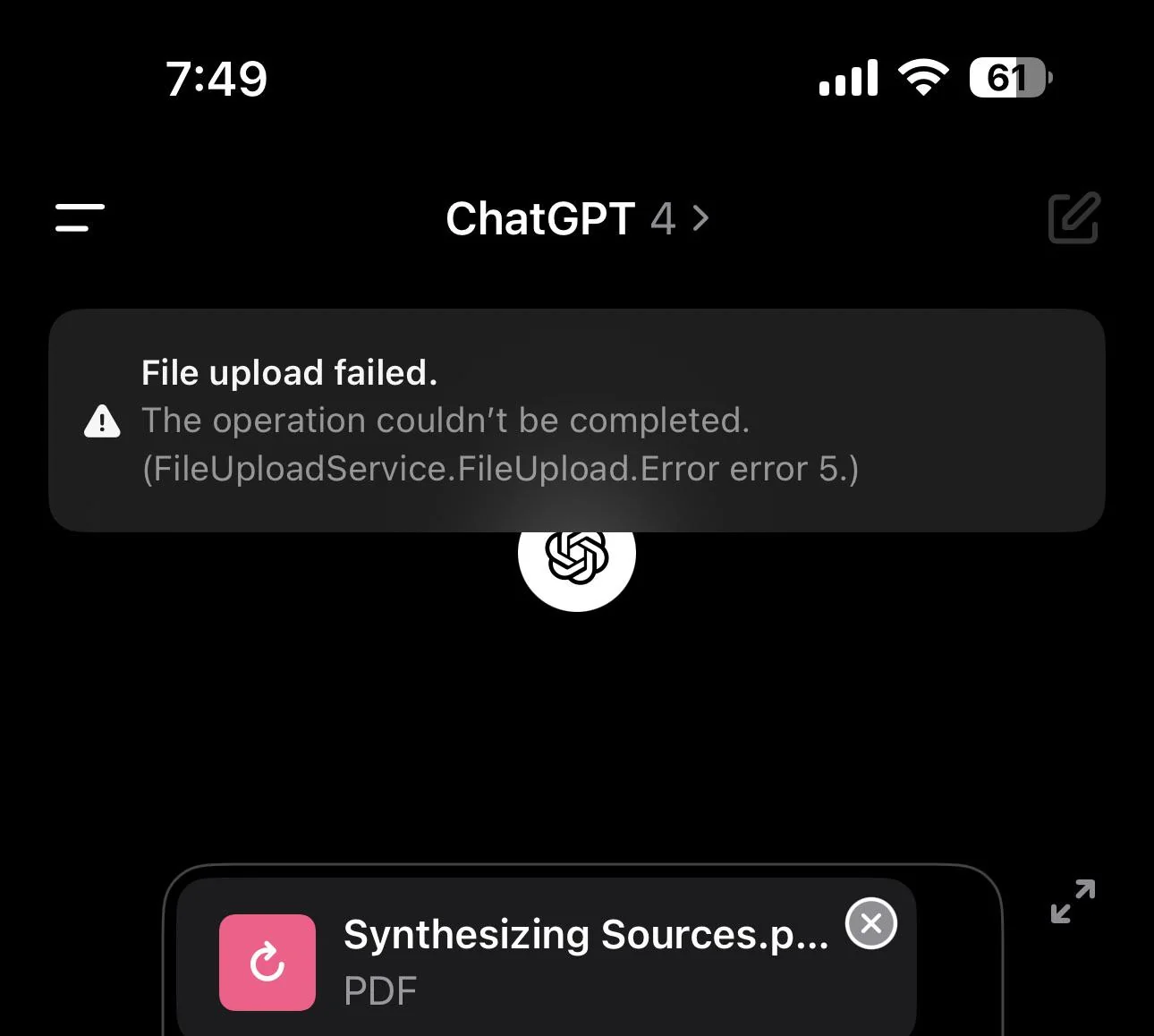
This guide explains the GPT file upload limit in plain terms: how big a file can be, how many you can send, why the cap shows up, and what to do when you get stuck. Every figure below was checked against OpenAI's help center, so you are not reading guesses.
GPT accepts files up to 512MB each. The catch is usually the count, not the size. The GPT file upload limit in 2026 looks strict on paper but is easy to work around once you see the two layers.
| Plan | Max file size | Upload limit (2026 snapshot) |
|---|---|---|
| Free | 512MB | 3 files per day |
| Plus | 512MB | about 80 files per 3 hours |
| Pro | 512MB | higher quota than Plus |
| Team / Enterprise | 512MB | set by your org admin |
These figures are commonly reported typical limits, not officially published per-plan quotas from OpenAI, and they can shift at any time. Treat the table as a 2026 snapshot and confirm the live numbers in your own account or the OpenAI help center if something looks off. The GPT file upload limit also behaves differently by file type, which is where most people get surprised.
What is the GPT file upload limit? (Sizes & upload quota by plan)
The GPT file upload limit works in two layers. First, a size ceiling: no single file can pass 512MB, no matter your plan. Second, a count ceiling that resets on a schedule and depends on what you pay for. The size rule is stable. The count rule drifts, and it is the one that trips people up.
On Free, you get a small daily allowance. A Free account typically accepts a few files in a morning, then rejects further uploads with the "limit reached" message until the next day. Plus opens the window much wider, with a rolling cap measured in hours rather than a single day. Pro sits above that. If you manage a Team or Enterprise workspace, your admin sets the ceiling, so ask them instead of guessing.
When the cap hits, it often looks like a bug. The file is under 512MB, the connection is fine, but GPT refuses it. That is a quota signal, not a broken uploader. Our guide on GPT rate limits breaks down how these windows reset, and our troubleshooting page covers the look-alike errors that mimic a file cap.
GPT file upload limit by file type (PDF, images, CSV, code)
Not every file type is treated the same way under the GPT file upload limit. PDFs and Word docs sit close to the 512MB ceiling. Images are smaller, usually around 20MB each. Spreadsheets and CSV files land near 50MB. Plain text and code files are measured in tokens rather than bytes, often up to about 2 million tokens per file.
These type numbers are estimates and change with model updates, so treat them as a planning guide and confirm against the OpenAI help center before you rely on them. The practical takeaway: a 30MB PDF is fine, a 15MB PNG is fine, but a folder of 200 small JPGs will burn your count quota long before it touches the size limit.
Context also matters. Even when a file uploads, a huge document can fill the model's working memory and force later summaries. Our piece on GPT memory full explains why a successful upload can still leave the chat acting "forgetful" afterward.
"You've reached the file upload limit": how to fix it instantly
If you see that message right now, try these in order.
- Wait for the window to reset. Free resets daily; Plus rolls on a roughly three-hour cycle. Come back later and the same file often goes through.
- Paste the text instead of the file. For a PDF or DOCX, copy the content into the chat. You lose formatting but keep the information, and it costs zero quota.
- Split a large PDF into smaller chunks. Two 20MB files beat one 40MB file when the count cap is what is blocking you.
- Compress images before uploading. A 15MB PNG dropped to 2MB with a quick resize tool clears the type limit and the count limit together.
- Switch to a higher plan for the session. If you are on Free and stuck, a Plus window is wider.
- Check for a look-alike error. "Too many requests" and "something went wrong" are different problems with different fixes. Our too many requests fix and our general error guide walk through both.
The GPT file upload limit is about quota, so most fixes are about buying time or removing the file from the equation. When the GPT file upload limit blocks a PDF, pasting the text almost always works. You rarely need a new tool.
Why you hit the GPT file upload limit (quota, usage caps & account sharing)
Three things push you to the cap. The first is the reset window itself: you simply used your allowance. The second is a usage cap tied to a rolling period, which catches Plus users who batch-upload. The third is the one most guides miss: account sharing.
When several people use one login, every file counts against the same quota. A teammate's bulk upload at 9am can starve your 11am upload. A shared seat can hit its cap before noon while the owner thought they had barely used it. Our rate limit explainer covers how a pooled quota behaves, and our guide on unusual activity flags explains why sudden spikes from one shared login can also trigger account reviews that look like limits.
If sharing is the cause, the fix is separation, not waiting. A managed separate-seat plan keeps each person's uploads isolated so one bulk session does not sink everyone. This is the part most guides miss when they explain the GPT file upload limit.
GPT file upload limit free vs plus vs pro (which plan?)
Pick by how often you upload, not by which plan sounds best.
| Plan | File size | Upload quota | Best for |
|---|---|---|---|
| Free | 512MB | 3 files per day | Occasional, small uploads |
| Plus | 512MB | ~80 files per 3h | Daily work, bulk docs |
| Pro | 512MB | highest quota | Heavy, continuous use |
| Team | 512MB | admin-set | Shared teams |
Free is enough if you send a file now and then. Plus is the sweet spot for most working users. Pro only pays off if you upload constantly. The GPT file upload limit free vs plus gap is the difference between three files a day and eighty every three hours.
If cost is the deciding factor, weigh what each plan costs against how often you actually upload before you commit. Our is Plus worth it breakdown helps you decide which tier fits your real usage.
FAQ: GPT file upload limit questions answered
How many files can I upload to GPT at once? The GPT file upload limit applies per plan, not per message. You can attach several files in one message, but the total still counts against your plan quota. Free allows about 3 per day; Plus allows roughly 80 per 3 hours.
Does GPT Plus have a higher file upload limit? Yes. Plus raises the count ceiling well above Free and resets on a shorter rolling window, so bulk uploads go through where Free would block them.
Why does GPT say "file upload limit reached"? Usually your plan quota is spent for the current window. Less often, a shared login burned the quota, or a look-alike error such as "too many requests" is the real cause.
How long until the GPT upload limit resets? Free resets daily. Plus rolls on about a three-hour cycle. Pro uses a higher quota with a similar rolling window.
Can GPT upload a 1GB PDF? No. The size ceiling is 512MB per file on every plan. Split the PDF or paste the text to get past it.
What is the maximum PDF size GPT can read? About 512MB per file as a 2026 snapshot. Type limits for images and spreadsheets are smaller, so check the file type before you assume a PDF rule applies to everything.
Does GPT limit file uploads by day? Yes, on Free the count quota resets daily, so you get a fresh allowance each day. Plus and Pro use rolling windows measured in hours rather than a single day, which is why heavy users rarely wait a full day between uploads.
Why can't GPT upload my PDF? Usually it is size or count, not the PDF format itself. If the file is over 512MB, it is rejected on every plan. If it is under the limit, you have most likely hit the count quota for the current window, or a look-alike error such as "something went wrong" is the real cause. Paste the text or split the PDF to get past it.
Conclusion: GPT file upload limit in 2026
The GPT file upload limit in 2026 is mostly a count problem, not a size problem. Files cap at 512MB, but plans decide how many you get and when they refill. When the message hits, paste the text, split the file, or wait for the window. If sharing is quietly draining your quota, give each person a separate seat instead of one shared login.
Need GPT Plus access without the payment friction? If cost leads, a shared GPT Plus seat from FamilyPro is the budget pick. If you need your own quota and can't pay OpenAI directly where you live, FamilyPro can top up a personal GPT account so you get an independent login with its own limits. Our shared account guide shows how separate seats avoid the bulk-upload problem.