
ChatGPT Not Loading? 7 Fixes That Actually Work (2026)
ChatGPT is stuck on the loading screen five minutes before a deadline, and every refresh just brings the spinner back. You quit the app, reopen it, maybe reset the router, and nothing changes. At that point it is tempting to decide your account is broken or the whole service is down. 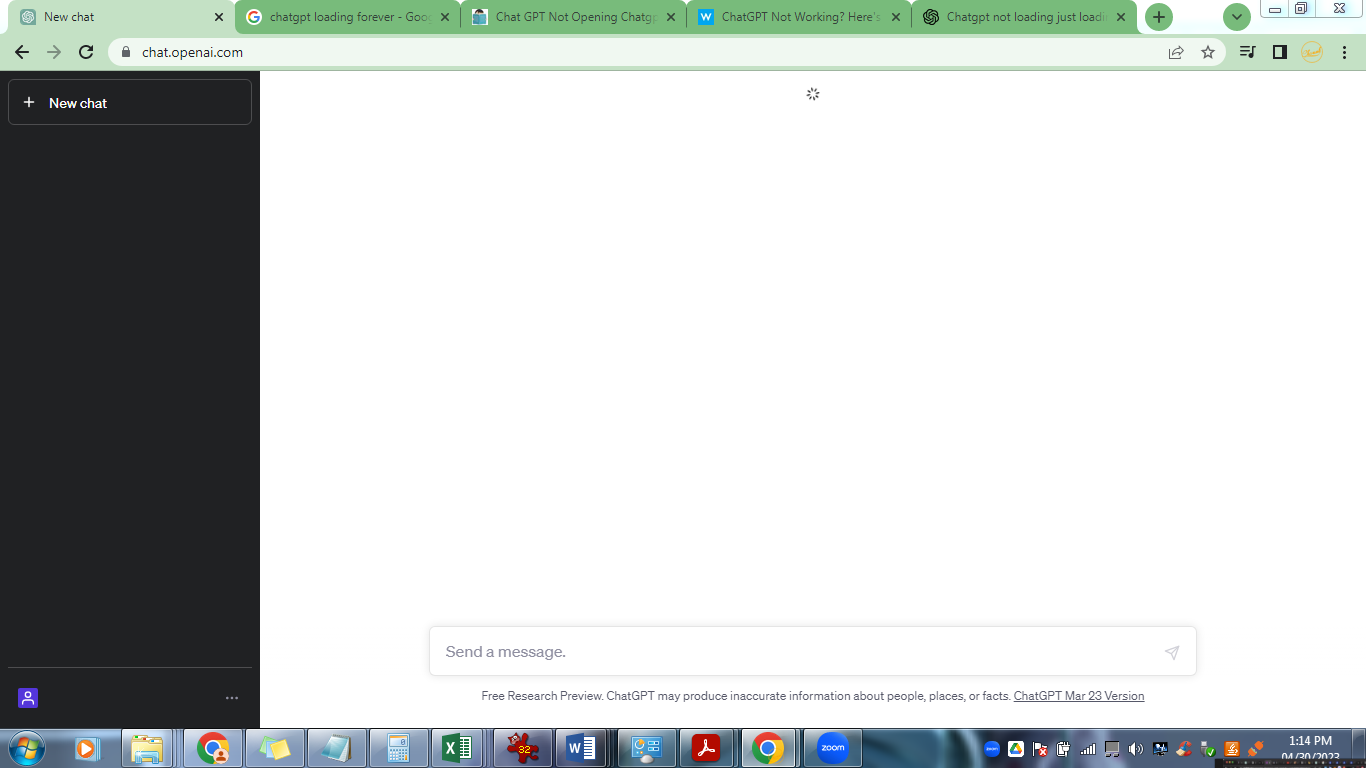 In most cases it is neither. ChatGPT not loading usually happens because of one of four reasons: a temporary OpenAI server outage, a network problem, browser cache or extensions, or an account session error. The fastest way out is: check the OpenAI status page first, hard-refresh or force-quit the app, then clear browser cache if it still spins. Most people are back in within five minutes. The full step-by-step list is below, and the device section covers the phone and browser cases separately.
I ran every fix in this post on a MacBook in Chrome and Safari, an iPhone 15, and a Windows desktop in the first week of August 2026. Your screens will look slightly different, but the order of the steps holds.
Why is ChatGPT not loading? The 4 root causes
Before you change anything, it helps to know which bucket you are in. Each cause has its own tell, and the quick version is in this table.
| Cause | What it looks like | How to confirm |
|---|---|---|
| Server outage | Spinner on every device; error note on the status page | Check status.openai.com |
| Network problem | Works on Wi-Fi, fails on mobile data, or the reverse | Toggle Wi-Fi, try a hotspot |
| Browser or cache issue | One browser is stuck, another loads fine | Try incognito or a different browser |
| Account or session problem | Logged out by itself, login page loops, billing warning | Log out, log back in, check billing |
A server outage is the only case where no local fix helps. OpenAI runs a public status page, and during incidents it posts there long before social media catches up. The first time ChatGPT not loading happened to me this year, I blamed my network, reset the router twice, and only later noticed the status page had flagged degraded service hours earlier. Now I check it first.
Network problems are the sneakiest of the four. A weak signal, or a VPN stuck on a strange region, can block the request without ever showing an error. Browser cache and extensions are the most common fixable cause, which is why they sit near the top of the fix list. Account issues are the rarest, but they feel the worst, because no button on the page clears them. If ChatGPT not loading shows up on every browser and both networks at once, that points at the server or the account rather than the device. And if the real problem is a usage limit, that is a separate failure mode with its own fix list: our guide to ChatGPT rate limits covers the limits and the workarounds.
Step-by-step fixes for ChatGPT not loading in 2026 (quickest first)
Work through these in order. Each one takes under two minutes, and you can stop as soon as one works. I ordered them by how often they actually resolve ChatGPT not loading in the field, not by how impressive they sound.
Check the OpenAI status page. Open status.openai.com. If a service is marked as an outage or degraded, the honest fix is to wait. Nothing else below will help until it clears.
Hard-refresh the tab. On Windows, Ctrl+Shift+R. On Mac, Cmd+Shift+R. If you are in the app, force-quit and reopen it. A stale page can look exactly like ChatGPT not loading when the connection is fine.
Try incognito mode or another browser. This isolates extensions. Ad blockers and privacy tools have broken the ChatGPT interface more than once, and incognito usually loads clean in seconds.
Clear browser cache and site data. If incognito loads fine, your normal profile is the problem. Clear cache and cookies for chat.openai.com only, so you do not log out of everything else. On mobile, deleting and reinstalling the app does the same job.
Toggle the network. Turn Wi-Fi off and back on, or switch to mobile data for one test. If ChatGPT not loading follows you across two different networks, the network is not the cause.
Disable the VPN and check the clock. A VPN can land you on a blocked region, and a device clock that drifted off sync can make ChatGPT reject the request outright. Both are five-second checks.
Log out and log back in. If the page loads but keeps bouncing to the login screen, sign out everywhere and sign in again. This clears stale session tokens that a refresh never touches.
Most people fix ChatGPT not loading with the first four steps alone, so try those before anything dramatic. If the seven fixes do not clear it, the next two sections cover device-specific steps and account-level causes. And if a "something went wrong" error shows up alongside the loading failure, our walkthrough of that exact message has the extra steps: how to fix ChatGPT something went wrong errors.
ChatGPT not loading on iPhone, Android, Chrome, and desktop
The generic steps fix most cases, but the fastest route differs between the app and the browser. Use this table for your situation.
| Where | Fastest fix | If it still fails |
|---|---|---|
| iPhone | Swipe up to close the app, reopen it | Update or reinstall the app from the App Store |
| Android | Force stop, clear app cache in Settings | Update or reinstall from the Play Store |
| Chrome on desktop | Hard-refresh, then incognito | Clear site data for chat.openai.com, disable extensions |
| Windows or Mac desktop | Restart the app, quit background processes | Reinstall the app or use the web version |
Two patterns keep coming up. First, on iPhone, ChatGPT not loading usually means the app needs an update or a fresh install. The app has shown me a blank white screen right after updates twice this year, and a delete-and-reinstall fixed it both times. Second, on Chrome, the profile is the usual suspect: extensions you forgot about can quietly block the interface. ChatGPT not loading on your phone is usually app-side, while the same symptom on Chrome is usually profile-side. If the app opens but chats come back empty or the whole thing drags, a full ChatGPT memory is a common mobile culprit worth clearing. If you want the official client for any device, grab it from the official ChatGPT download page rather than a random mirror.
ChatGPT not loading after login: account and subscription issues
This is the bucket that feels personal, because the fixes are about your account, not your network. The classic symptom: you log in fine, and then the page keeps loading or bounces back to the login screen. Common triggers are a session that expired on one device, a billing problem blocking access, or a security check after logging in from a new location. If your account was deactivated outright, that needs a different path: our guide to recovering a deactivated ChatGPT account walks through the full recovery steps. If you see an "unusual activity" warning, our guide covers what triggers it and how to get past it: unusual activity detected on ChatGPT, what it means.
For payment and plan problems, the OpenAI help center is the official place for account and billing support.
In most cases, ChatGPT not loading after login clears when you sign out everywhere and check your billing page before you suspect the service itself.
If you use a shared ChatGPT account
If you are using a shared ChatGPT account, there is one additional factor to consider. When two people sign in and out from different devices, the session tokens can clash, and the account can land in a security review that shows up as a login loop or a stuck loading state. Shared usage can also make troubleshooting harder, because multiple login sessions and settings overlap. If ChatGPT not loading keeps coming back on a shared seat, the session clash is the likely culprit. The honest tradeoff is this. A shared plan saves you roughly 70-80% versus a personal one, but it keeps the multi-user variables that cause this class of problem. If you want the cheaper route, our guide to getting a shared ChatGPT account covers the setup and the risks: how to get a shared ChatGPT account. If you would rather not manage shared sessions at all, skip to the "more stable experience" note at the end of this post.
FAQ: ChatGPT not loading questions answered
Q1: Why is ChatGPT not loading? The four usual causes are a temporary OpenAI outage, a network problem, browser cache or extensions, and an account session issue. Check the status page first, then hard-refresh, then clear browser cache.
Q2: Why is ChatGPT not loading on my iPhone? The iOS app usually needs an update or a fresh install. Force-quit it, check the App Store for an update, and if it still spins, delete and reinstall.
Q3: Why is ChatGPT stuck loading on Chrome? Extensions and cached site data are the most common causes in Chrome. Hard-refresh, try incognito, then clear site data for chat.openai.com if the problem stays.
Q4: Why is ChatGPT not loading after login? A session token or a security check is usually behind it. Sign out everywhere, sign back in, and confirm your billing is current before you suspect the service.
Q5: Can a shared ChatGPT account cause loading problems? Yes, in two ways. Multiple sign-ins can trigger a security review that looks like a login loop, and shared memory fills faster. Signing out everywhere clears it most of the time.
Q6: Why is ChatGPT stuck loading forever? A never-ending loading screen usually means the request is failing between your browser and ChatGPT's servers, or the page is holding a stale session. Check the status page, hard-refresh, and clear site data for chat.openai.com.
Q7: Why is ChatGPT loading but not responding? If the page loads but nothing responds, the usual suspects are an overloaded session or a browser extension blocking the interface. Force-quit the app or close the tab, disable extensions, and sign in again.
When to contact ChatGPT support
Most loading problems end with the fixes above, so support is a last resort. Contact OpenAI when: the status page shows no outage but ChatGPT not loading persists across every device and network for more than an hour; you hit an account-specific error like a billing block; or the login page refuses your password even after a reset. Before you write to support, export a HAR file from your browser so the team can see the failing requests. One warning from personal experience: the search results around this topic are full of "fix" sites that ask for your password or payment details. OpenAI will never ask for your password through a third-party site. If a page asks for it, close the tab.
Need a more stable ChatGPT experience?
If the instability is coming from your account setup rather than your network, the cleanest fix is a personal plan. A personal ChatGPT Plus account via FamilyPro costs more than sharing, but you get your own memory, your own login, and none of the multi-user session clashes that cause loading loops: ChatGPT Plus personal top-up. If you are a casual user and the budget matters more, a managed shared account still works, and FamilyPro handles the setup: ChatGPT Plus shared account. Not sure which fits? Our pricing comparison shows the real difference between the two: why ChatGPT prices differ.
Conclusion: get ChatGPT loading again in 2026
Here is the whole post in six lines. When ChatGPT not loading shows up, check status.openai.com, hard-refresh or force-quit, clear browser cache, toggle the network, disable the VPN, and if nothing else works, log out and back in. On iPhone, update or reinstall the app. On Chrome, try incognito first. If the problem follows your account across devices, look at sessions, billing, and whether a shared account is tripping security checks.
My habit now is to check the status page before touching anything else. It has saved me maybe an hour a month, because most of the time the answer is "OpenAI is having a bad day, not me." If ChatGPT not loading keeps coming back even after these fixes, the last variable to remove is the account setup, and that is where a personal plan pays for itself. Want more ChatGPT guidance? Our blog has the full collection of guides.