
Cheap ChatGPT Plus: 6 Ways People Try to Pay Less
ChatGPT Plus costs $20 per month in the US (US list price, verified November 19, 2026), and OpenAI publishes no standing discount code. If you want cheap ChatGPT Plus, three routes genuinely lower the bill: ChatGPT Go at $8, an official offer you qualify for, and the retention offer some users see when they cancel. Two others are not savings: topping up your own account solves payment, not price, and switching store regions rarely works. Each route below lists what it costs, what you lose, and who it fits.
Which ChatGPT Plan Do You Actually Need?
Before chasing discounts, check whether you need the $20 plan at all. Three tiers cover almost everyone:
| Plan | US price | What it adds over the tier below | Fits |
|---|---|---|---|
| Free | $0 | The base experience with daily caps; may show ads | Light, occasional use |
| Go | $8/mo | Everything in Free plus higher message, upload, image and voice limits, and longer memory; may show ads | Regular users who keep hitting Free's caps |
| Plus | $20/mo | Advanced reasoning models, higher usage limits, and expanded Codex access | Heavy daily use, coding, complex work |
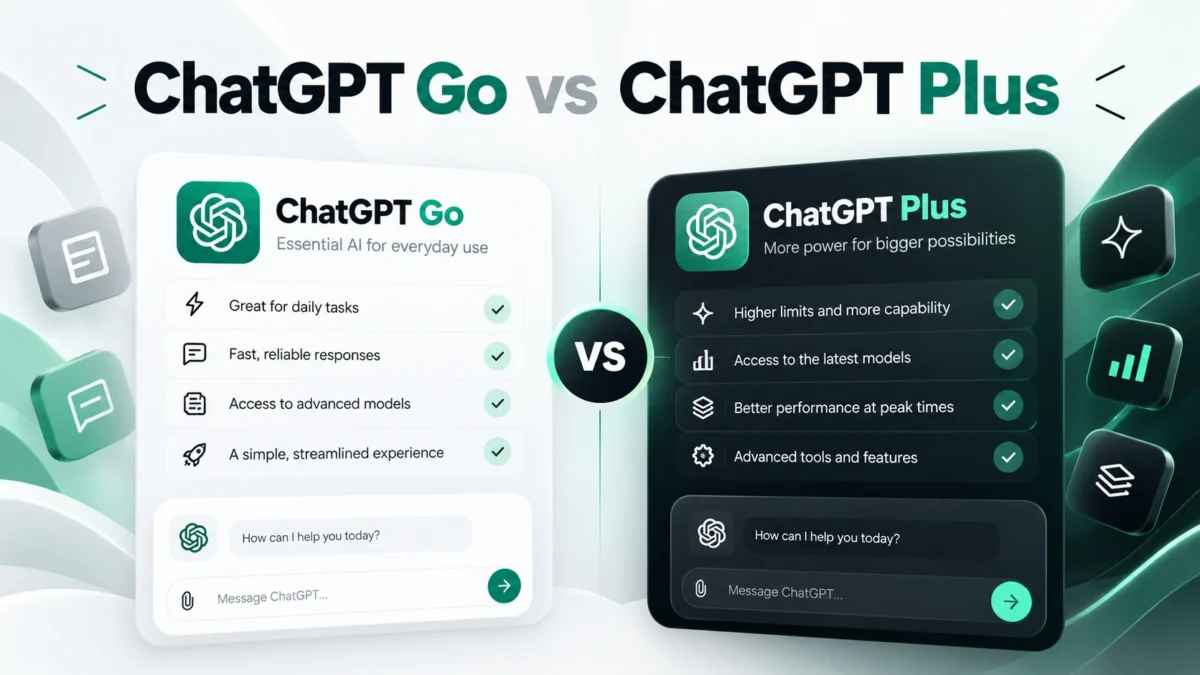
Prices are US list prices, verified November 19, 2026. Three facts matter when you compare Go and Plus. First, Codex is available on Free, Go, and Plus, but usage limits differ by plan. Codex cloud access is not included in Free or Go, while Plus provides expanded Codex access. The right question is which Codex features and usage limits you need. Second, OpenAI's plan pages list access to Projects, Tasks and existing GPTs on Go as well, subject to limits, so do not treat those as Plus-only perks. Third, personal accounts currently cannot create or publish new GPTs, so upgrading to Plus does not change that.
Put simply: Go is not a cheaper Plus. It is a cheaper ChatGPT with bigger Free-style caps. My read: if you hit Free's caps most days, try Go first, since it costs $12 less and keeps your memory longer. Move to Plus only when you need the advanced reasoning models or heavy Codex use. For the full breakdown, see our ChatGPT Go vs Plus comparison and our ChatGPT plan FAQ. One caveat: we have not run side-by-side quota tests, so the limits above are what OpenAI's pages state, not measured results.
6 Ways to Lower Your ChatGPT Subscription Costs
Most "cheap ChatGPT Plus" advice lists routes without the catch attached to each. Here is the full table first, then the routes worth your time:
| # | Route | Type | What you pay | What you get | What you lose | The catch |
|---|---|---|---|---|---|---|
| 1 | Downgrade to Go | A: official cheaper plan | $8/mo | Higher limits than Free, longer memory | Advanced reasoning models, Plus-tier caps, expanded Codex | Go's caps still apply, and Go may show ads |
| 2 | Official limited-time offers | B: real cost cut | Free or discounted months, if eligible | Actual Plus time | Nothing, if the offer is genuine | Fixed windows and eligibility checks; verify on the official page the day you read this |
| 3 | Retention offer when cancelling | B: real cost cut | Reported $10/mo for 3 months | Three discounted months if it appears | Nothing if you were leaving anyway | Not guaranteed; OpenAI does not document it |
| 4 | Shared access to a Plus account | B: third-party | A fraction of Plus, per the provider's tiers | Most Plus features | Codex, private history, one-account privacy | You share the account; details in the next section |
| 5 | Top-up on your own account | C: payment workaround | $23.19/mo via a third party | Your own Plus account, payment handled for you | Money: it costs more than the official $20 | Solves "can't pay", not "pay less"; next section |
| 6 | Region switch or gift cards | D: not a saving | Depends on the region | Lower regional prices in theory | Time, and possibly your store setup | Not a reliable way to save; explained near the end |
1. Downgrade to Go
The simplest honest saving. Steps: sign in on chatgpt.com, open Settings, then Billing, pick the plan you want, and confirm the checkout. The cost: you drop to Go's caps and lose the advanced reasoning models, so try it for a month before assuming it fits your workload.
2. Use an official offer you actually qualify for
OpenAI runs campaigns that change constantly: student windows, carrier partnerships, regional promos. Steps: check OpenAI's own pricing and promotions pages first, then your carrier's app, since carriers have given away three to twelve months of Plus in some markets. Check deadlines before planning around any of it. Our trackers keep this current: ChatGPT Plus discount options, the ChatGPT Plus free trial situation, and ChatGPT student pricing.
3. Watch the cancellation screen (reported, not guaranteed, not officially documented)
Some users report a "keep Plus at 50% off" prompt when they start cancelling a web subscription: a BGR report on the 50% off cancellation prompt describes users being offered three months at $10 per month. OpenAI does not document this offer anywhere, and the same report found plenty of people who cancelled and saw nothing. Steps: on the web, open Settings, then Account, then Manage, and start the cancellation; if a discount screen appears, read the price and the number of months before accepting; if nothing appears, finish cancelling normally. Don't cancel and resubscribe to force it. OpenAI states that reactivating a subscription does not restore the original promotional price.
4. Shared access, in one look
Third-party providers sell seats on Plus accounts they manage: pick a plan, pay, get login credentials, use one device. It cuts cost hard, but you share history and memory with strangers on the same account. Full comparison in the next section.
Routes 5 and 6 are where we pump the brakes. Topping up your own account costs more than paying OpenAI directly, so it is a payment workaround, not a saving; the next section covers it. Region switches and gift cards rarely survive contact with store rules; the section before the FAQ explains why.
Shared Access vs Topping Up Your Own Account
These are the two main third-party routes. The table below compares their pricing, access models, and practical trade-offs:
| Shared access | Top-up on your own account | |
|---|---|---|
| Price | Tiered plans, listed on the order page | $23.19/mo, which is above the official $20 |
| Account | You log into a Plus account the provider manages | Your own account gets Plus activated |
| Memory and history | Shared with other users of that account | Yours alone |
| Login | The provider manages account credentials and periodically updates them; users retrieve the latest details from the order page | Requires submitting the session information requested during checkout; review the provider's security and handling terms before proceeding |
| Codex | Not included on shared accounts | Works as normal on your own Plus |
| Devices | One device, one IP at a time; the platform limits seats and concurrent users per tier | Your normal usage |
| ToS risk | Account sharing sits outside OpenAI's single-user model, so deactivation is a real risk | Your account keeps its normal standing with OpenAI |
| Refunds and warranty | First failure caused by the platform: replacement or full refund; otherwise channel fees plus a 20% service fee | Warranty covers accidental downgrades not caused by violations; a ban is not covered |
If you go shared, our guide to getting a shared ChatGPT account walks through setup, and the shared ChatGPT Plus plans page lists current tiers and terms. If you prefer to keep your own ChatGPT account, the top-up route activates Plus on that account. The checkout process requires the session information specified on the order page, rather than your account password. Because session information can grant account access, treat it as sensitive authentication data and review the provider's handling and security terms before submitting it. The service activates one month of Plus, usually within minutes, and does not work if the account is already Plus. Current terms are on the top-up for your own account page. This route exists for one situation: paying OpenAI directly is hard from your region, for example no international card or a blocked checkout. You pay extra for the convenience, not for a discount.
Can You Just Pay Another Country's Price?
ChatGPT prices are set per market, which is why "just switch countries" keeps coming up. What controls your price depends on where you subscribe. On the web, you pay what the checkout page shows, with the payment methods it supports; no app store sits in the middle. On iOS, Apple manages the subscription; on Android, Google Play does. Changing your IP does not change your App Store or Google Play account region. Apple, for instance, requires a valid payment method for the new region and asks you to settle balances and blocking subscriptions first, as Apple's support page on changing your Apple Account country or region documents. Google Play applies its own comparable rules. In short: cross-region payment depends on your account region, your checkout channel, and the payment conditions attached to each. Changing your IP alone does not change your price, and a region switch is not something you can assume gets approved just to chase a lower number. Our guide to ChatGPT unsupported countries covers what happens when your region is not supported at all.
How to Pay, and How to Spot a Fake Deal
The official way to subscribe
Sign in at chatgpt.com.
Open Settings, then Billing.
Pick your plan and complete the checkout on the page.
If you subscribed inside the iOS or Android app, manage the subscription in the App Store or Google Play, not on the website.
Four payment blockers and what to do
Card declined or no international card: check which local payment methods the official checkout supports in your region, and whether a same-region App Store balance can cover the subscription; if neither fits, the top-up route above is the remaining option. 3DS verification fails: contact your card issuer or try another card. Prepaid card rejected: the checkout does not accept it, so stop retrying. Already Plus and renewing: just let it renew, no third-party service needed.
Five red flags before paying anyone third-party
- The seller cannot or will not say what account type you get, or dodges when you ask how credentials work. Check: ask for the account model in writing first.
- The price is far below what the plan could plausibly cost at scale. Check: compare against the official $20 and ask how the margin works.
- They ask for your main account password, verification codes, or reusable session credentials without explaining their use, storage, and protection. Check: no clear written answer, no payment.
- There is no refund policy, or refunds carry a large fee. Check: read the terms before paying, not after.
- Payment only through untraceable private channels. Check: insist on a channel with records.
Account bans are the end point of most of these stories, and our guide on why ChatGPT accounts get banned explains how deactivation typically happens and what recovery looks like.
FAQ: Cheap ChatGPT Plus, Answered
Is there an official ChatGPT Plus discount code?
No public, standing code exists. OpenAI runs limited campaigns with eligibility rules based on region, account, and timing, and none is guaranteed for everyone. Check OpenAI's official promotions page for anything currently active before you pay, and treat codes sold on coupon sites as a red flag.
Is a shared ChatGPT Plus account safe?
It cuts cost a lot, but you share one account: chat history and memory are visible to other users, the provider can reset the login, and sharing can breach OpenAI's terms. If privacy and isolation matter to you, an account of your own is the safer route.
Should I switch my App Store region to pay less?
Changing your store region just to get another country's price may not meet the store's region, payment, and eligibility requirements. Apple, for example, requires a valid payment method for the new region and asks you to settle balances and blocking subscriptions first. Only switch if you genuinely qualify.
Is ChatGPT Go a cheaper Plus?
No. Go is a lower-cost plan with higher usage limits and longer memory than Free, but it is not equivalent to Plus. Go includes limited Codex access, which is also available from Free. Plus adds advanced reasoning models, higher usage limits, and expanded Codex usage. Check OpenAI's plan page for each tier's current limits.
Can I pay for Plus without an overseas card?
First check what the official checkout page accepts in your region, including local payment methods, and whether an App Store balance in your own region works. If neither fits, a third-party top-up service can upgrade your own account for you, with its own terms, limits, and extra cost.
The Short Answer, by Situation
Only Free and rarely hitting caps: stay there. Hitting Free's caps most days: try Go at $8 first. Need advanced reasoning models or heavy Codex use: Plus at $20. Qualify for an official offer: take that before anything else. Budget first and can accept shared trade-offs: shared access, with eyes open. Have your own account but no way to pay: top-up, knowing it costs more.
If shared access fits your budget, compare the available plans and review their account-sharing, usage, and refund terms before purchasing. If you need Plus on your own account but cannot pay OpenAI directly, third-party top-up is another option, though it costs more than the official subscription.