
GPT Image Generator Not Working? 9 Fixes (2026)
When gpt image generator not working is the problem you are staring at, the cause is usually boring and fixable. I ran every step below on my own GPT account, in both the desktop browser and the iPhone app, so nothing here is a guess from a help article. 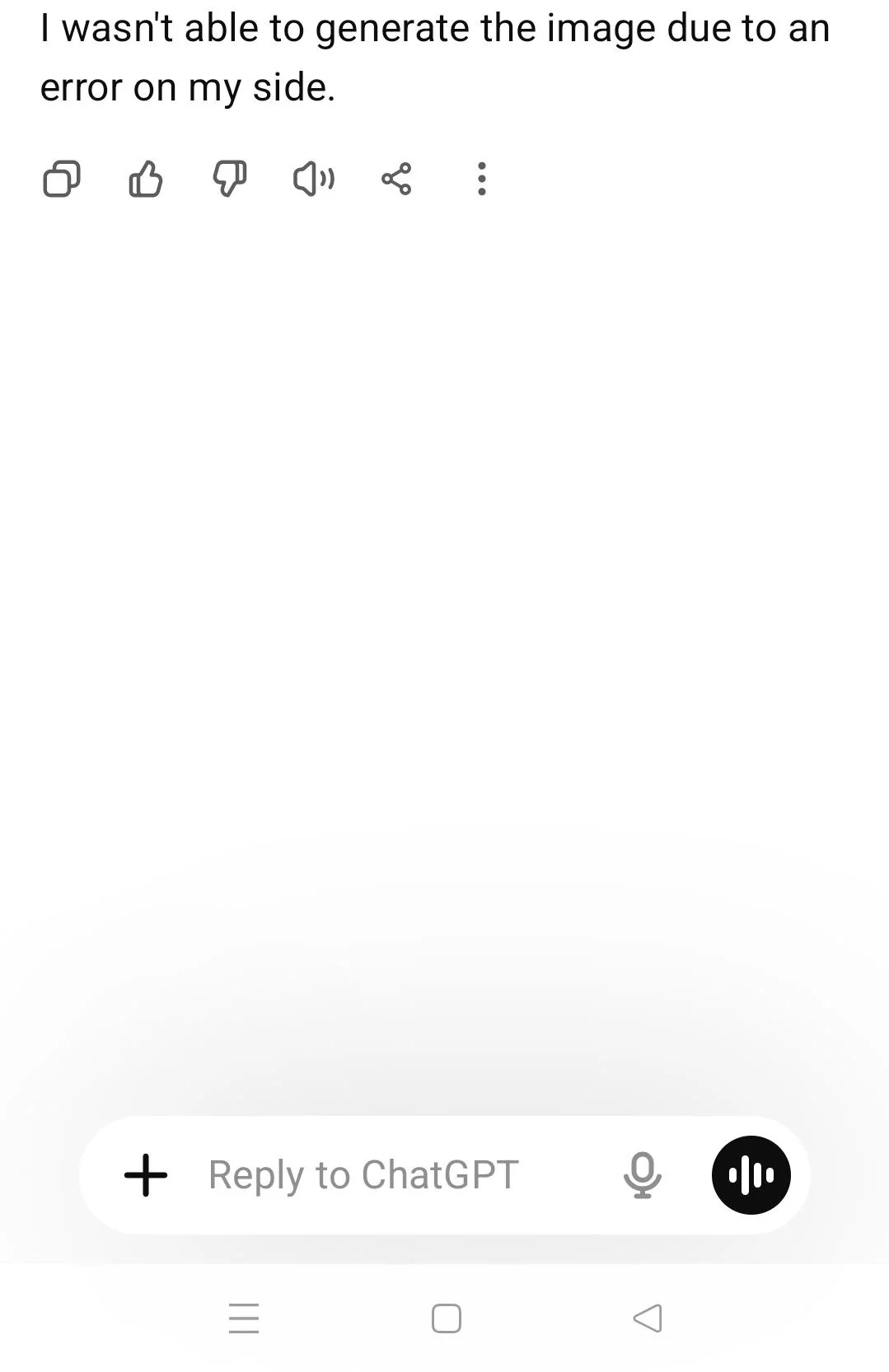
The problem shows up a few ways. You type a prompt, hit enter, and either nothing renders, you get a gray box, or GPT says it could not generate the image. The annoying part is what comes next. You clear the chat, retype the same prompt, and it still fails. You start to wonder if the whole feature is broken or if your account is the issue.
Here is the short version. If gpt image generator not working for you, the issue is almost always one of five things: an OpenAI outage, a stuck session, a hit usage limit, a VPN or region block, or a model that does not support images.
When gpt image generator not working, the fastest move is the status check before you touch any setting. Do these three checks first:
- Open the OpenAI status page to see if image generation is down.
- Refresh your GPT session (log out and back in, or start a new chat).
- Confirm your account still has image generation access.
The rest of this guide walks through nine fixes in the order I would try them.
Why is the gpt image generator not working? (causes)
Most failures fall into seven buckets. Knowing which one you are in saves you from random clicking.
OpenAI outage. Sometimes the image model itself is degraded or fully down. The OpenAI status page is the fastest way to confirm this, and when it is an outage, no setting on your side will fix it.
Temporary session bug. I had this exact thing last week. The image button stayed gray for a full minute even though prompts worked fine. One refresh cleared it. Sessions occasionally get into a weird state after a long chat. If gpt image generator not working after a long session, the session bug is the likely culprit.
Image generation limit reached. GPT caps how many images you can make in a rolling window. Free and Plus tiers have different caps, and once you hit yours, new requests fail until the window resets.
Unsupported model. Not every model inside GPT can draw. If you are in a model that only does text, the image tool will not appear or will error when you ask for a picture.
Browser cache or extensions. A stale cache or a content-blocking extension can stop the image request from completing even when the backend is healthy.
VPN or region restrictions. OpenAI image generation is not available in every country. A VPN that routes you through a blocked region can quietly break image creation.
Account permission issues. If image generation was turned off on your account, or you are on a managed plan with it disabled, requests will fail regardless of the model.
One honest note if you use a shared or third-party plan, such as a shared GPT seat. When gpt image generator not working on a shared seat, memory filling up or several people on one account is often the blocker. It is not the usual cause, but it happens. Our guide on a full GPT memory walks through the cleanup, and our shared account guide explains how seats are shared.
Quick check: is gpt down or is it your account?
Before you change settings, figure out whether this is everyone or just you. The fix is completely different for each.
| What you see | Likely cause | What to do |
|---|---|---|
| Everyone on forums reports the same failure | OpenAI outage | Wait for recovery, check status page |
| Images work in a new chat but not the old one | Stuck session | Refresh or start a new chat |
| Images fail only on your account, others fine | Account or plan limit | Check limits and permissions |
| Images fail on Wi-Fi but work on mobile data | VPN or network block | Switch network or disable VPN |
If gpt image generator not working only on your side, the problem is local and the fixes below will sort it. If it is a widespread outage, skip to the wait-it-out step. Our account deactivated guide covers what to check when access itself is the issue.
9 fixes for gpt image generator not working
Work through these in order. Most people are back to generating images by Fix 3.
Fix 1: Check the OpenAI server status
Go to the OpenAI status page first. Look specifically for the image generation or DALL-E component, not just the general API. If that component shows degraded or down, stop here and wait. Reports on the OpenAI forum spike during these windows, so a quick search there confirms it fast. When gpt image generator not working lines up with an outage, no local fix applies.
Fix 2: Refresh your GPT session
Log out, close the tab, and log back in. On mobile, fully close the app from the app switcher, not just minimize it. This clears the stuck session state that causes gray buttons and silent failures. I once lost an afternoon to this before realizing a single refresh fixed it. When gpt image generator not working right after a long chat, a session reset is the first move.
Fix 3: Switch to a model that supports images
Open the model picker and choose a model that includes image generation, such as the GPT-4o family in the GPT app. If you are in a text-only or legacy model, the image tool will not load. Starting a fresh chat in the right model is the cleanest test. This step matters because gpt image generator not working often traces to the wrong model.
Fix 4: Clear your browser cache and disable extensions
In your browser settings, clear cache and cookies for chatgpt.com, then reload. Turn off content blockers and any script-blocking extensions, at least for that site. A blocked request in the background is one quiet reason gpt image generator not working shows no error message.
Fix 5: Turn off your VPN or change region
Disable your VPN and try again. If images come back, your VPN was routing through a region where OpenAI image generation is restricted. Switch to a server in a supported country, or just stay on your normal connection. A VPN is a sneaky reason gpt image generator not working appears with no clear message.
Fix 6: Check your account permissions
Open your plan settings and confirm image generation is enabled. On managed or shared plans, an admin may have it turned off. If you are unsure what your plan allows, our shared account guide explains how seats and features are split. A disabled toggle here overrides every other fix.
Fix 7: Wait out the usage quota
If you have hit your image limit, the only fix is time. The counter resets on a rolling window, not at midnight, so check when your tier refills. Our rate limit guide breaks down how GPT throttles image requests by plan. If gpt image generator not working right after heavy use, the quota is the cap. Step away for a bit and try a simpler prompt later.
Fix 8: Reword or simplify your prompt
Sometimes gpt image generator not working is really the prompt being rejected, not the tool. Requests that ask for too many people, specific real faces, or prohibited content get declined. Shorten the prompt, drop the risky details, and try again. A plain sentence like "a cartoon cat on a skateboard" almost always renders when the system is healthy.
Fix 9: Try another account
If every fix above fails on your account but works on a friend's, the issue is tied to your account state. Sign in somewhere else to confirm. When gpt image generator not working follows your login specifically, a different or fresh account is the practical next step.
GPT image generator not working on mobile?
The fixes above all work on the app, but mobile has its own quirks.
On mobile, gpt image generator not working usually means a stale app cache. In iOS or Android settings, offload or clear the GPT app data, then reopen it. Check that the app has storage permission, since image saves can stall without it. Update the app if an update is waiting, because older builds sometimes break the image tool after a server change. Finally, test on cellular data instead of Wi-Fi to rule out a network block. Our gpt not loading guide covers app-side loading problems in more detail.
When gpt image generator still doesn't work
When gpt image generator not working continues after all nine fixes, step back and pick a path instead of retrying the same steps.
First, if the status page shows an outage, wait. Outages usually clear within a few hours, and refreshing every few minutes will not speed it up.
Second, if it is tied to your account state, try a different account to confirm. This tells you whether to keep troubleshooting or move on.
Third, if you need image generation to be reliable for ongoing work, a stable independent environment matters more than squeezing the last bit out of a shared seat. For people who keep hitting memory or seat limits on a shared plan, a personal top-up gives you an independent account with its own memory and no mixing with other users. If budget is the priority, a shared plan is cheaper, but you trade away that isolation. Pick based on whether you care more about cost or about a clean, uninterrupted workspace.
FAQ: gpt image generator not working questions
Q1: Why is gpt image generator not working? The usual causes are an OpenAI outage, a stuck session, a hit image limit, a VPN or region block, or a model that does not support images. Check the status page first, then refresh your session and confirm your plan allows image generation.
Q2: Is GPT image generation down right now? Check the OpenAI status page for the image generation component. If it shows degraded or down, the problem is on OpenAI's side and you should wait. If the page is green, the issue is likely your session, account, or network.
Q3: Why can't GPT create images? GPT can only create images on models that include image generation, and only in supported regions. A text-only model, a disabled toggle in your plan, or a VPN in a blocked region will all stop image creation.
Q4: Does GPT image generation have a limit? Yes. Free and Plus tiers each have a rolling image limit. Once you hit it, new requests fail until the window resets. The exact number depends on your plan and changes over time.
Q5: Why is my GPT image stuck on generating? A stuck "generating" state is usually a stale session or a background request blocked by an extension or VPN. Refresh the session, clear the app or browser cache, and disable the VPN to free it.
Q6: Does VPN affect GPT image generation? Yes. OpenAI image generation is not available in every country. A VPN that routes you through a restricted region can block image creation with no clear error. Turn the VPN off or switch to a supported region to test.
Conclusion: get images generating again
Most of the time, gpt image generator not working comes down to a session refresh, a VPN, or a hit limit, and the nine fixes above cover nearly every case. Start with the status page, then move through the list in order.
If gpt image generator not working keeps returning, the account state is the real issue to chase, not another prompt tweak. If image generation is core to your work and a shared seat keeps getting in the way, the right setup depends on what you value. A shared GPT plan is the budget option at $5.5 per month, but memory and the seat are shared with others. A personal top-up at $23.19 per month gives you an independent account with its own memory and no mixing. Either way, the steps in this guide get most failures resolved in a few minutes.