Free Runway Gen-4 Image Generator & Editor With No Watermark
Try our free Runway Gen-4 image generator & editor online to create images instantly without a watermark. It generates high-quality visuals based on your input images and text for free. With no sign-up needed, it’s perfect for marketing, advertising, and social media content.
Upload Files and Tags
Prompt *
- • Please enter a prompt
0 credits per use
Generated Result
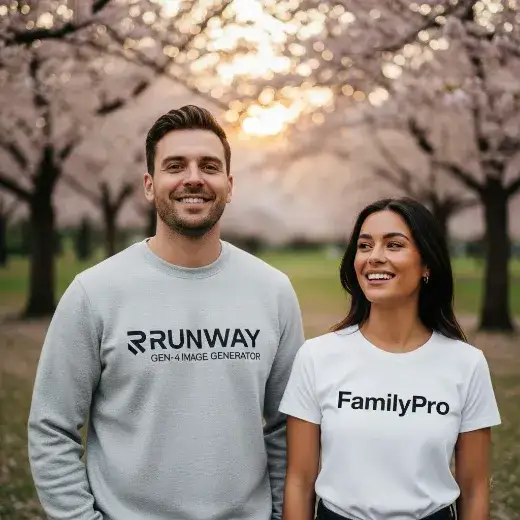
How to Use Runway Gen-4 Image Generator & Editor
Step 1
Option 1: Using Text to Image
Enter your desired description directly below the prompt (no image needed).
The formula is: Subject + Action + Style
The formula is: Subject + Action + Style
Step 2
Option 2: Using Image to Image
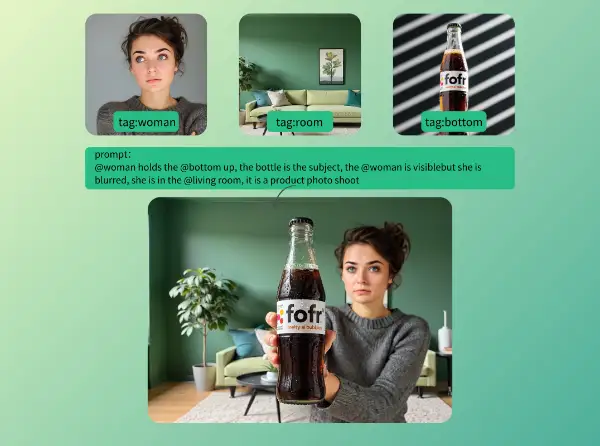
Click the Add More button to upload up to 3 images. You can also tag these images—tags mean all attributes of the image. When entering your desired output in the prompt, use the {'@'} symbol to reference it and achieve your goal. Refer to the examples below.
Step 3
Final step: Generate Image
Click the Generate button to generate the image. The generated image will be displayed in the output area.
What Are the Use Cases for Runway Gen-4 Image Generator & Editor?
Mix Photos Naturally – Runway Gen-4
Easily blend your photos with Runway Gen-4 image generator. Highlight the key parts and make social posts, product shots, or banners that look natural, clean, and ready to share.
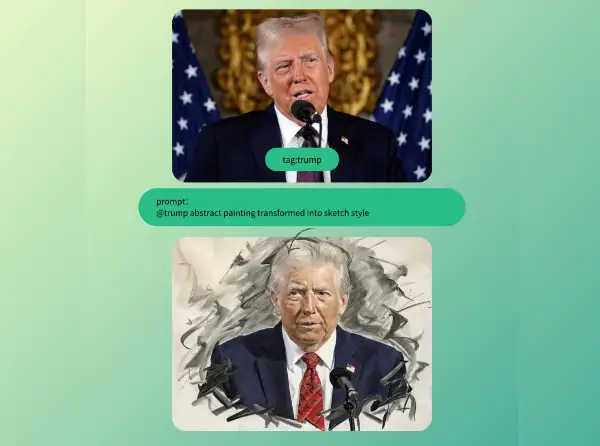
Convert Photos into Hand-Drawn Sketches – Runway Gen-4
Transform your photos into hand-drawn sketches with Runway Gen-4. Create avatars, illustrations, or artwork that look real and lively in just a few seconds.
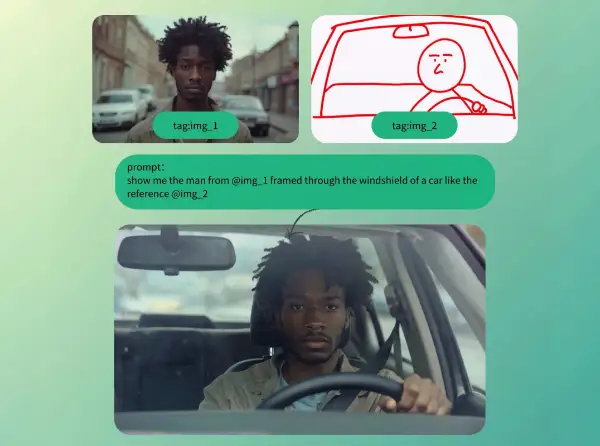
Bring Drafts to Life as Realistic Photos – Runway Gen-4
Take your sketches or manuscript drawings and bring them to life as realistic, high-quality photos with Runway Gen-4 image generator. Perfect for design references, teaching materials, or product mockups.

Create Images from Your Ideas – Runway Gen-4
No photos needed! Just type your ideas and Runway Gen-4 will turn them into high-quality images. Quickly make marketing visuals, story illustrations, or concept art.
What Runway Gen-4 Image Generator Does for You

Precisely control image
Supports referencing up to three images for prompts, allowing users to precisely control subjection, and scene assembly. style, composit

Create realistic imagery
Excels at creating realistic imagery and keeping characters or objects consistent across different generations—essential for sequential storytelling, animation, and design.

Handle a range of resolutions
Handles a range of resolutions, maintaining high detail and visual coherence for both single and series image tasks
What Users Say About Runway Gen-4 Image Generator & Editor
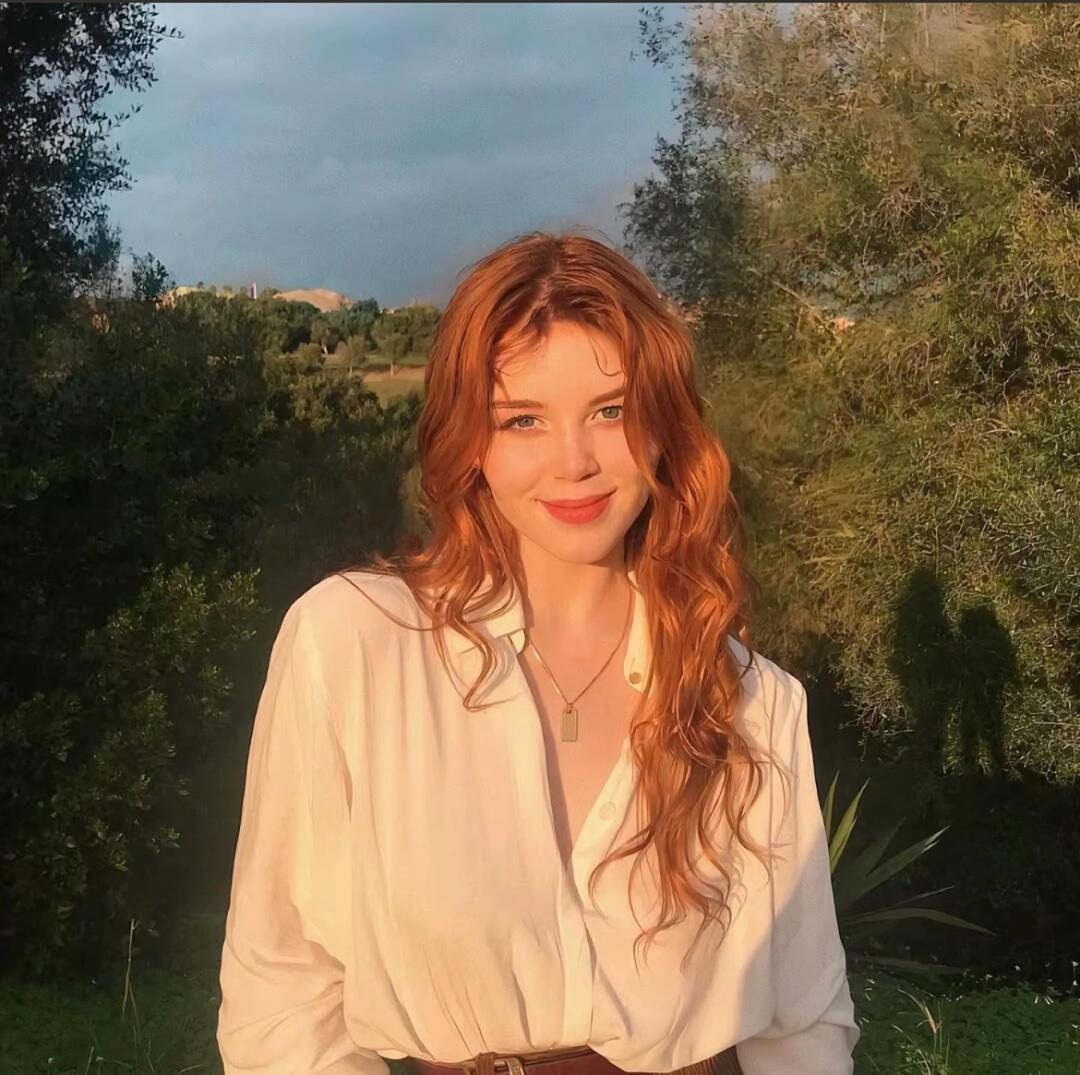
Content creator
I used to waste ages looking for decent blog pics. Then I stumbled on the Free Runway Gen-4 image generator. It works online, and the best part? There’s no sign-up. I just type what I need, and it matches my vibe. It’s honestly saved me so much hassle.

Growth marketer & Full-stack developer
I honestly just spent an hour messing around with the Free Runway Gen-4 image generator. It’s wild that this is available online. Since there’s no sign-up, I could just jump in and start trying weird styles instantly. Such a cool way to get quick ideas.

Enthusiast of streaming and AI
This Free Runway Gen-4 image generator is actually legit. It puts so much creative power right in your browser online. Plus, with no sign-up, there’s no barrier—you just start making stuff. I’ve already got a ton of new concepts I want to try out.
More AI Tools You Might Like

Cloth Swap
Cloth Swap Free is an AI-powered tool for virtual outfit swapping. Try on different styles instantly, mix and match outfits, and explore new looks for free!
Nano Banana AI Editor
Nano Banana AI Editor is a free online AI image editor that allows you to edit and enhance your images with just a few clicks.
Image Summary
Use AI to convert image to text and summarize that with FamilyPro. Best image to text converter and image summary generator.
FAQs About Runway Gen-4 Image
What is Runway Gen-4 Image?
Runway Gen-4 Image refers to the image creation capabilities within Runway's Gen-4 multimodal generative model, designed for generating highly realistic, compositionally consistent images using advanced text and visual prompts.
Runway difference between Gen-3 and Gen-4?
With Gen-3: Character and scene consistency are limited, causing variations across shots.Motion appears less natural, often floaty, with basic cinematic control.Generates video at 24 fps but at slower speeds.Visual fidelity is acceptable but struggles with complex dynamic scenes.
With Gen-4: Characters, objects, and scenes remain consistent across multiple shots.Motion is realistic and smooth, featuring advanced physics and natural camera movement.Offers enhanced cinematic and narrative control for complex scenes and storytelling.Faster generation times (especially Turbo), supports more formats and higher quality.Allows multi-image references and text for precise visual composition.
With Gen-4: Characters, objects, and scenes remain consistent across multiple shots.Motion is realistic and smooth, featuring advanced physics and natural camera movement.Offers enhanced cinematic and narrative control for complex scenes and storytelling.Faster generation times (especially Turbo), supports more formats and higher quality.Allows multi-image references and text for precise visual composition.
Is there any difference between the generated image model and the official Runway Gen-4 Image?
No, there is no difference — it uses the same model trained by the official team.
Is the Gen-4 Image Generator free of watermarks?
No watermarks at all, so it can be used anywhere without restrictions.
Is Runway Image Generator free?
You can definitely give it a spin for free. It comes with enough usage to let you create the images you need and see how well it works. There are no hidden costs or confusing catches. If you decide you want the full experience later, just head to FamilyPro to order.
